

- Build in the crate
- 2.2.92
- Made by the team at
- Shadow Launch Technology Limited
- Menu languages offered
- Russian, English, Vietnamese, Chinese (Traditional), Chinese (Simplified), Korean, Japanese
- How you pay for it
- K'ed by Antibiotics
- macOS it plays on
- macOS 10.15 or later
- CPU it runs on
- Apple Silicon, Intel 64-bit
Screenshots
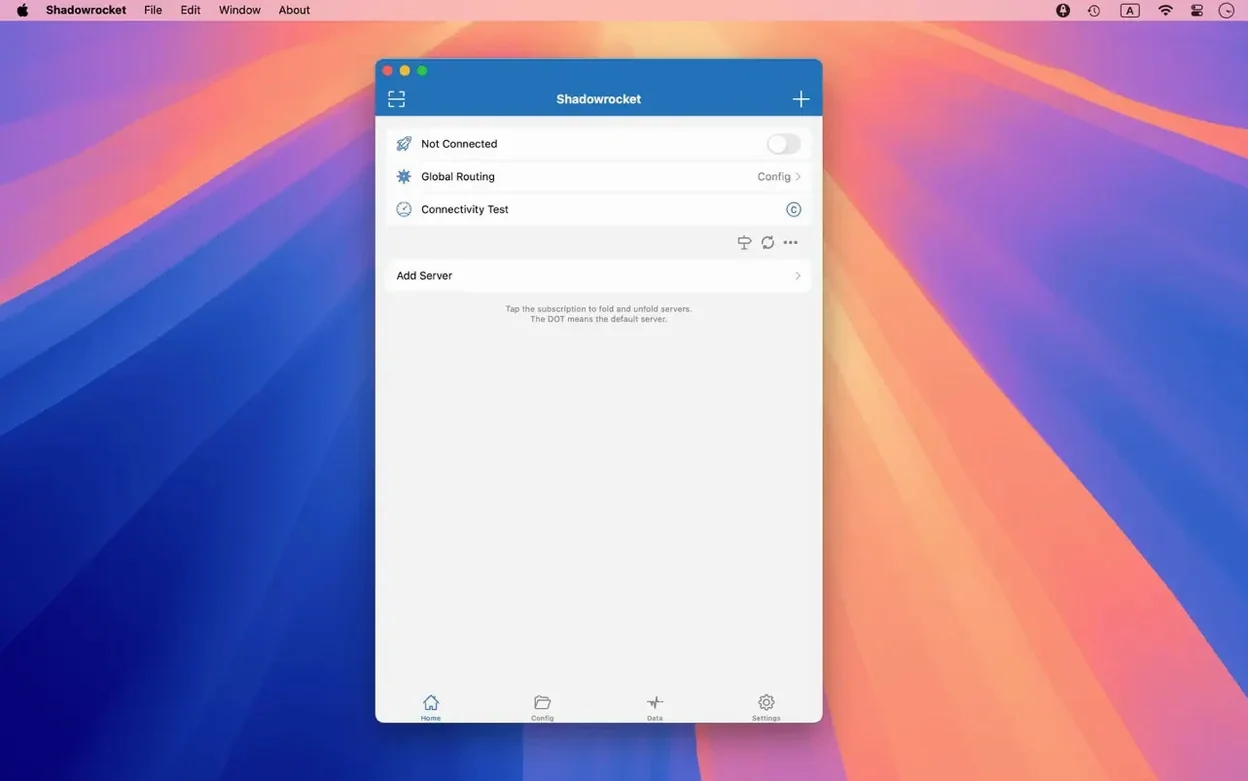
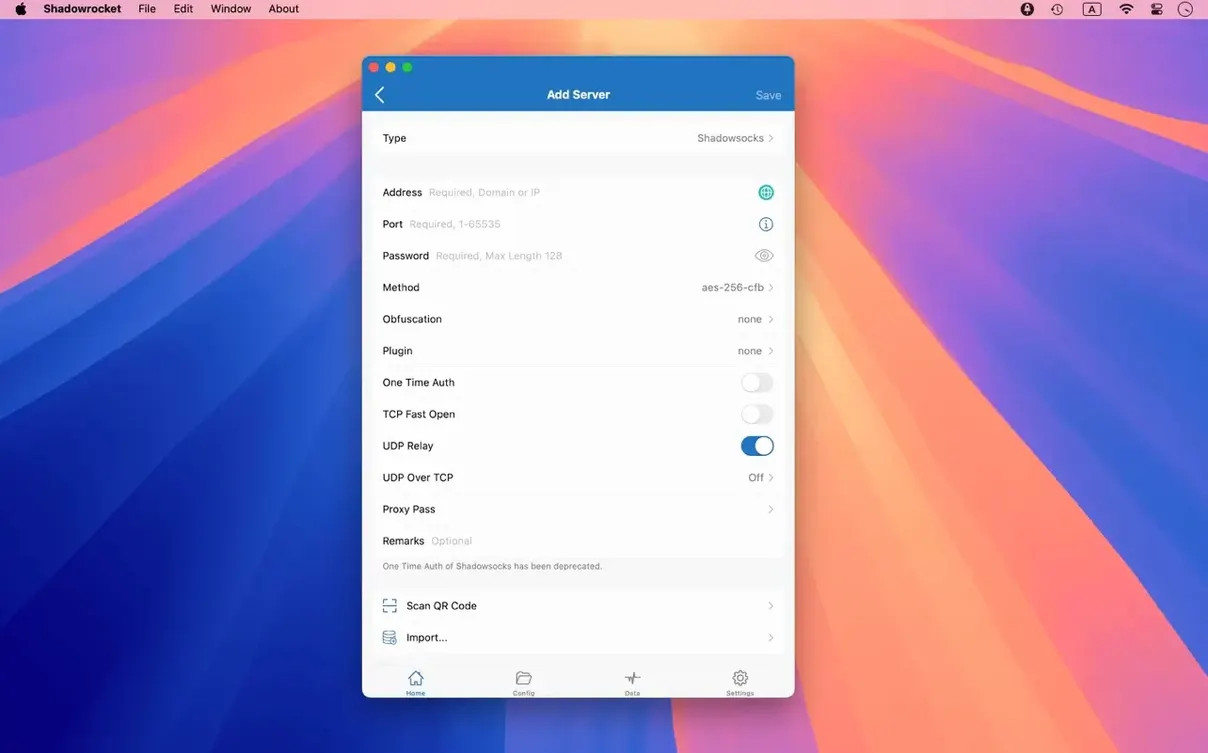
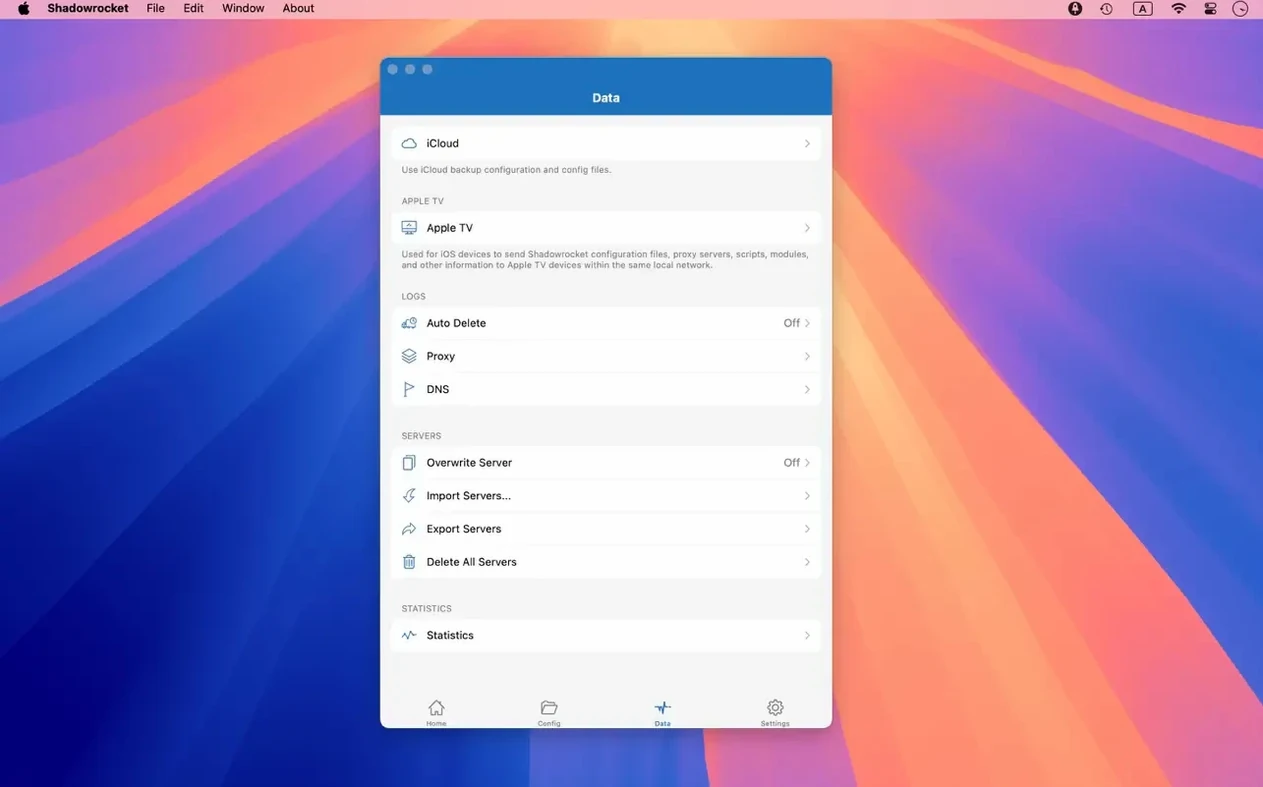
The first thing you’ll notice in Shadowrocket is the server list, where you add a proxy from the ground up. It supports Shadowsocks, V2Ray, and SOCKS5, so pick the one your setup already uses. Once the server is in, the connection toggle sits right at the top—tap it and you’re routed through the proxy.
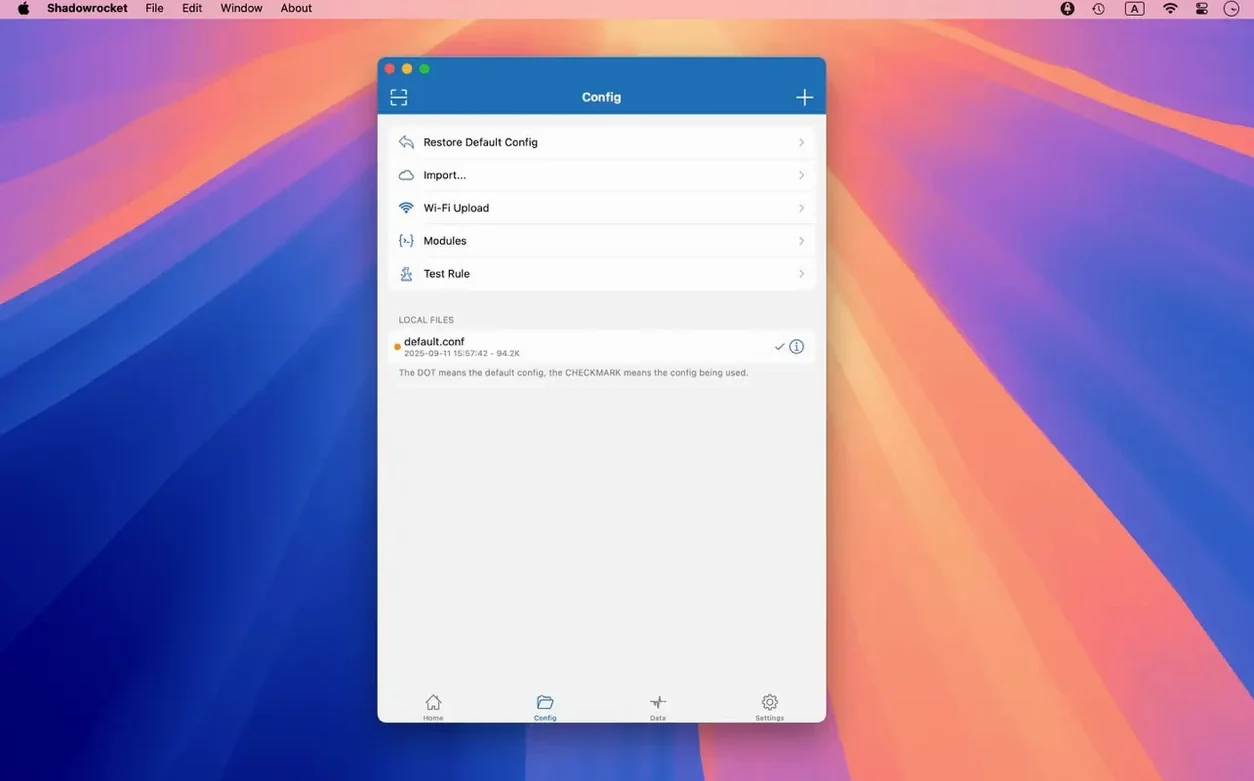
From there, try a rule file. Shadowrocket can pull rules from a URL or iCloud Drive, which is handy when you want different behaviour per site. The rules engine handles domain and user-agent ad blocking too, so you can cut the worst of the trackers without a separate tool.
For a deeper look, enable HTTPS decryption. It works with the same certificates you’d use on iOS, letting you inspect and rewrite encrypted traffic. URL rewriting lives in the same panel, so you can redirect requests before they leave the Mac.
If you’re on Apple Silicon, the build runs natively; 64-bit Intel Macs are covered as well. macOS 10.15 and later is all you need to get started.
Adding a VPS server with encryption fields
I usually start Shadowrocket by adding a server I’ve set up on a VPS. The fields are straightforward—address, port, password, and the encryption method for Shadowsocks or V2Ray. I rarely touch the advanced section unless I’m chaining proxies, which the multi-level proxy support handles if you need to route through one server into another.
Once the server is saved, I flip the switch. The menu bar icon turns from grey to a solid colour, and traffic starts showing in the main window. The speed graph updates live, which is useful when I’m checking whether a proxy is under load. The traffic counter resets manually, so I track data across a session or a full month.
Next, I import a rule file. Shadowrocket stores it locally after the first fetch, so you don’t need the URL every time. The rules apply immediately—no restart. I test a few sites to confirm the routing is right, then leave it running in the background. The menu bar icon gives quick access to the connection status and server switching without opening the full window.
When I need to debug something—like a request that isn’t going through the proxy—I check the HTTP and DNS request log. It lists every request with the source domain and the rule that matched it. That alone saves me from guessing whether a rule is missing or miswritten.
Routing blocked APIs while keeping direct connections
Consider someone who works with international web services. Their office network blocks certain APIs and tracks DNS queries. With Shadowrocket, they can route only the blocked domains through a proxy while everything else uses the direct connection. The rule types—domain suffix, domain keyword, CIDR range, GeoIP—let them build that split precisely.
They set up a rule for the blocked API’s domain suffix, another for the office’s internal IP range to stay direct, and a GeoIP rule for their home country to skip the proxy. The ad blocking by user-agent catches the analytics scripts that slow down their workflow. HTTPS decryption is off by default in this case, since they only need plain traffic filtering. The whole thing runs from the menu bar, and the traffic log confirms which requests went where.
Local DNS mapping and URL rewriting
- Local DNS mapping lets you override DNS responses for specific domains without changing system settings. Useful for redirecting a dev domain to a local server.
- URL rewriting lives inside the same rule set. You can redirect one URL to another before the request leaves the Mac—handy for swapping CDN paths or API endpoints during testing.
- Script filters sit between the proxy and the app. If you know a bit of JavaScript, you can modify responses or block requests beyond what simple rules allow.
- Multiple selection in server tables was fixed in the latest build. You can now batch-select servers to delete or reorder them, which saves time if you manage a long list.
- Import from iCloud Drive works with the same rule files you might keep on your phone. Drop a file in iCloud, open Shadowrocket on the Mac, and pick it from the import menu.
Background proxy without breaking AirPlay or printers
Shadowrocket runs as a background process once the switch is on. It doesn’t interfere with AirPlay, local network discovery, or printer sharing unless you write a rule that sends that traffic through the proxy. The IPv6 support means it works with modern networks without extra configuration.
If you use other network tools like Wireshark or Charles, Shadowrocket’s request log can complement them. Charles intercepts HTTP traffic for deep inspection, while Shadowrocket handles routing and rule-based filtering at the system level. They don’t conflict as long as you don’t chain two proxies on the same port.
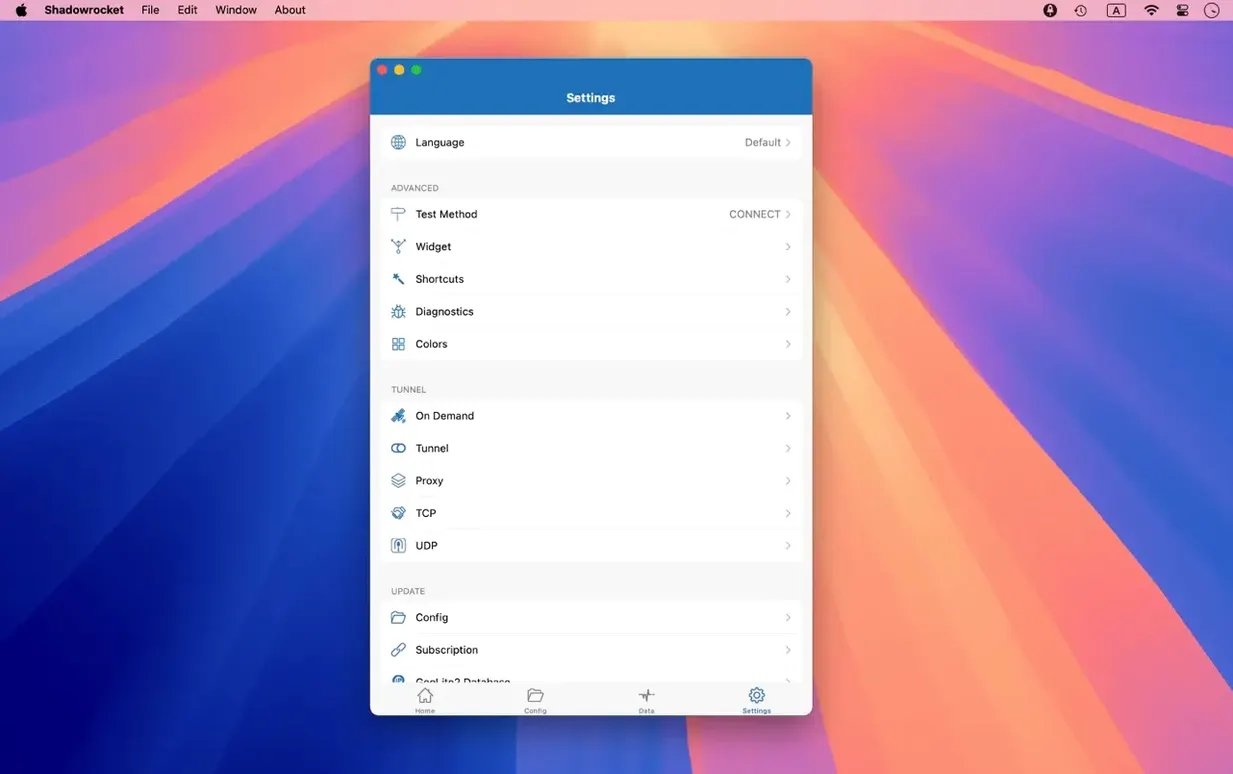
For DNS, Shadowrocket can use DNS over HTTPS, DNS over TLS, or DNS over QUIC instead of your ISP’s resolver. That setting sits in the configuration panel and applies to all traffic through the proxy. It’s a single toggle that upgrades your DNS privacy without touching the system network settings.
The app also plays well with Launchpad and the Dock—the latest fixes addressed both the Dock icon behaviour and the menu bar. You can minimise it to the menu bar and forget about it until you need to switch servers or check traffic.
- Fixed UI bugs in server tables, the menu bar, and the Dock icon.
- macOS 10.15 or later
- Apple Silicon or 64-bit Intel
Kit check at a glance
| System | macOS 10.15 or later |
| Chip | Apple Silicon, Intel 64-bit |
| Download | 36 MB |







Chat from the booth
Sign in or grab a free account to leave a comment.
Nobody has said a word in the booth yet. If you played a set with this build, tell the next person how it went.