

- Build in the crate
- 4.13.1
- Made by the team at
- Charlie Monroe Software
- Menu languages offered
- Russian, English, German, Arabic, Afrikaans, Bengali, Bulgarian, Vietnamese, Greek, Danish, Hebrew, Indonesian, Spanish, Italian, Chinese (Traditional), Chinese (Simplified), Korean, Dutch, Norwegian, Persian, Polish, Portuguese, Slovak, Thai, Turkish, Ukrainian, Filipino, French, Hindi, Czech, Swedish, Japanese
- How you pay for it
- Included
- macOS it plays on
- macOS 11 or later
- CPU it runs on
- Apple Silicon, Intel 64-bit
Screenshots
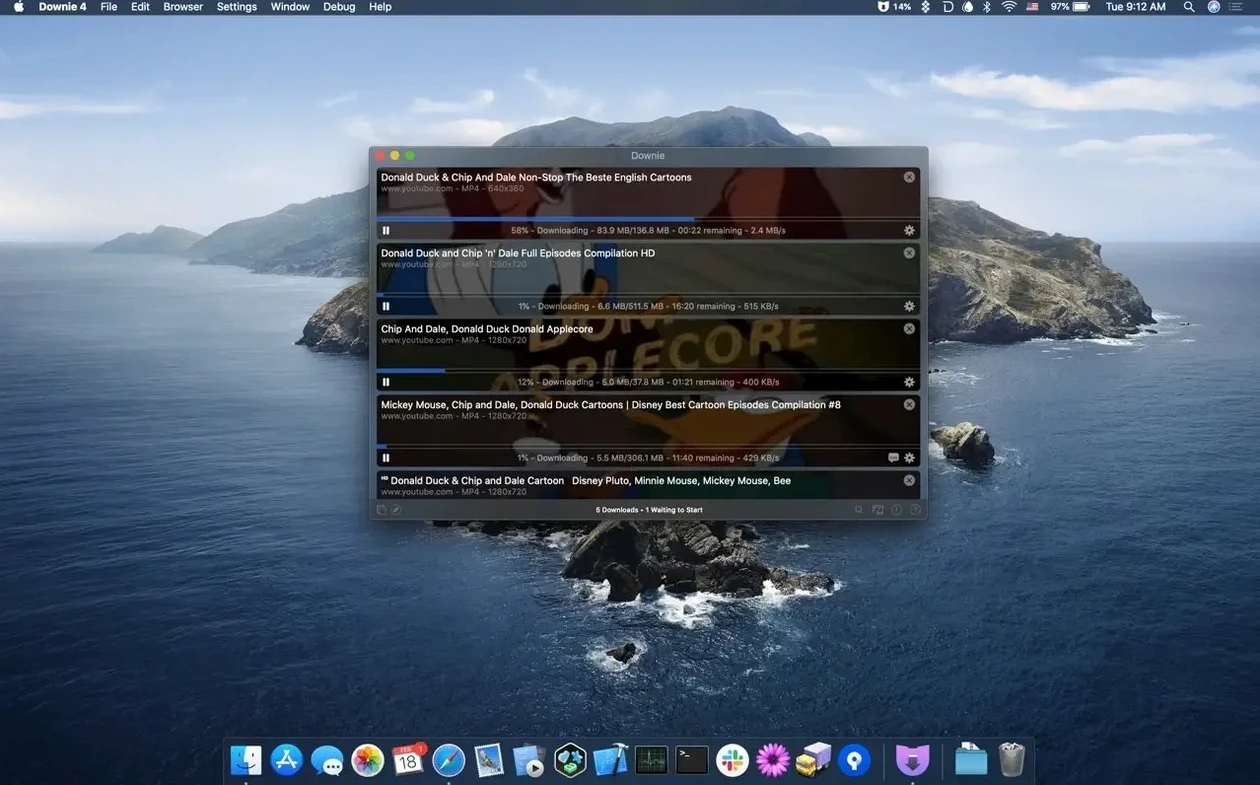
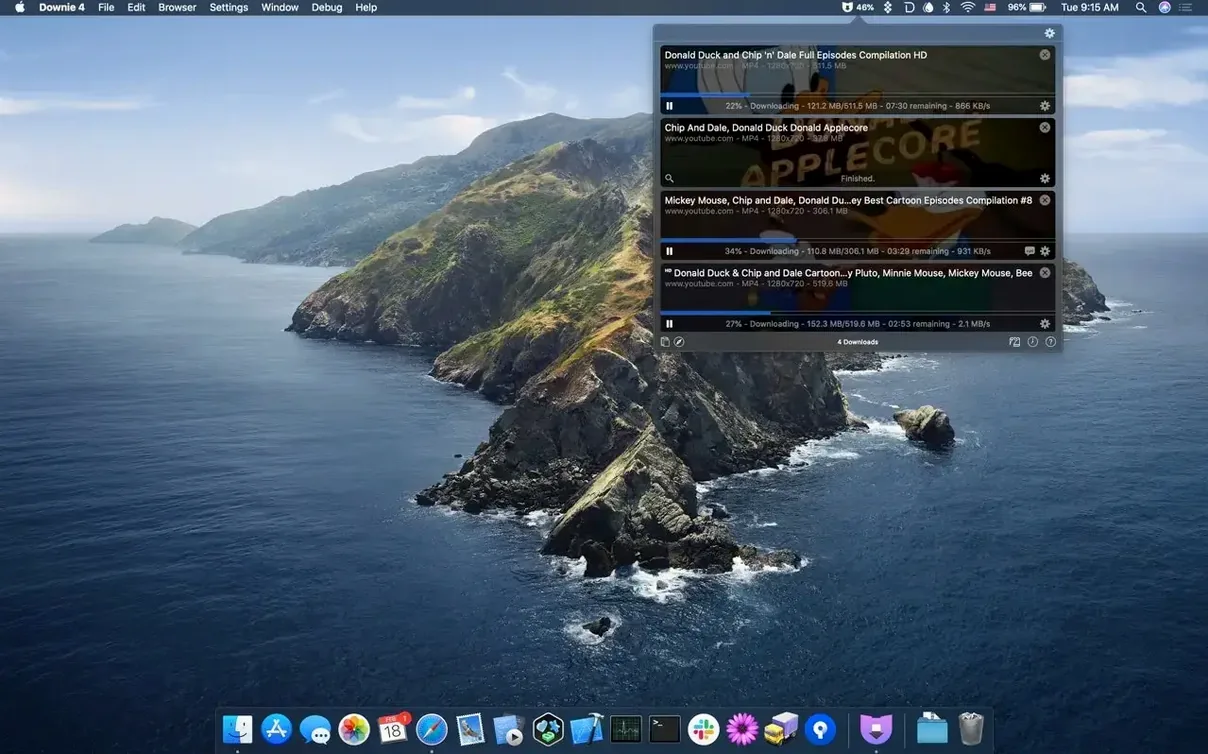
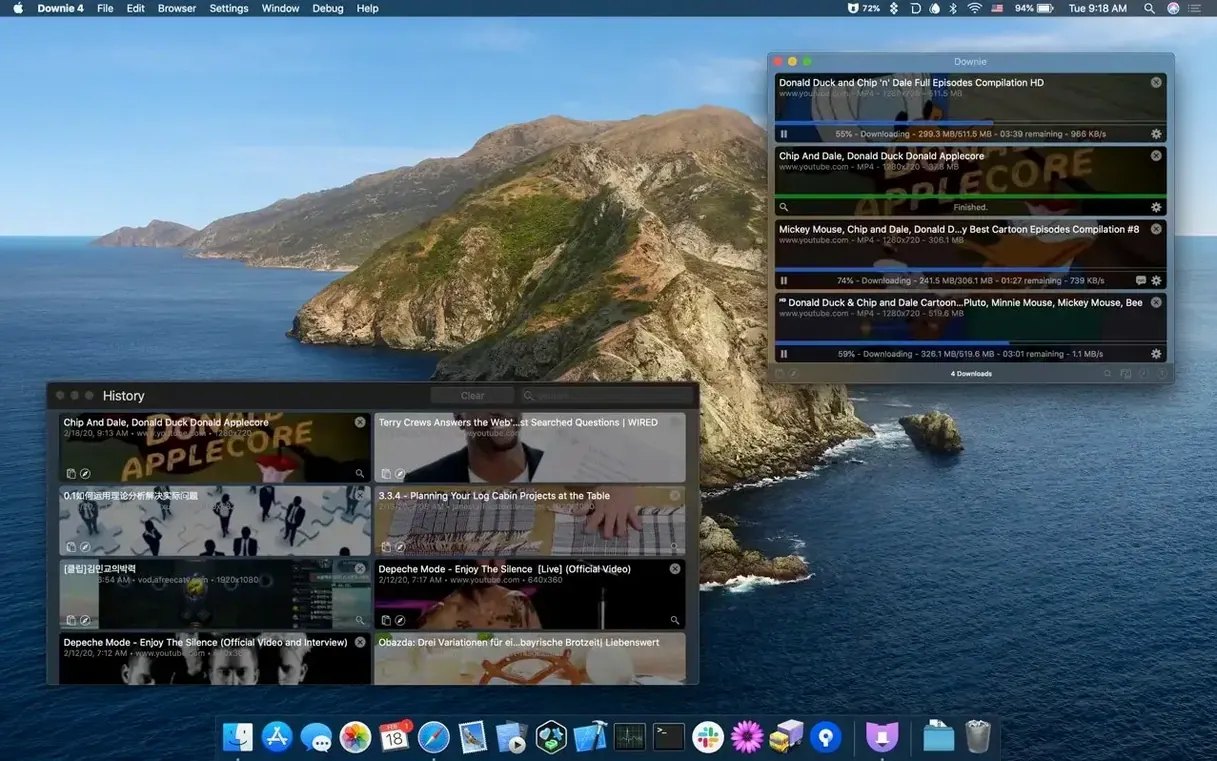
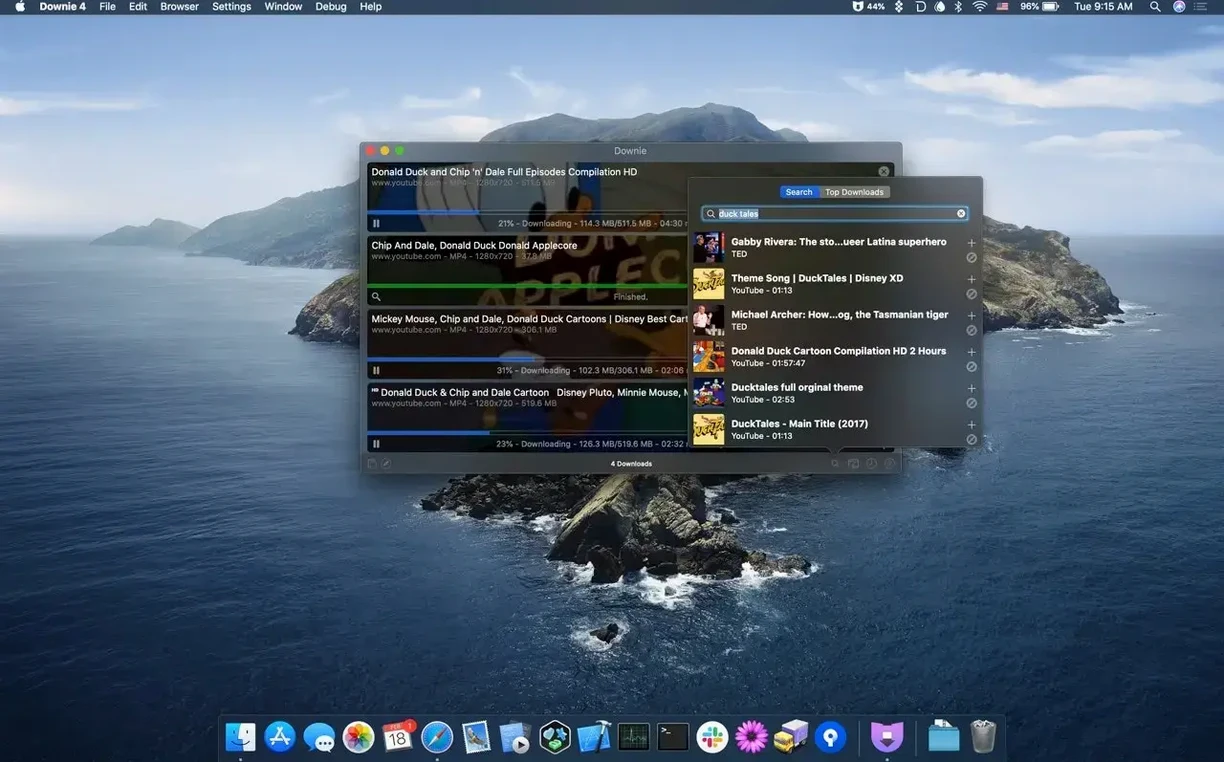
Downie runs on any Mac with macOS 11 or newer, whether it's Apple Silicon or an Intel 64-bit model. That covers most machines from the last several years, so you're probably fine.
Pulls from over 1,200 sites
- Pulling videos from YouTube, Vimeo, Facebook, Instagram and over 1,200 other sites.
- Saving YouTube clips in 4K when the source allows it.
- Importing CSV or XML files with downloads and custom titles.
- Searching for video content right inside the app.
- Passing files to Permute for format conversion or joining multi-part downloads.
Utility with no editing tools
- Browser extensions are available if you prefer grabbing from your browser.
- The interface speaks 32 languages, including English, Spanish, German, French, Japanese and Russian.
- It's a utility, so don't expect editing tools – it downloads and organises, that's the job.
Handles site backend changes
The app now sits at version 4.13.1, and the day-to-day difference is mostly in how well it handles sites that keep changing their video delivery. YouTube, Instagram, and others frequently tweak their backends, and each Downie update tends to fix the specific parsers those sites rely on. So if you’ve had a video fail to grab in an older version, the latest build likely catches it again.
There’s also been attention to the browser extensions. They’re not mandatory – you can still paste URLs manually – but when they work, you save a couple of clicks. The newer extension versions play nicer with Safari’s and Chrome’s evolving permissions, so fewer “extension not responding” moments.
Nothing in the interface has been rearranged; if you know Downie 4, you know this one. The change is underneath, in the site compatibility list and the handling of formats that sites have started using.
Pitted against similar downloaders
Downie vs. 4K Video Downloader
Both apps let you grab from YouTube and many other sites. 4K Video Downloader has a more polished download queue, with thumbnails and metadata visible at a glance. Downie keeps things simpler – a list of URLs and statuses. What Downie does better is the CSV/XML import: you can prepare a batch of links with custom filenames elsewhere and feed them in. 4K Video Downloader doesn’t offer that kind of external input without extra steps.
Downie vs. YT Saver
YT Saver is lighter on the system and focuses almost exclusively on YouTube. If you only ever pull from Google’s platform, YT Saver is lean. Downie covers YouTube but also handles over 1,200 other sites, including Vimeo, Facebook, and Instagram. So if your sources vary, Downie saves you from switching tools. YT Saver also lacks the Permute integration – to join or convert you’d need a separate app.
Downie vs. JDownloader
JDownloader is a cross-platform download manager that can handle video sites among many other file types. It’s more powerful in some ways, but also more complex – you have to configure link grabbers, account settings, and captcha solvers. Downie is purpose-built for video: paste a link and it grabs the video. No extra setup. The trade-off is that JDownloader can handle a wider range of content (file hosters, direct downloads), while Downie stays in the video lane.
Set output folder first
When you first open Downie, take a moment to set the output folder. By default it saves to Downloads, which gets messy fast. Pick a folder dedicated to video grabs – something like ~/Movies/Downie or an external drive if you work with large 4K files.
Turn on automatic MP4 conversion if you plan to play your downloads on most devices. MP4 is the widest-supported container, and Downie can convert on the fly. That way you don’t end up with a WebM or MKV that some apps won’t open.
If you often want only the audio (music videos, podcasts, interviews), check the audio-only mode. The app will grab the highest-quality stream and save it as an M4A or MP3 – no need to run a separate conversion later.
Enable the browser extension if you find yourself copying URLs every few minutes. It adds a button in your browser’s toolbar so you can click to send the current page to Downie. It shaves off the copy-paste step.
Runs on Big Sur and newer
Downie asks for macOS 11 or later, so it runs on Big Sur and everything newer. It’s compiled for both Apple Silicon and Intel 64-bit, meaning it runs natively on M-series Macs and on 2010s-era Intel Macs alike – no Rosetta translation needed.
The app itself is a disk image you mount, then drag to Applications. That’s the whole install. No installers, no background services, no extra libraries. Once copied, it opens from Launchpad or directly from the Applications folder.
It’s a single-window utility. When you paste a URL, it starts fetching. The status bar shows progress per file, and the main list keeps a history of what you’ve downloaded. There’s no media player, no editor, no browser – just the download engine and a preferences panel.
Because it works with over 1,200 sites, the memory footprint depends on how many simultaneous downloads you run. One or two videos is light. If you throw a large playlist at it, the app will use more memory but nothing out of the ordinary for a media tool. The interface stays in English or one of the other 31 languages you choose in preferences.
- macOS 11 or later
- Apple Silicon or Intel 64-bit
Kit check at a glance
| System | macOS 11 or later |
| Chip | Apple Silicon, Intel 64-bit |
| Download | 42 MB |
| Older pressings | 9 in the crate |






Chat from the booth
Sign in or grab a free account to leave a comment.
Nobody has said a word in the booth yet. If you played a set with this build, tell the next person how it went.