

- Build in the crate
- 6.0.6
- Made by the team at
- Macitbetter
- Menu languages offered
- English, German, Spanish, Italian, Chinese (Simplified), Polish, Portuguese, French, Swedish, Japanese
- How you pay for it
- K'ed by TNT team
- macOS it plays on
- macOS 13.5 or later
- CPU it runs on
- Apple Silicon, Intel 64-bit
Screenshots
BetterZip works on any Mac running macOS 13.5 or newer, whether it's an Intel model or Apple Silicon. The current release, 6.0.6, keeps the familiar workflow while tidying up a few things under the hood.
run in a different language than macOS
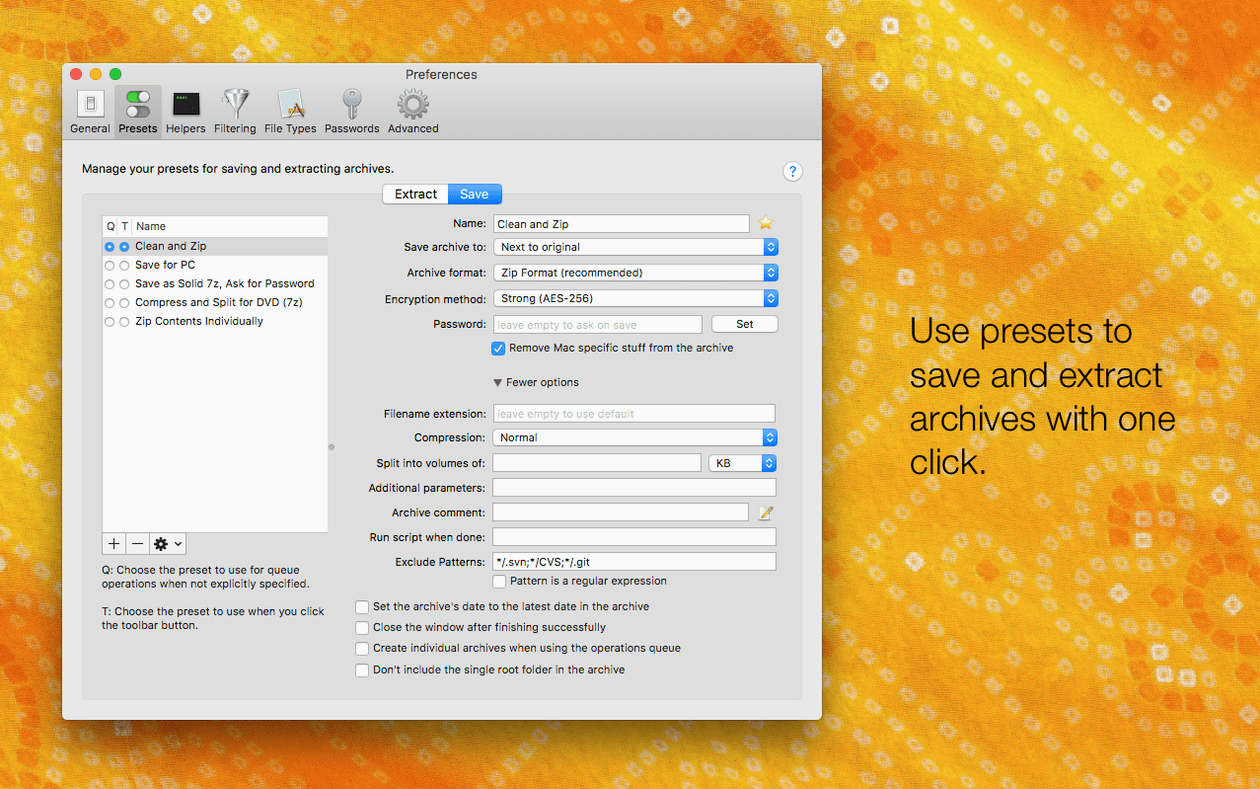
- An option to run BetterZip in a language different from the system language — handy if you prefer the interface in Spanish but keep macOS in English.
- A setting to avoid restoring macOS metadata during extraction, which keeps archives cleaner when moving files between systems.
- The 7z helper updated to v26.03 with Apple Silicon assembler optimisations, so 7z operations feel snappier on M-series Macs.
- A fix for a rare crash when talking to external helper tools.
rename files without repacking the archive
The core tools remain intact. You can still rename or move files inside an archive without repacking the whole thing, add comments to ZIPs, generate strong passwords, and extract ISO disk images. Support for more than 30 archive formats is still there, along with the Finder extension and contextual menu integration. BetterZip 6.0.6 is a solid update that respects what was already working.
How BetterZip compares with other Mac archivers
The Unarchiver is the default choice for most casual users — it's free, lightweight, and handles basic extraction well. But it cannot create archives, edit them, or preview files inside a compressed folder. BetterZip covers all of that, plus it works with ISO disk images and supports AES-256 encryption. If you only need to open a .zip now and then, The Unarchiver is fine. If you manage archives regularly, BetterZip gives you more control without leaving the Finder.
Keka is another popular option on Mac. It handles compression and extraction across many formats, and it also offers encryption. Where BetterZip pulls ahead is in archive editing: you can remove a single file from a large .zip without decompressing everything, recompress, and move on. Keka requires you to extract the whole archive first, make your changes, and then recompress. For someone working with big project files or repeated updates, that time adds up.
Both The Unarchiver and Keka are solid apps. But neither lets you rename files inside an archive, add comments to RAR archives, or use AppleScript to automate archive handling. BetterZip fills those gaps for users who treat archives as living folders, not just delivery packages.
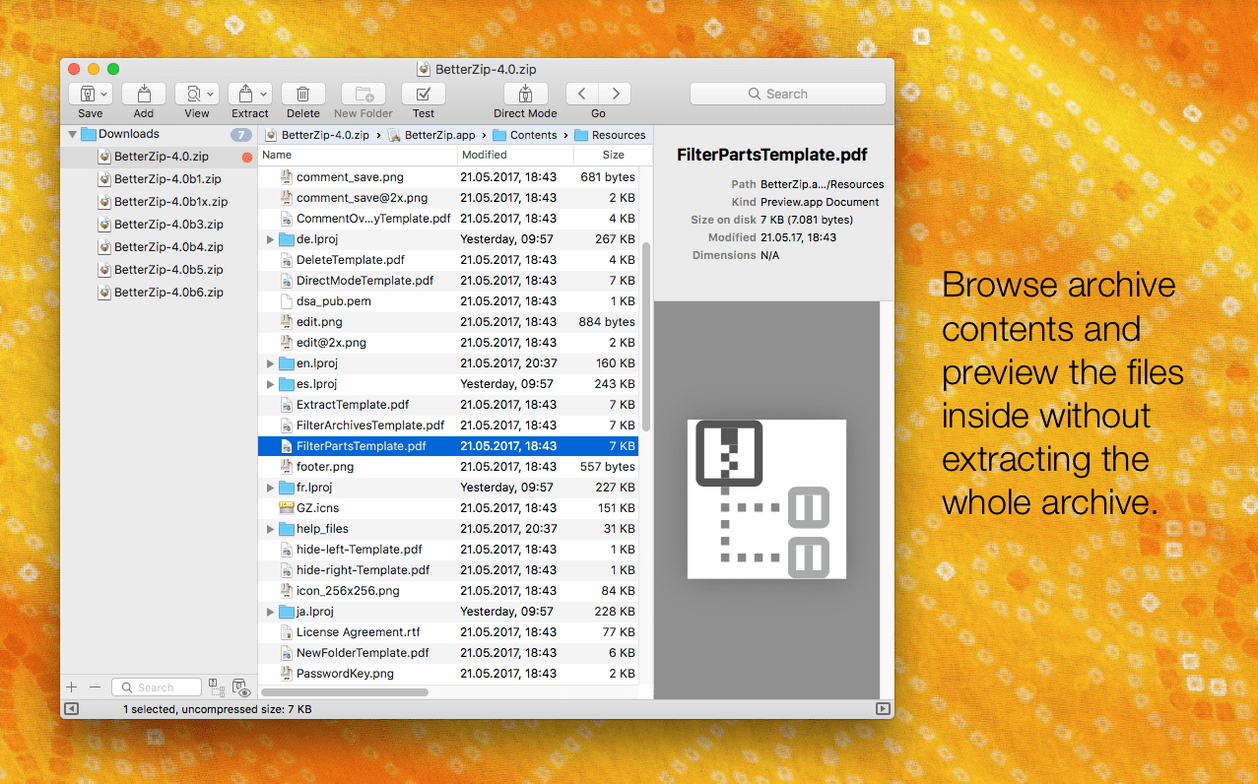
preview files inside an archive without extracting
A few features in BetterZip 6.0.6 don't get much attention but make daily use noticeably smoother. The Quick Look preview works directly inside an archive — you can highlight a file and hit space to see its contents without extracting it first. That alone saves time when you're hunting for a specific document inside a multi-layered .zip.
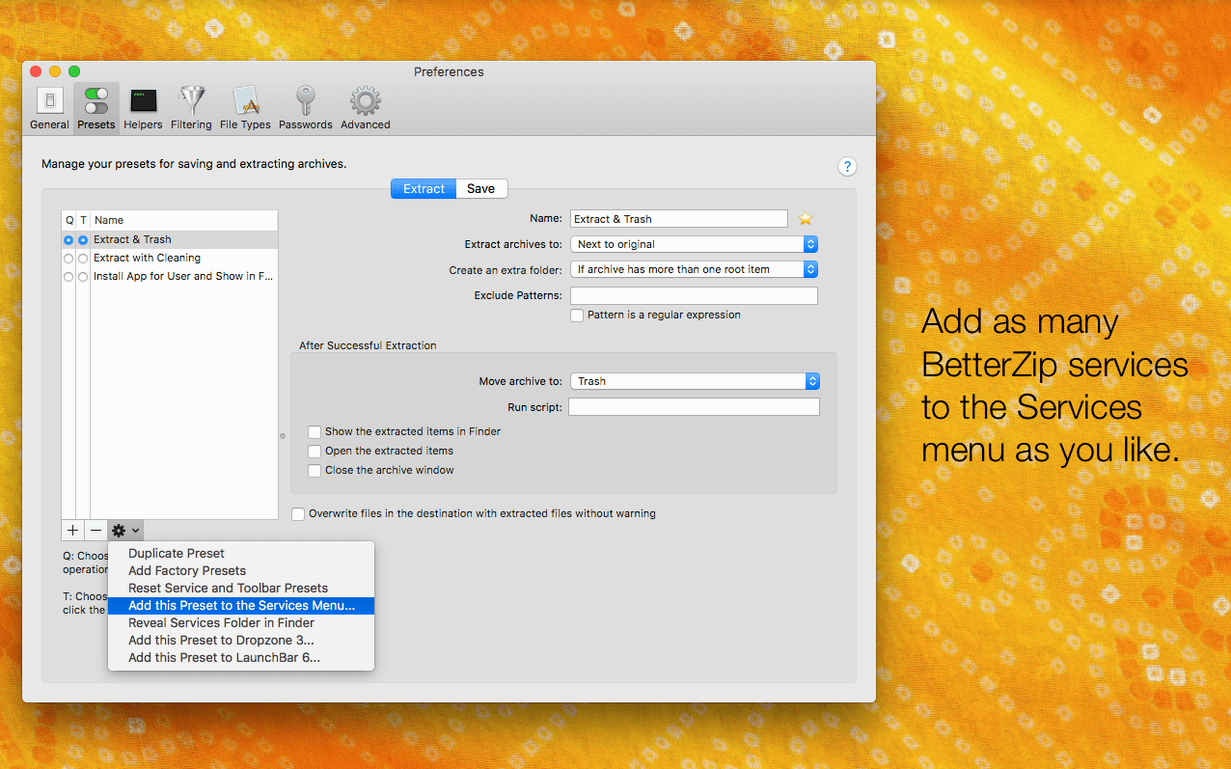
The operations queue is another quiet helper. You can set up a batch of archives to compress or extract, and BetterZip works through them in the background. No need to sit and click through each one. For anyone processing multiple deliveries or backups, it keeps the workflow moving.
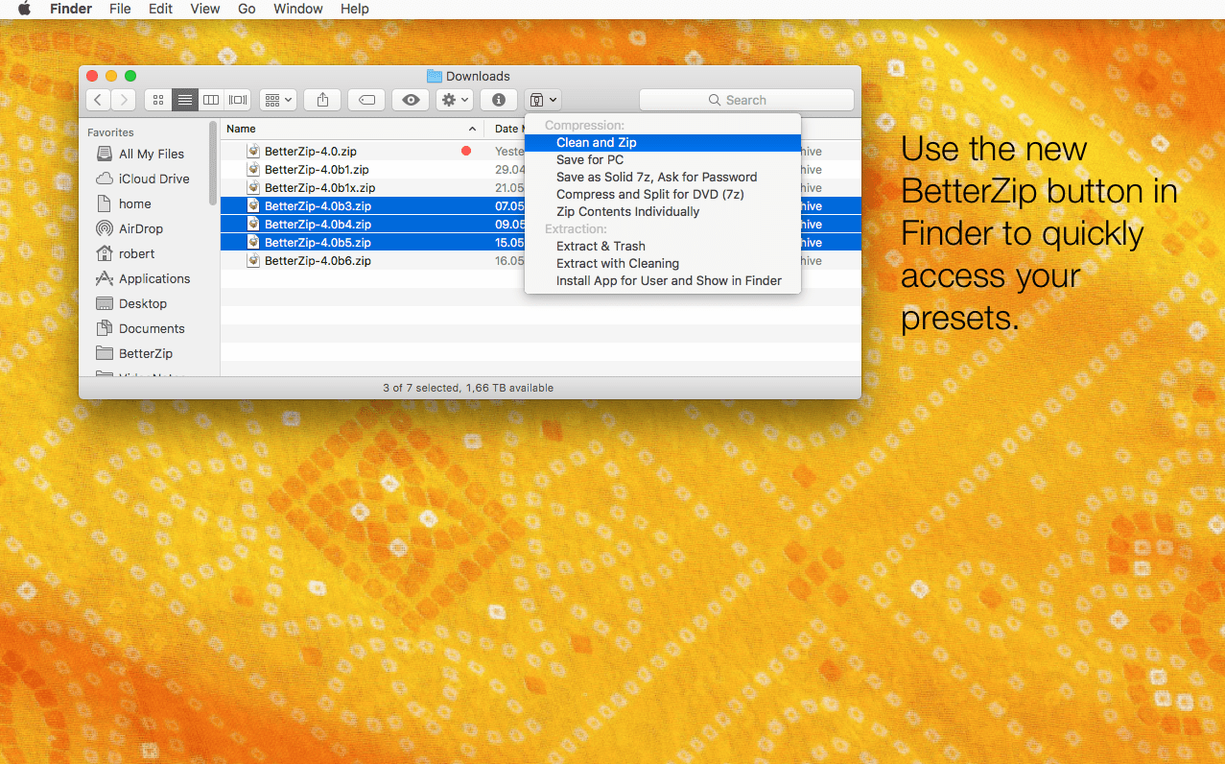
The contextual menu in Finder, powered by the built-in Finder extension, means you rarely need to open BetterZip at all. Right-click an archive and choose to extract it, or select a folder and compress it directly. The integration feels native, which is exactly what a tool like this should aim for.
ideal for designers and developers
BetterZip is most useful for people who handle archives as part of their everyday work, not as an occasional task. Designers and developers often deal with project folders bundled into .zip files — being able to swap out a single asset or script without unpacking everything saves repeated rounds of compression and extraction. The AppleScript support also fits well into automated workflows, especially if you batch-process files from a server or a Dropbox folder.
System administrators and IT support staff benefit from the wide format support, including ISO images. Being able to open and inspect disk images without extra tools keeps the machine lean. The AES-256 encryption is also relevant when moving sensitive data between machines or clients.
Casual users won't struggle with BetterZip — it's straightforward enough to use for basic extraction. But the real value shows when you start editing archives directly, using Quick Look to browse without extracting, or queuing up multiple jobs. If your Mac workflow involves more than the occasional unzip, BetterZip 6.0.6 earns its place in the dock.
- Adds an option to use a different language than the system language.
- Adds an option to avoid restoring macOS metadata during extraction.
- Updates the 7z helper to v26.03 with Apple Silicon assembler optimisations.
- Fixes a rare crash involving communication with external helper tools.
- macOS 13.5 or later
- Intel or Apple Silicon
Kit check at a glance
| System | macOS 13.5 or later |
| Chip | Apple Silicon, Intel 64-bit |
| Download | 25 MB |
| Older pressings | 3 in the crate |






Chat from the booth
Sign in or grab a free account to leave a comment.
Nobody has said a word in the booth yet. If you played a set with this build, tell the next person how it went.