

- Build in the crate
- 1.18.30
- Made by the team at
- Piriform Limited
- Menu languages offered
- Russian, English, German, Spanish, Italian, Dutch, Polish, Portuguese, French, Czech, Japanese
- How you pay for it
- K'ed by TNT team
- macOS it plays on
- OS X 10.10 or later
- CPU it runs on
- Intel 64-bit
Screenshots
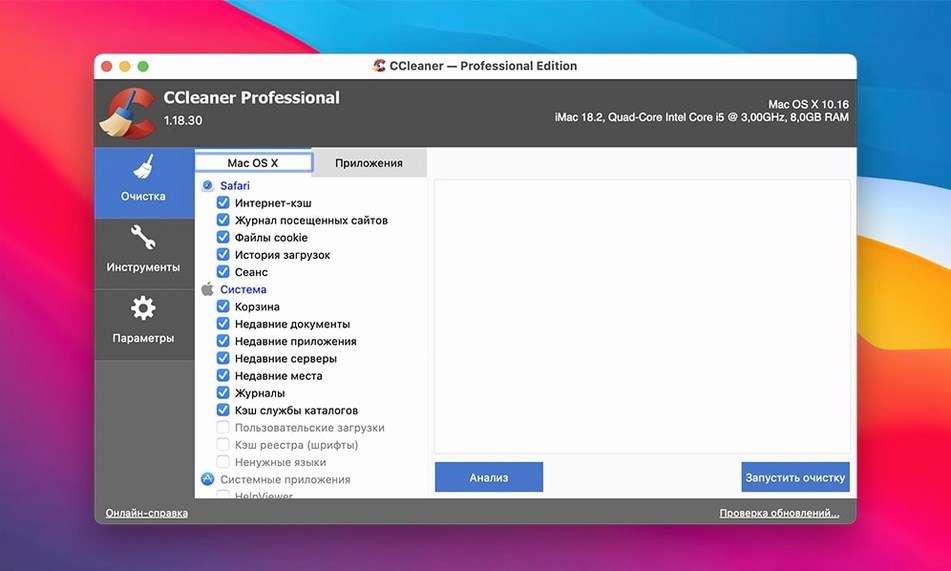
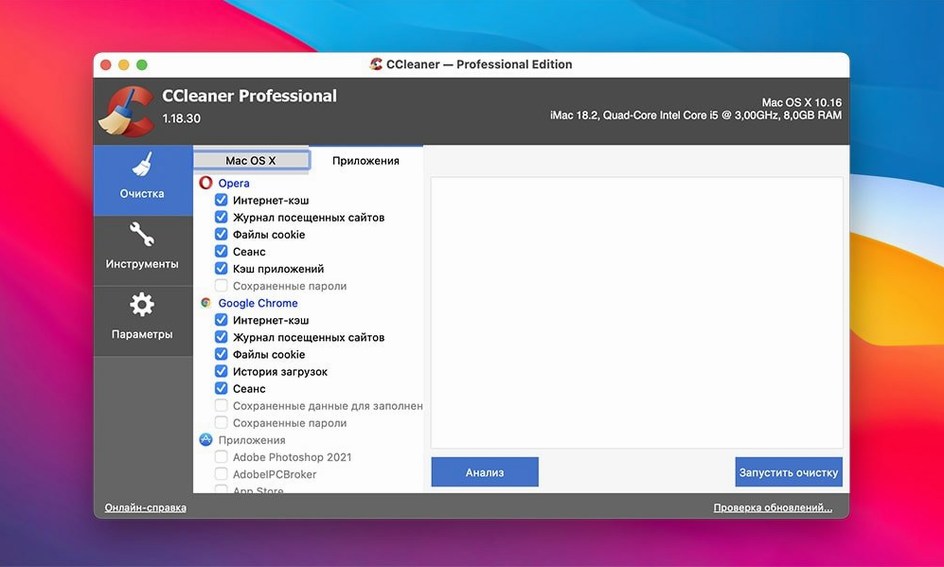
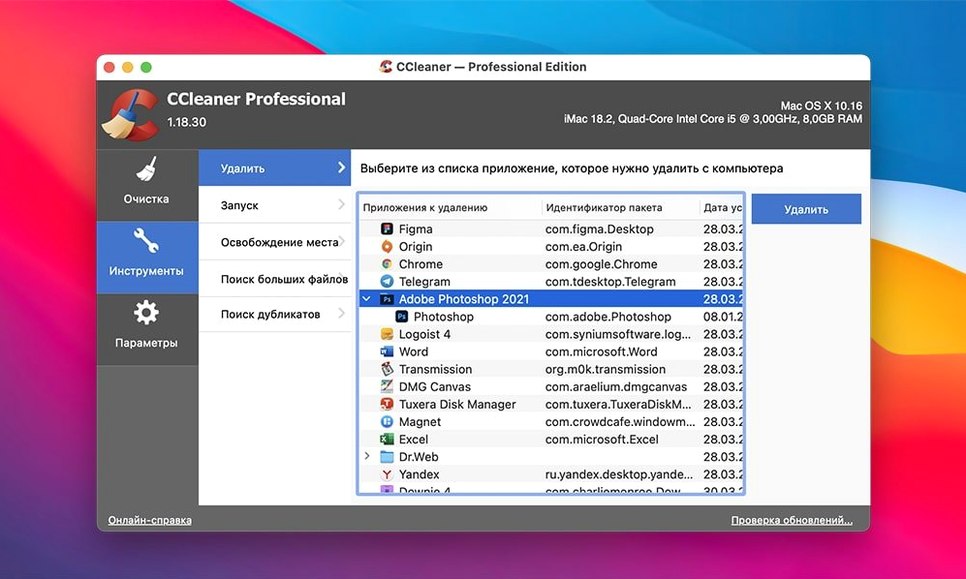
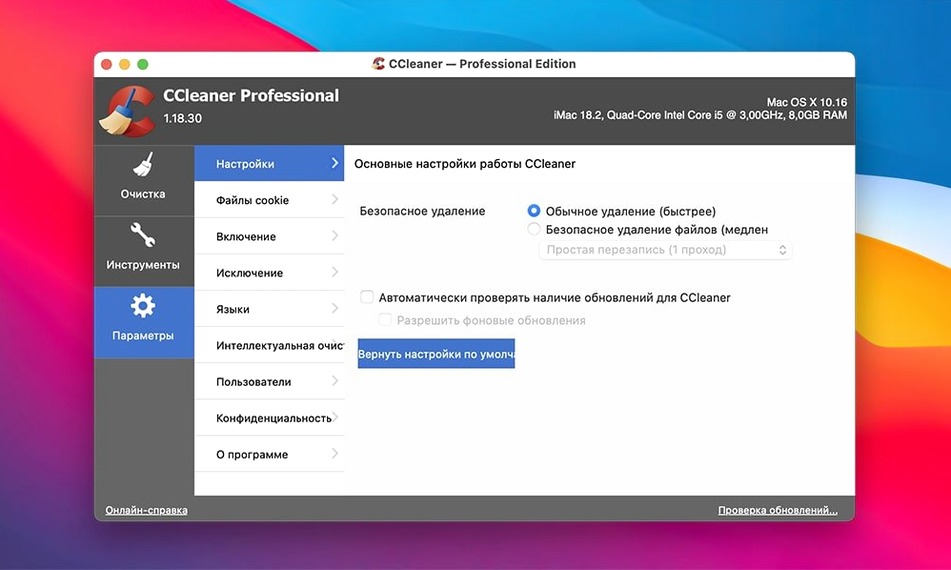
CCleaner Pro for Mac deletes temporary and unused files from your system, using several levels of verification before anything gets removed. It also includes a file-wiping function with multiple overwrite cycles for thorough cleanup.
Clean temporary files
The app clears temporary files and recent-file lists from other apps, freeing up disk space without you having to hunt through folders.
Wipe sensitive data
When you need to remove files permanently, the wiping function overwrites the data multiple times so it can't be recovered by standard tools.
Runs on Intel Macs from Yosemite onward
If you're thinking about trying CCleaner Pro for Mac, a few things usually come up first. The app is version 1.18.30, built for Intel 64-bit Macs running OS X 10.10 or later. That covers everything from Yosemite up through the latest supported versions, including macOS 13 Ventura, macOS 12 Monterey, macOS 11 Big Sur, and several older releases. If your Mac is from around 2012 or newer and still runs a supported OS, it should work fine.
People sometimes wonder whether the cleaning is safe. The app uses several levels of verification before deleting anything, so it checks what it's about to remove and asks for confirmation. You won't lose important files unless you specifically tell the app to wipe them. The browser cleaning covers Opera, Firefox, Google Chrome, and Safari, removing browsing history, cookies, cache, and other traces. For other apps, it clears temporary files and recent-file lists.
Another frequent question is about the file-wiping function. It overwrites deleted data multiple times, which means standard recovery tools won't be able to bring those files back. You choose which files or folders to wipe, and the app handles the rest. This is useful if you're selling your Mac or passing it to someone else and want to be sure old documents are gone for good.
Language support is broad: Russian, English, German, Spanish, Italian, Dutch, Polish, Portuguese, French, Czech, and Japanese are all included. You can switch between them in the app's settings.
Drag-and-drop disk image installer
CCleaner Pro for Mac is a 64-bit x86 application, so it runs natively on Intel Macs. It doesn't require Rosetta or any extra translation layer. The installer comes as a disk image you mount, then drag the app into your Applications folder. Because the app isn't signed by Apple's notary service, macOS Gatekeeper may block it on the first launch. The solution is straightforward: after mounting the disk image, open a Terminal window, press Enter to bypass the Gatekeeper warning, then launch the app normally. This only needs to happen once.
The app itself is compact. It doesn't install background services or launch agents that run constantly. You open it when you want to clean, and it closes when you're done. The interface stays focused on the main tasks: cleaning temporary files, managing browser data, and wiping files. There are no extra panels or configuration wizards to work through.
Because it's built for older macOS versions too, it doesn't use any Apple Silicon-specific optimisations. On an Intel Mac it runs as expected. On a newer Mac with Apple Silicon, it runs through Rosetta 2, which works fine for this kind of utility.
A typical cleaning session
Let's say it's a Sunday afternoon and your Mac has been gathering temporary files all week. You open CCleaner Pro from the Applications folder. The main window shows a list of categories: System, Applications, and Browser data. Each category has checkboxes next to specific items like cache files, logs, recent documents, and browser history.
You leave the default selections as they are, since they cover the most common junk. Then you click the Analyse button. The app scans your system and shows how much space each category can free up. For a typical week of use, the numbers add up from browser caches, app logs, and temporary downloads.
Satisfied with the preview, you click Run Cleaner. The app asks for confirmation, showing exactly what it will delete. You confirm, and it removes the files. The whole process takes about a minute. When it's done, the freed space is reflected in your available disk storage.
If you have sensitive documents you want to remove permanently, you switch to the File Wiper tool. You drag a folder into the window, choose the number of overwrite passes, and click Wipe. The app overwrites the data multiple times and then deletes it. After that, standard recovery software won't find anything.
Start with default selections for safety
When you first install CCleaner Pro for Mac, start with the default selections. They're chosen to clean safely without removing anything important. After you've run the cleaner once and seen what it does, you can customise the list by unchecking items you want to keep, like saved passwords or form autofill data.
Use the Analyse button before cleaning every time. It gives you a breakdown of what will be removed and how much space it will free up. This is especially useful when you're low on disk space and want to know exactly where the gains are coming from.
If you share your Mac with others, set aside a few minutes each week to clean browser data. The app handles Safari, Chrome, Firefox, and Opera, so all traces are cleared in one go. This keeps your browsing history and login sessions private.
For the file-wiping function, use it only when you really need permanent deletion. For everyday file removal, the standard cleaner is enough. Save the wiping tool for documents you wouldn't want anyone else to recover, like old financial records or personal files you're deleting before selling the Mac.
Finally, check the language setting early if English isn't your first language. The app supports a dozen languages, and switching is a simple menu choice. That way you don't waste time figuring out interface labels later.
It's designed to be straightforward to use, with a clear interface that focuses on essential cleanup and privacy tasks.
- macOS 10.10 or later
- Intel 64-bit processor
Kit check at a glance
| System | OS X 10.10 or later |
| Chip | Intel 64-bit |
| Download | 6 MB |
| Older pressings | 1 in the crate |



Chat from the booth
Sign in or grab a free account to leave a comment.
Nobody has said a word in the booth yet. If you played a set with this build, tell the next person how it went.