

- Build in the crate
- 26.1.6.5406
- Made by the team at
- Image Line
- Menu languages offered
- English
- How you pay for it
- k'ed by GUISEPPE
- macOS it plays on
- macOS 10.15 or later
- CPU it runs on
- Apple Silicon, Intel 64-bit
Screenshots
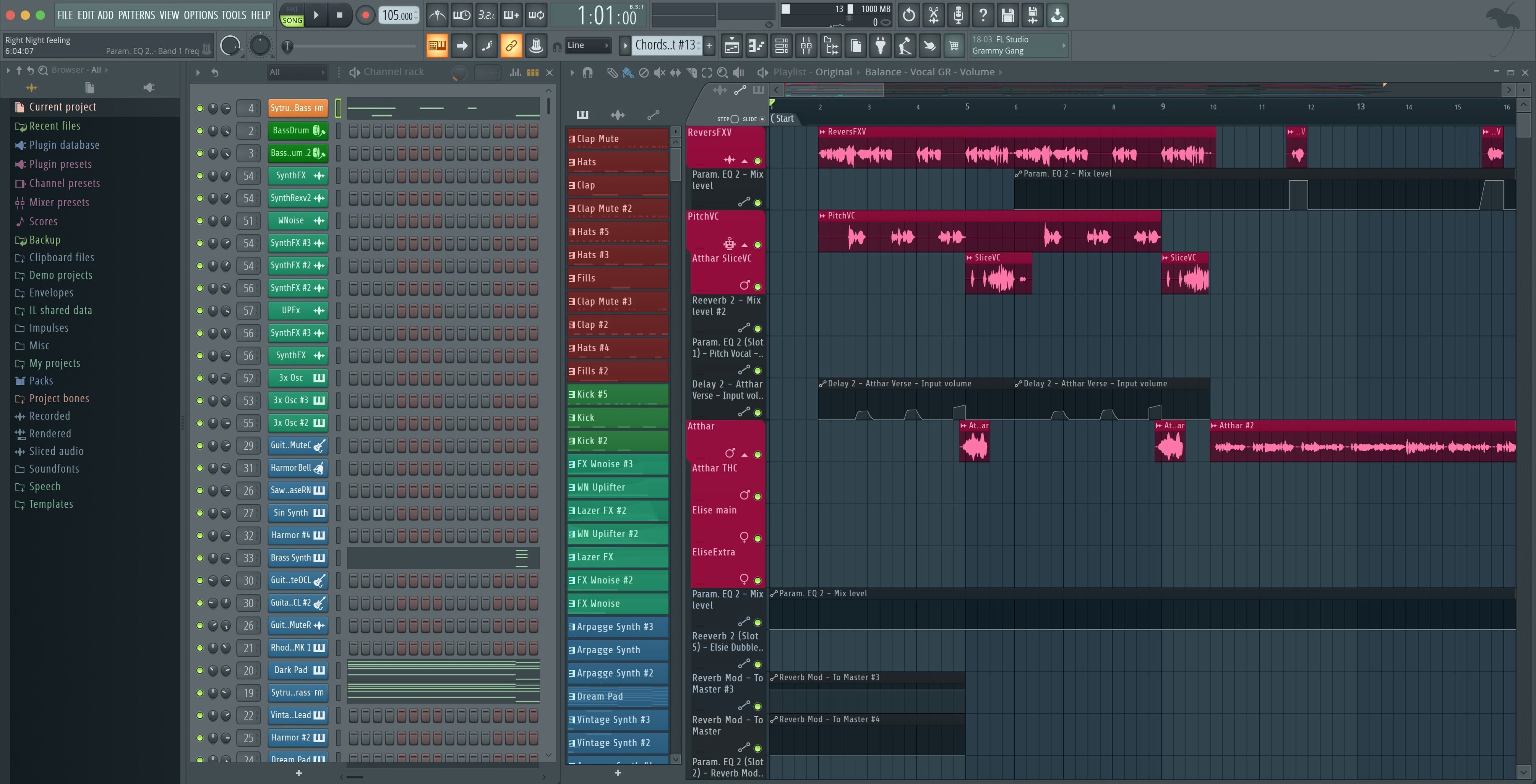
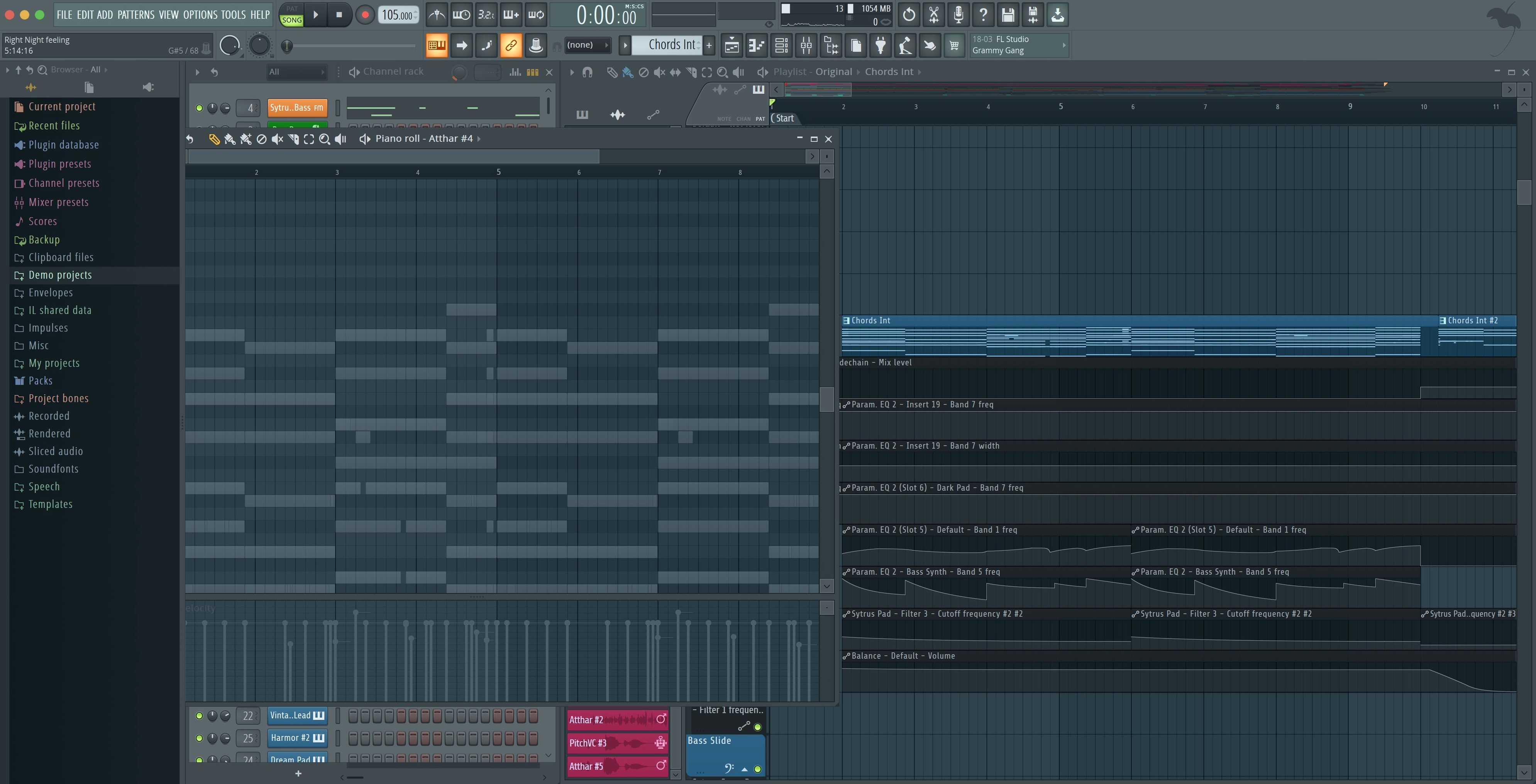
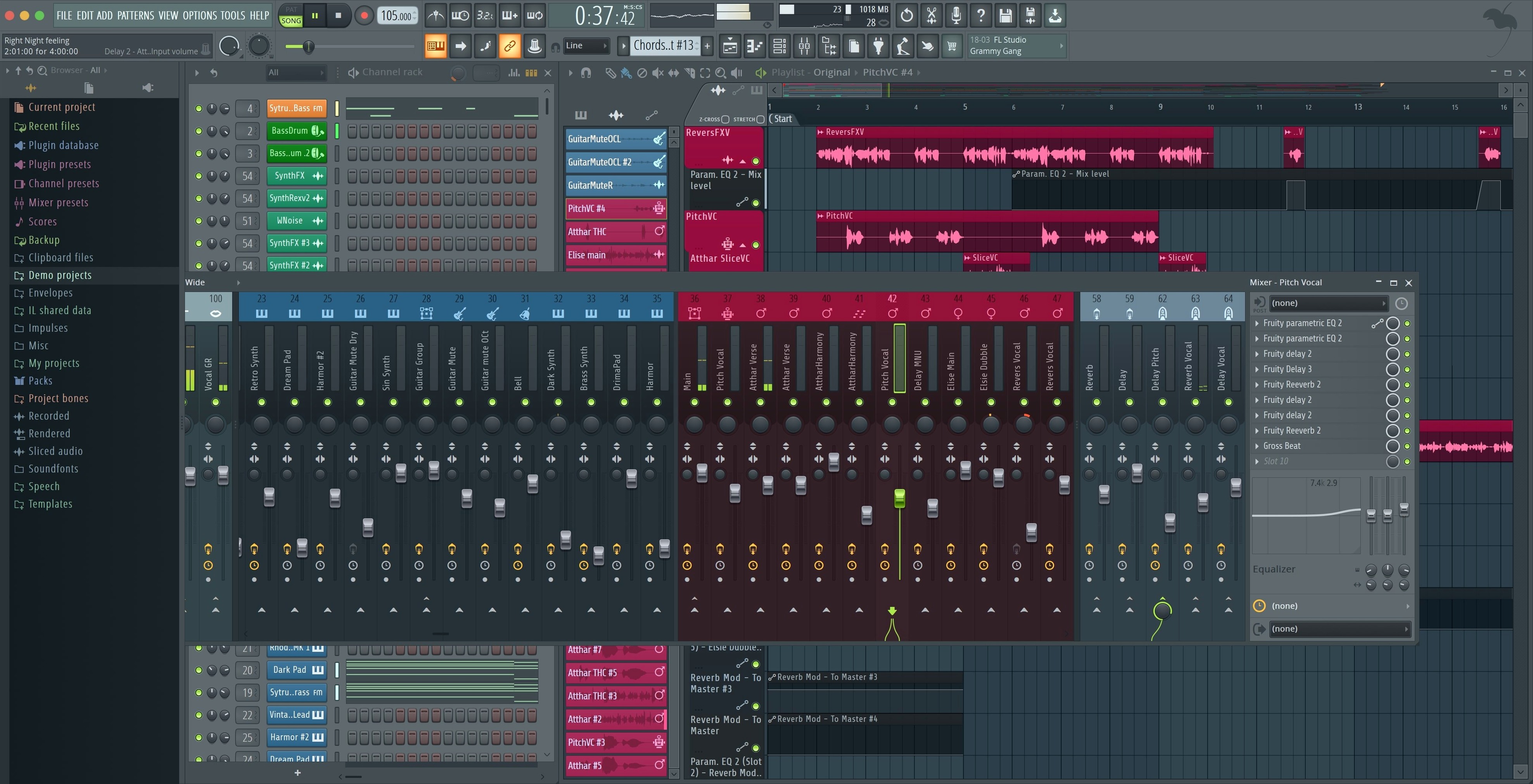
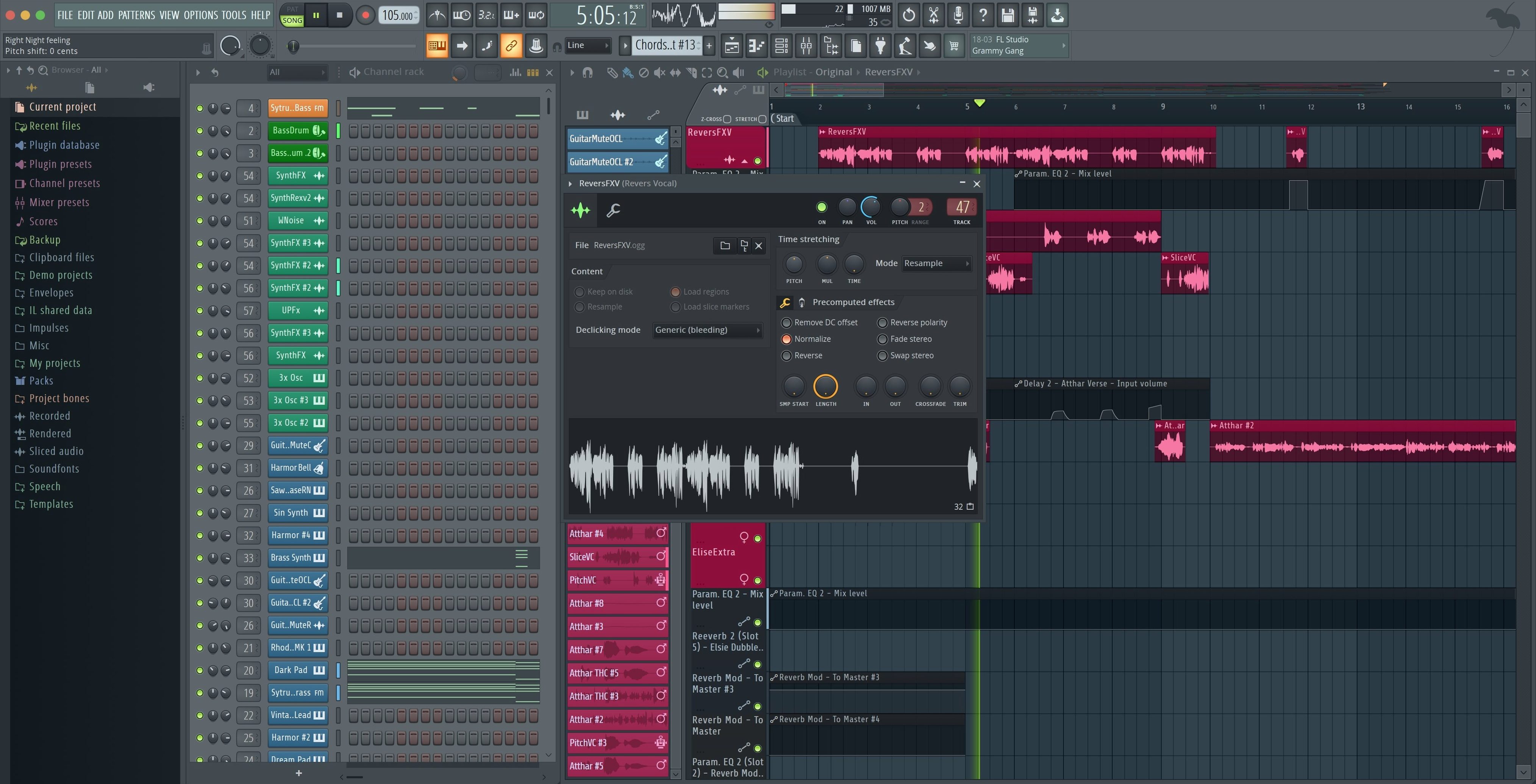
Open the Channel Rack, drop in a kick pattern, and you are already working inside FL Studio. That is the point: the full desktop version of Image Line's DAW, built for recording, arranging, editing, and mixing, all in one window.
FL Studio — a professional digital audio workstation for creating music on macOS and Windows.
Beat and pattern creation — the core workflow. Build loops on the step sequencer or piano roll, then arrange them on the Playlist.
Recording and editing — capture audio from a mic or instrument, slice, stretch, and comp takes inside the same project.
Full mixer with effects — route tracks through insert slots, send channels, and the master bus. Each slot loads native and third-party plugins.
Producer Edition — the edition included here. It gives you the full mixer, event automation, and pattern cloning, among other features.
macOS support — runs on macOS 10.15 Catalina and later. Native on both Apple Silicon and 64-bit Intel Macs; no Rosetta needed on M-series machines.
Version 2026 additions — new FLEX sound search, cloud project backup, and Gopher assistance.
Things that trip people up early on
FL Studio is straightforward once you know its layout, but a few things trip people up early on. Here are the ones I see most often.
Audio crackling or dropouts during playback
This usually points to the audio buffer being too small for the current project. Open the audio settings and raise the buffer length. On an Apple Silicon Mac, check that FL Studio is running natively — if you see "Intel" in Activity Monitor, you are running through Rosetta, which adds latency. The installer handles architecture detection, but it is worth confirming after first launch.
Plugins not showing in the channel rack
FL Studio scans VST folders you assign in the plugin manager. If a plugin does not appear, go to the plugin manager options, add the folder where your VSTs live, and hit "Find installed plugins". The scan is manual, not automatic, so you need to trigger it after each new install. 64-bit plugins only — 32-bit VSTs do not load on modern macOS.
MIDI controller not responding fix
The 2026.1.6 update added a notification when a new MIDI controller is connected. If you plug one in and nothing happens, check the MIDI settings in FL Studio and make sure the device is enabled. The Akai Fire controller now uses its dedicated script by default, so if you own one, it should map correctly without manual assignment.
Exported mix sounds different from the project
Check the export dialog. The 2026.1.6 maintenance update added checkboxes for rendering Master and Current when splitting mixer tracks. If you split tracks but leave the Master bus effects off, your stems lose any master compression or limiting you had dialled in. Tick the boxes that fit your export purpose.
FLEX sound search and other 2026 daily features
Version 2026 introduced three features that affect how I work day to day. The FLEX sound search is the one I use most — you type a mood or instrument name and FLEX shows matching presets across the entire library. No more scrolling through folders. Cloud project backup is a safety net: projects save to your Image Line account automatically, which helps if you switch between machines or want a fallback after a bad edit.
Gopher assistance is the built-in help tool. You type a question about a feature or workflow, and it pulls up relevant sections from the manual or suggests settings. It is not a chatbot — more like a contextual search bar inside the DAW. Useful when you forget where a specific mixer option lives.
The 2026.1.6 maintenance update refined smaller things. The Tuner interface was adjusted for better readability at a distance — the numbers and note labels are larger, which helps when you are standing at a mic stand or looking at the screen from across the room.
Audio routing between apps and macOS
FL Studio works with standard macOS audio routing. You can send audio between apps using BlackHole or Soundflower, record system audio into a project, or route a microphone through the mixer while monitoring effects in real time. The built-in Audio Units bridge means AU-only plugins from Logic or GarageBand can load inside FL Studio, though VST remains the more reliable format for third-party instruments.
For collaboration, cloud project backup syncs projects across Macs logged into the same Image Line account. If you use iCloud Drive or Dropbox, you can point FL Studio's project folder there — just make sure only one instance writes to the file at a time. The FLEX library is also cloud-linked, so new sound packs appear without a manual download.
Shortcuts and system services: FL Studio respects macOS keyboard shortcuts for copy, paste, undo, and save. You can assign custom key commands in the options menu. The DAW does not use macOS native file dialogues for everything — the browser uses its own panel — but drag-and-drop from Finder into the Channel Rack or Playlist works fine.
Building a beat from scratch Friday evening
Friday evening, I sit down to build a beat from scratch. I open FL Studio, which loads to the empty Channel Rack. First thing: I drop a kick sample from the browser into the step sequencer. The browser shows my local folders and the FLEX library side by side. I click the kick pattern a few times to sketch a basic rhythm.
Next, I add a hi-hat on a new channel. I use the piano roll to draw in a closed-hat pattern, then copy it across the loop. The piano roll snap is set to 1/6 step, which keeps the timing tight without quantising everything to a grid. I add an open hat on the off-beats by duplicating the channel and shifting the notes.
With the drums laid out, I open FLEX and search for "warm pad". A list of presets appears. I load one into a new channel, then open the piano roll again and hold down a few chords. The pad sustains over the loop. I adjust its volume from the Channel Rack fader — no need to open the mixer yet.
I move to the Playlist. I drag the drum pattern across eight bars, then add the pad pattern on a second track. The arrangement starts taking shape. I want the kick to hit harder, so I route the kick channel to the mixer. On the mixer insert, I add a compressor from the native effects list, then tweak the threshold until the kick punches through the pad.
After twenty minutes of looped playback, I hear a slight crackle. I open the audio settings and raise the buffer from 256 to 512 samples. The crackle stops. I keep working.
I add a bassline using a native synth from the instrument list. I draw the notes on the piano roll, then automate the filter cutoff so the bass opens up every four bars. Automation clips appear on the Playlist below the instrument track. I drag the curve to make the filter sweep gradual.
When the arrangement feels finished, I open the export dialog. I want a stereo mix and separate stems. I tick the checkboxes for rendering Master and Current when splitting mixer tracks, so the stems include the master bus compression. I set the format to 24-bit WAV and export. The whole session takes about an hour, and I have a rough demo ready for the next day.
- Export dialog: added checkboxes to render Master and Current when splitting mixer tracks.
- Plugin Performance Monitor: percentage values now show fractional precision.
- MIDI controllers: shows a notification when a new controller is connected, with an option to enable it.
- macOS 10.15 Catalina or later
- Apple Silicon or 64-bit Intel processor
- Apple Silicon Macs do not require Rosetta
Kit check at a glance
| System | macOS 10.15 or later |
| Chip | Apple Silicon, Intel 64-bit |
| Download | 1.1 GB |
| Older pressings | 12 in the crate |




Chat from the booth
Sign in or grab a free account to leave a comment.
Nobody has said a word in the booth yet. If you played a set with this build, tell the next person how it went.