
- Build in the crate
- 15.0.30
- Made by the team at
- Steinberg
- Menu languages offered
- English
- How you pay for it
- K'ed by iamdumb
- macOS it plays on
- macOS 13 or later
- CPU it runs on
- Apple Silicon, Intel 64-bit
Screenshots
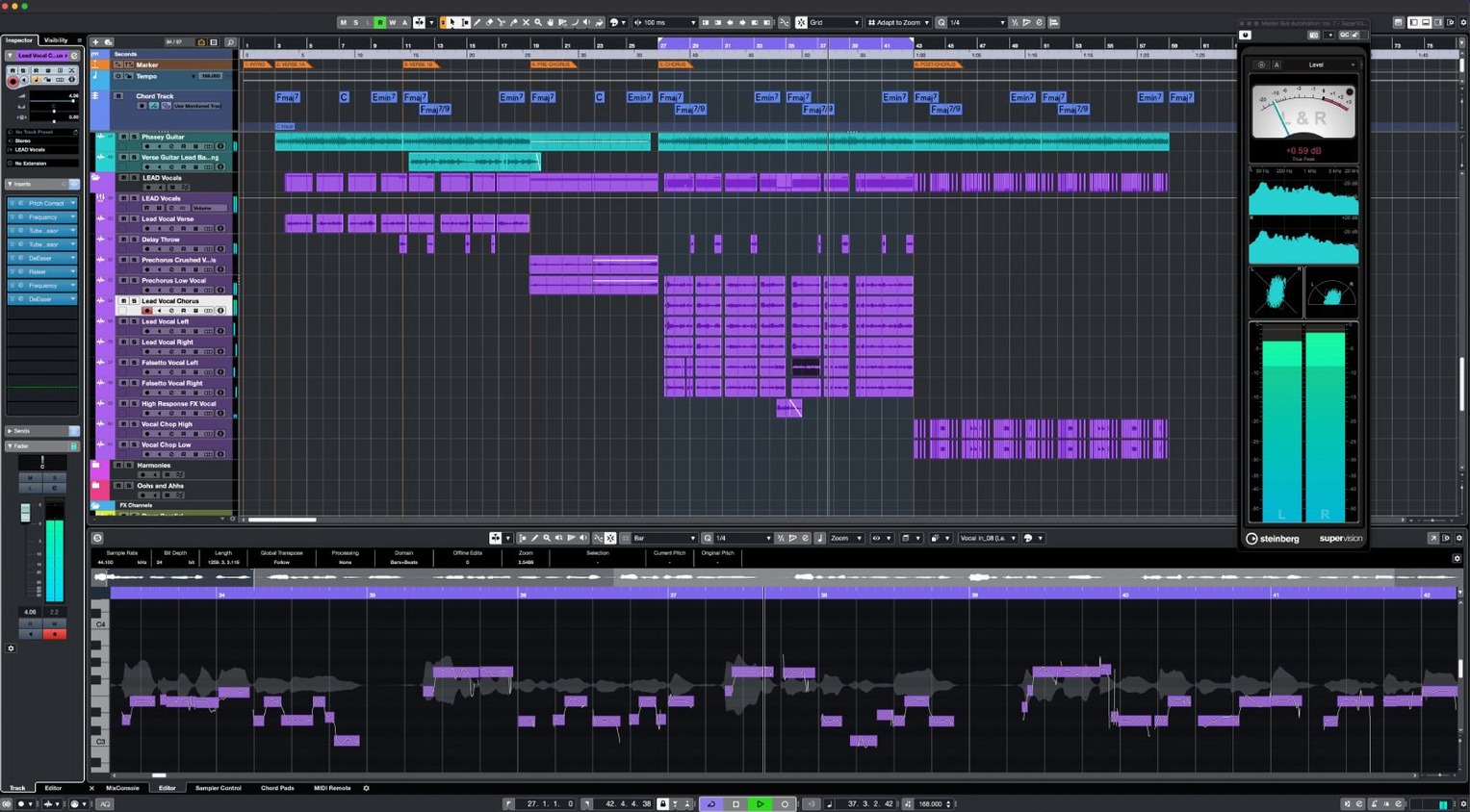
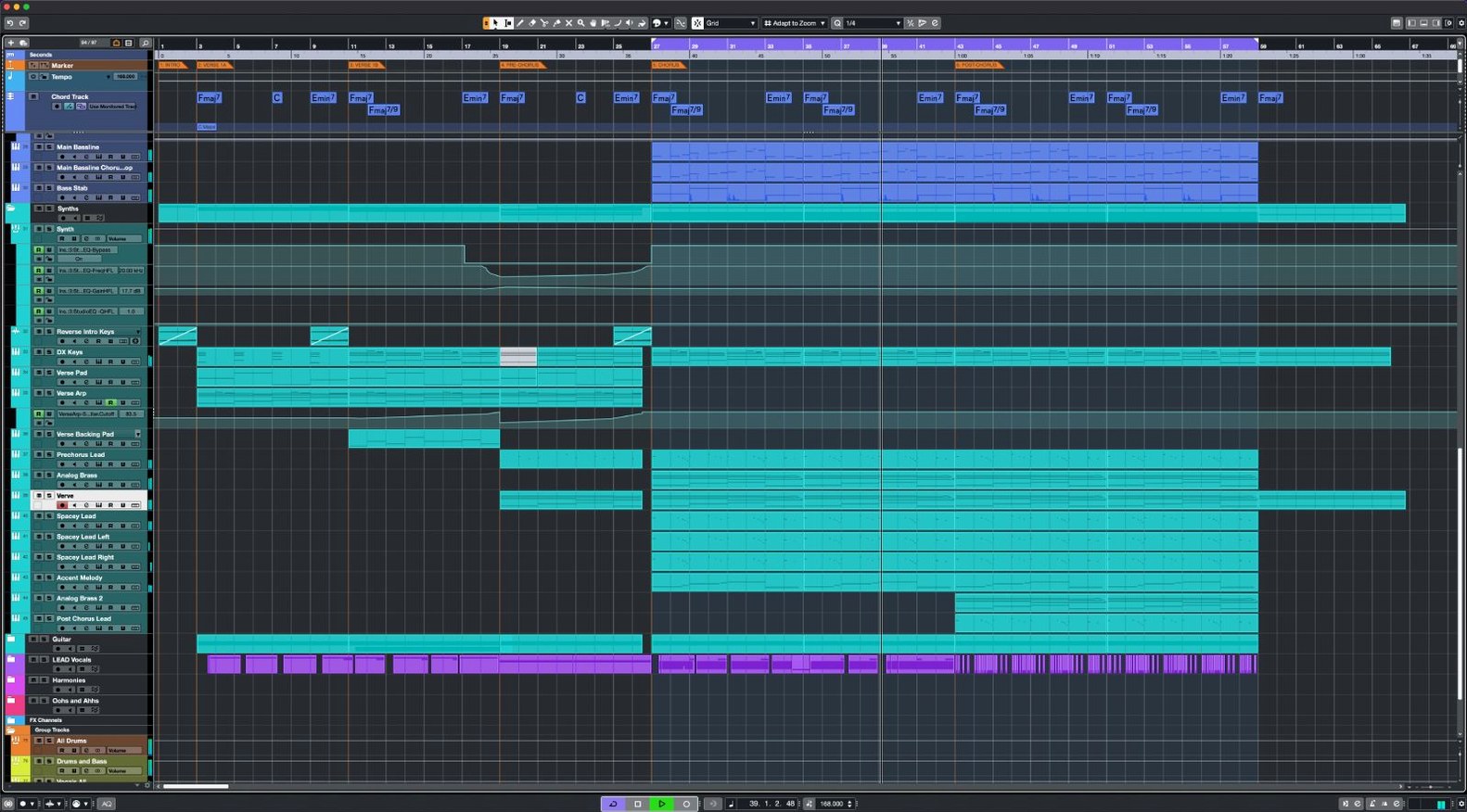
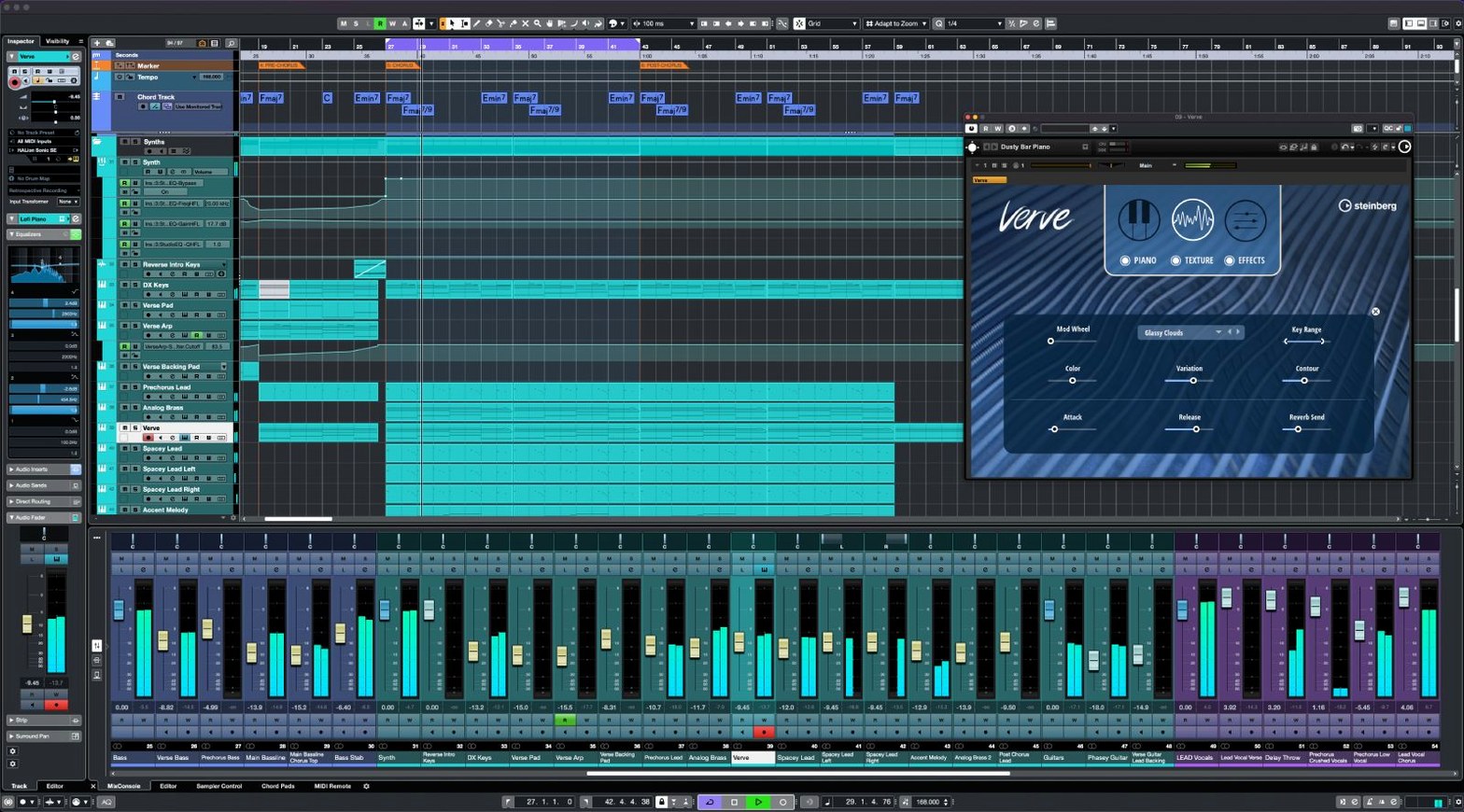
You have a track half-written in your head and a MacBook Air on the kitchen table. For that, Cubase is the DAW you open. It handles recording, sequencing, mixing and editing in one window, with 64-bit internal processing and support for sample rates up to 192 kHz. The 256 group channels and 64 return channels give you enough routing for orchestral templates or dense electronic projects. VariAudio handles vocal pitch correction when a take is not quite there, and the FX Modulator lets you build movement into pads or basslines.
| Detail | Value |
|---|---|
| Version | 15.0.30 |
| Developer | Steinberg |
| macOS | macOS 13 or later |
| Architecture | Intel and Apple Silicon |
| Language | English |
Before you install, people often ask about compatibility with older Macs or whether the same system can run both Cubase and other DAWs. Cubase 15 works on both Intel and Apple Silicon Macs running macOS 13 or newer. The download is delivered through Steinberg Download Assistant, and the included instructions cover activation. The MIDI Remote API 1.3 update also adds support for Novation Launch Control Series 3 controllers, which is useful if you map faders and pads directly to the mixer.
Installer sits under 1.3 GB
Cubase 15 is a full DAW, so the installer sits just under 1.3 GB. That is one download, and the licence you own decides which of the Cubase 15 editions opens. The installer runs on both Intel and Apple Silicon Macs, as long as you are on macOS 13 or later. You get the English interface and a keyboard shortcut system that you can learn or customise over time.
Once installed, the sound engine works at 64-bit internally. You can set your project to sample rates up to 192 kHz if your interface supports it. The mixer handles unlimited audio and MIDI tracks, 256 group channels, 8 send channels and 64 return channels. For effects, each channel can take up to 16 inserts, and you can load 64 VST instruments across the project. Physical inputs and outputs go up to 256, which is more than most home studios need but useful if you work with a large console or multiple stage boxes.
The Dolby Atmos tools are there for surround and immersive mixes. If you do not have an Atmos setup yet, you can still route objects and monitor in binaural. The Scale Assistant and Audio to MIDI chords are built in, so you do not need extra plugins for basic harmony detection or scale-based note input.
Start with an empty project template
You start by opening Cubase and creating a new project. The empty project template gives you a clean timeline and a mixer with no tracks. You add one audio track for a vocal take and one instrument track with a VST synth. The MIDI Remote integration lets you map your controller without leaving Cubase – you assign the faders to the mixer channels and the pads to the Scale Assistant, so you can play within a chosen scale without hitting wrong notes.
You record a few bars of the synth part. The timing is loose, so you use AudioWarp to snap the audio to the project grid. It aligns without cutting the performance feel. Then you bring in a vocal recording from an earlier session. The pitch drifts in the chorus, so you open VariAudio, select the off notes and pull them into tune. It is direct – you see the pitch blobs and drag them where they need to be.
For the mix, you add Raiser on the vocal bus. It pushes the loudness without squashing the transients, so the vocal sits forward but still breathes. On the synth, you insert the FX Modulator and automate the filter cutoff over eight bars. The movement keeps the loop from feeling static. You route everything through a group channel and adjust the send to a reverb return. By the end of the session you have a rough mix that translates well enough to export and check in the car.
Installer requires macOS 13 or later
- The installer does not open. Check that your Mac is on macOS 13 or later. If you are on an older system, Cubase 15 will not launch. Also make sure you downloaded through Steinberg Download Assistant – the package needs that tool to verify and expand correctly.
- No sound from the interface. Go to the audio connections panel and confirm that the driver is selected for your device. Cubase supports up to 256 physical inputs and outputs, but it only sees what the driver presents. If the interface uses a custom control panel, open it separately and check the sample rate matches the project rate.
- MIDI controller not responding. The MIDI Remote API 1.3 covers Novation Launch Control Series 3 and other controllers. If yours is not auto-detected, use the MIDI Remote manager to create a custom mapping. The process is manual but you only do it once per controller.
- Crackles or dropouts during playback. Raise the buffer size in the audio settings. Cubase uses 64-bit processing internally, but the driver buffer still depends on your interface and CPU load. A higher buffer adds latency but stops the clicks.
- VariAudio does not detect the audio. VariAudio works on monophonic audio events. If the region is stereo or polyphonic, it will not show the pitch blobs. Convert the track to mono or use the Audio to MIDI chords feature instead for harmonic content.
Too many insert effects slow the project
One common mistake is adding too many insert effects on a single channel. Cubase allows up to 16 per channel, but loading heavy plugins on every slot slows the project down before you even reach the mixer. Use sends for reverb and delay instead of inserting them on every track. The 8 send channels are enough for a standard setup, and they keep the CPU load lower.
Another is ignoring the Scale Assistant when writing melodies. Beginners often play outside the key and then try to fix it with VariAudio later. The Scale Assistant lets you lock the MIDI input to a preset scale, so every note you play fits the harmony. It saves time and reduces pitch correction work.
People also forget that the licence determines which Cubase 15 edition opens. If you have a Cubase Elements licence, the Pro features are greyed out but the installer is the same file. Do not download a separate version – just activate the right licence through Steinberg Download Assistant and the software adjusts.
Lastly, beginners sometimes skip the keyboard shortcut system. Cubase has a full set of defaults, but learning them early makes editing faster. The shortcuts are customisable, so you can map common actions like split, mute or quantise to keys you actually remember. Spending ten minutes on that setup early on saves hours later.
- Fixes and enhancements across the application.
- Support for Novation Launch Control Series 3.
- MIDI Remote API 1.3 support.
- macOS 13 or later
- Intel or Apple Silicon processor
Kit check at a glance
| System | macOS 13 or later |
| Chip | Apple Silicon, Intel 64-bit |
| Download | 1.2 GB |
| Older pressings | 19 in the crate |





Chat from the booth
Sign in or grab a free account to leave a comment.
Nobody has said a word in the booth yet. If you played a set with this build, tell the next person how it went.