

- Build in the crate
- 2026.5.2 v20.5.2.19304
- Made by the team at
- ON1 Inc.
- Menu languages offered
- Russian, English, German, Spanish, Italian, Chinese (Traditional), Korean, Dutch, Portuguese, French, Japanese
- How you pay for it
- K'ed by TNT team
- macOS it plays on
- macOS 13 or later
- CPU it runs on
- Apple Silicon, Intel 64-bit
Screenshots
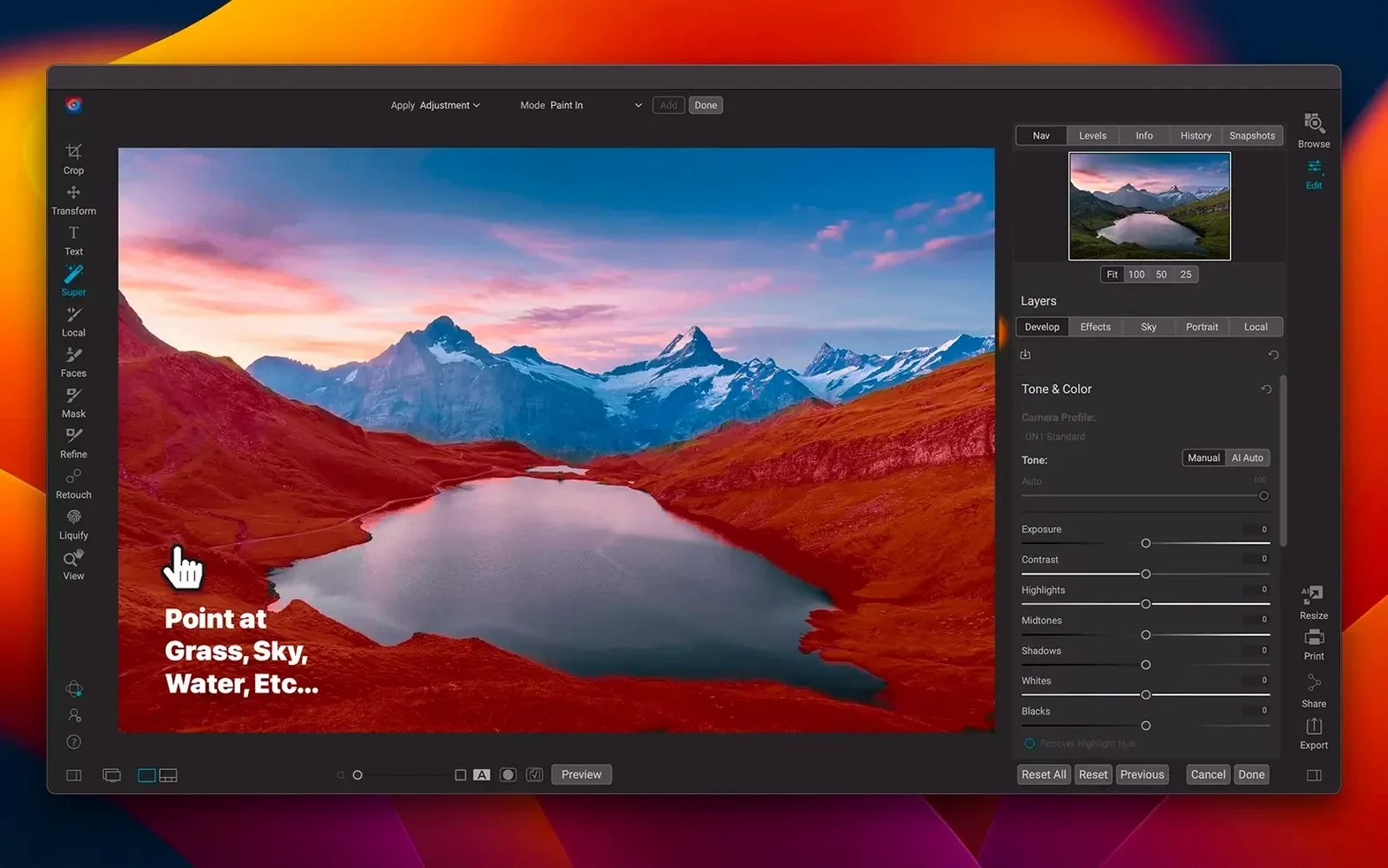
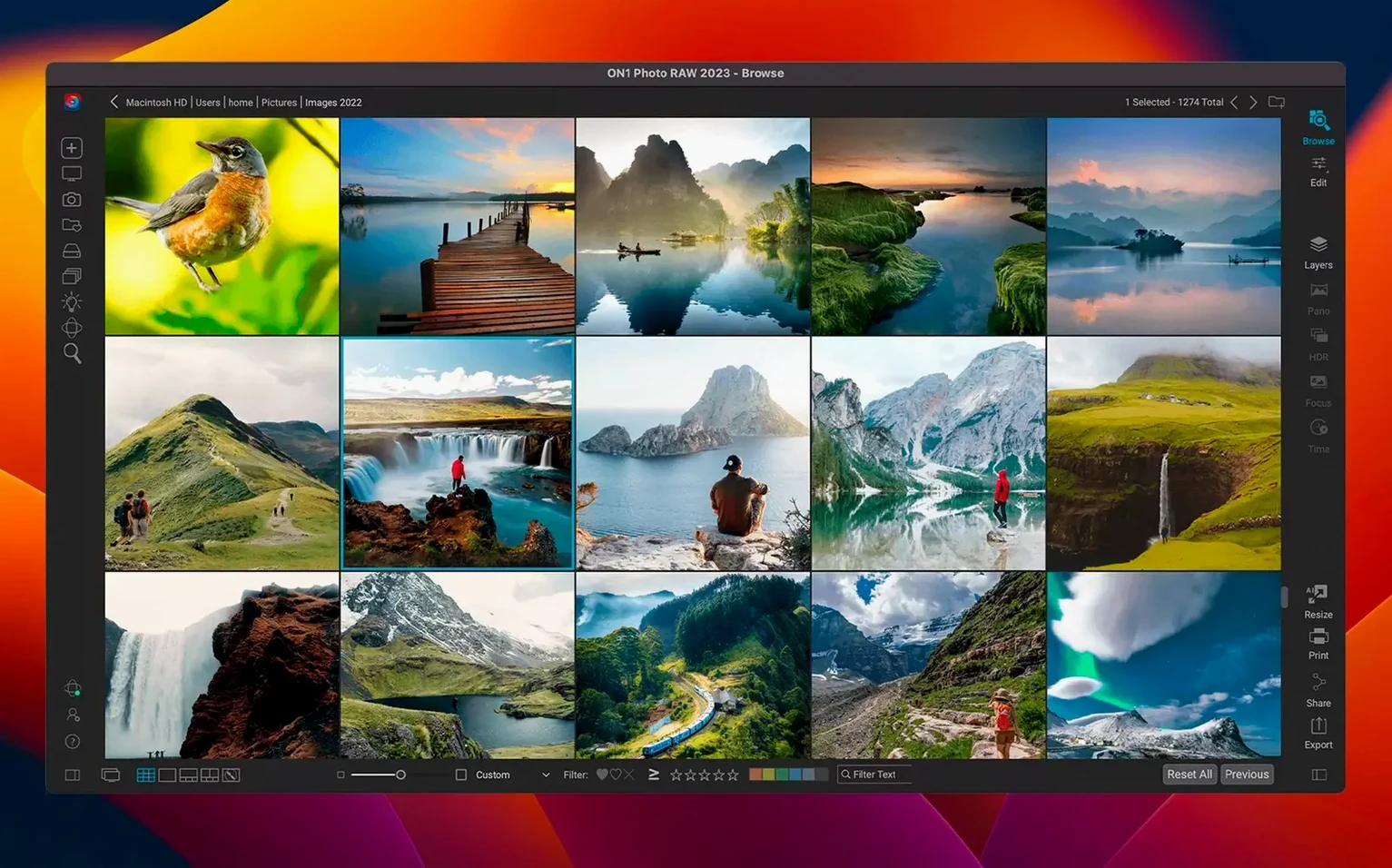
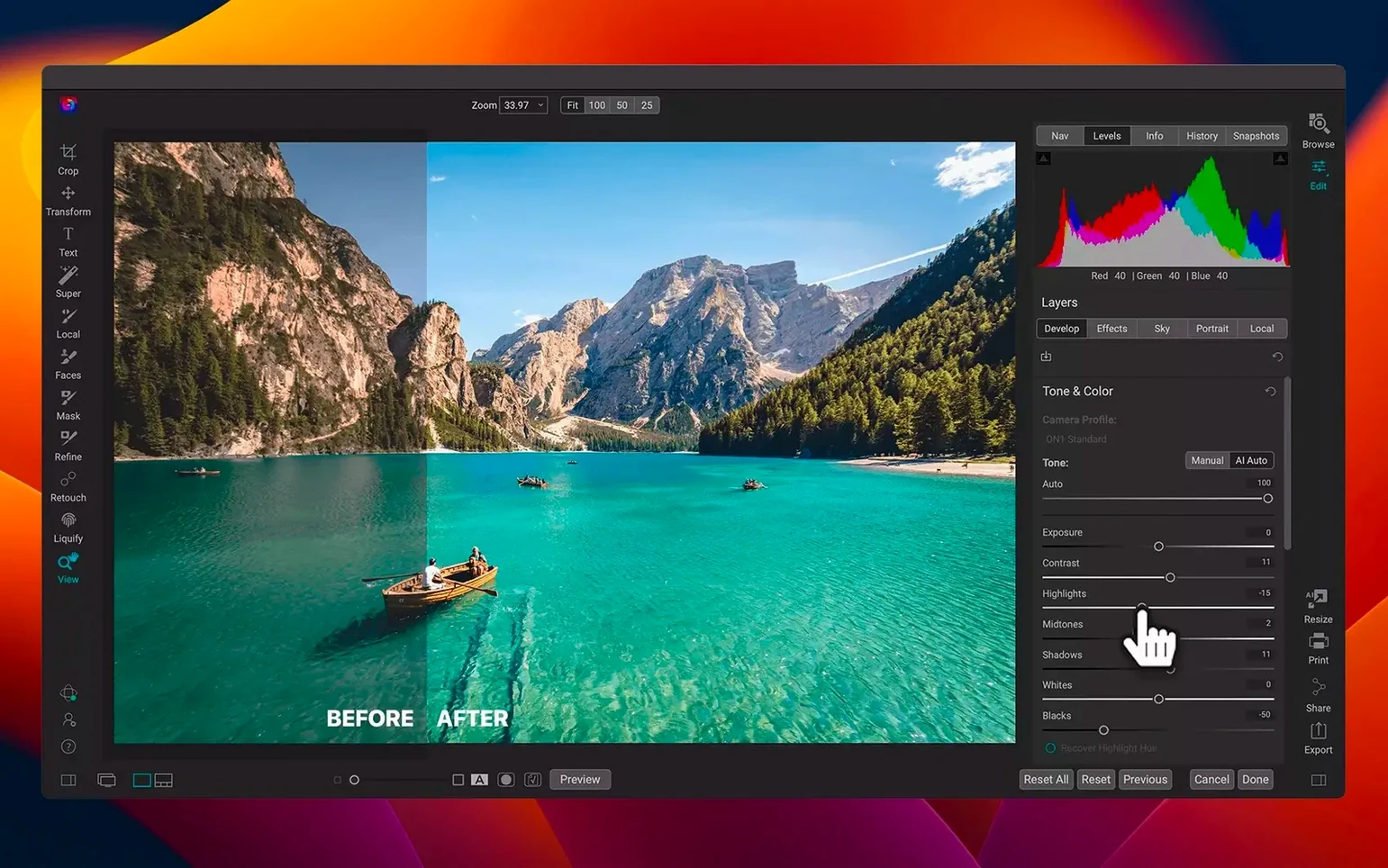
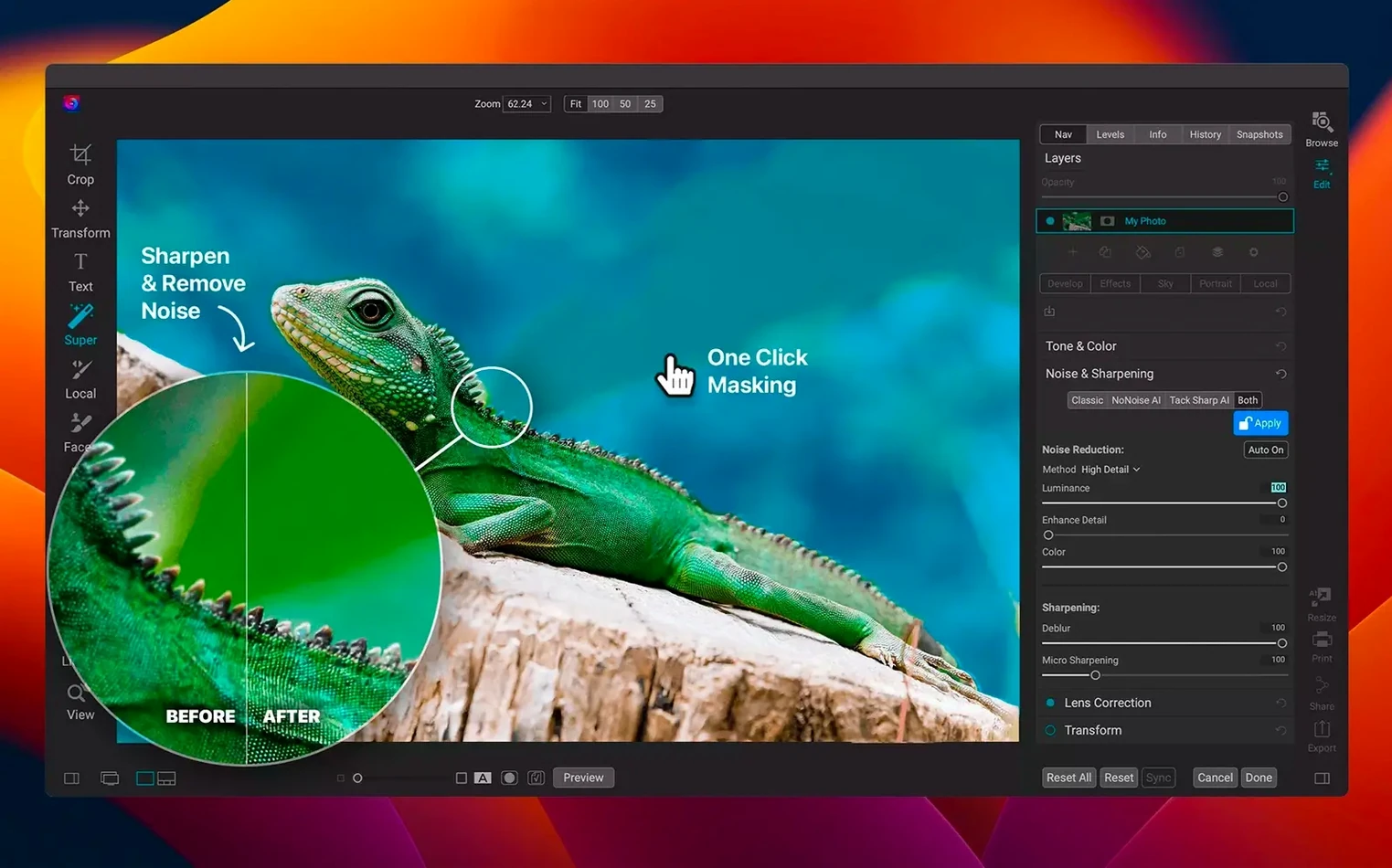
Organising a growing photo library and editing RAW files usually means switching between several apps. ON1 Photo RAW handles it all in one place: viewing, sorting, developing raw files, applying effects, and sharing — all without leaving a single window. The 2026.5.2 update brings noticeably faster filters and adds new lens profiles for better corrections. It works locally across your Mac and mobile devices, so you never depend on cloud syncing. The app speaks eleven interface languages, including English, German, Spanish, French, and Japanese. For Mac users who want a self-contained workflow from import to export, this is a solid alternative to jumping between multiple tools.
Keeps everything local for remote shooting
ON1 Photo Raw sits in a different spot than most photo apps on Mac. Adobe Lightroom Classic is the obvious comparison — both handle cataloguing and raw development. ON1 keeps everything local, which matters if you shoot in remote places or just prefer your files on your own drives. The layered editor in ON1 is something Lightroom lacks entirely; you would normally need Photoshop for that.
Capture One Pro offers exceptional colour handling and tethering, especially for studio work. Its catalogue system is powerful but has a steeper learning curve. ON1 Photo Raw is more approachable for someone who wants one app that does organising, raw conversion, and creative effects without switching screens. The effects module in ON1 — with presets, textures, and blending — is closer to what you get from a dedicated plugin pack, but it is built right in.
Affinity Photo is a strong pixel editor with layer support, but it does not organise your library or process raw files in a catalogue. You import, edit, export, and manage files manually. ON1 Photo Raw combines that editing depth with a browser and organiser, so you can rate, tag, and search your images without leaving the same environment. For photographers who shoot raw and want fewer apps open, ON1 covers more ground in one window.
Replaces Lightroom and Photoshop for most edits
Will it replace both Lightroom and Photoshop for me? That depends on your workflow. If you mainly develop raw files, apply local adjustments, and add creative effects, yes. The layered editor handles compositing, text, and masking. If you need advanced vector tools or 3D text, you might still keep a dedicated pixel editor around. For most photography work, ON1 covers the core editing and organising tasks.
Does it work with my existing catalogue from another app? ON1 can browse your existing folder structure and import images without moving or renaming files. It reads sidecar files from Lightroom and Capture One for basic adjustments, though not every setting transfers. You can point ON1 at your current folders and start working immediately; there is no forced migration.
How does performance feel on an older Intel Mac? The 2026.5.2 update improved filter speeds across the board. ON1 runs on both Apple Silicon and Intel Macs with macOS 13 or later. On Intel machines with dedicated graphics, it handles raw files and layers well. Heavy noise reduction or large composite stacks benefit from more RAM, as you would expect with any photo editor.
Can I use it alongside my current photo apps? Yes. ON1 Photo Raw does not hijack file associations or demand to be the default. You can export to other editors as a plug-in or keep using your existing app for specific tasks. Many users keep Lightroom for cataloguing and use ON1 for the effects and layered editing, then round-trip the files back.
Set cache to a fast drive for speed
After installation, open the preferences and check a few things before you start editing. The cache location is worth setting to a fast drive if you have one — it speeds up browsing and preview generation. You can also adjust the preview quality to balance speed and clarity depending on your Mac.
The auto-apply lens correction setting uses the built-in lens profiles. With the new profiles in 2026.5.2, it is worth enabling this for your common lenses. It saves time on every raw file you open. If you prefer to see the uncorrected image first, you can toggle it off per photo later.
Under the interface section, pick your language from the eleven available. The default is English, but if you work in Spanish, German, French, or Japanese, switching early avoids confusion with menu labels later. You can also set the workspace layout to match your usual tools — browser, edit, effects, or a custom combination.
Finally, turn on the option to save edits as sidecar files rather than embedding them in the catalogue. This keeps your changes portable if you move folders or switch to another machine later. It is a small preference that makes a big difference when your library grows.
- Faster filters.
- New lens profiles.
- macOS 13 Ventura or later
- Intel or Apple Silicon processor
Kit check at a glance
| System | macOS 13 or later |
| Chip | Apple Silicon, Intel 64-bit |
| Download | 1.1 GB |
| Older pressings | 11 in the crate |






Chat from the booth
Sign in or grab a free account to leave a comment.
Nobody has said a word in the booth yet. If you played a set with this build, tell the next person how it went.