
- Build in the crate
- 4.11.0
- Made by the team at
- The Omni Group
- Menu languages offered
- Russian, English, German, Spanish, Italian, Chinese (Simplified), Korean, Dutch, Portuguese, French, Japanese
- How you pay for it
- K'ed by TNT team
- macOS it plays on
- macOS 11 or later
- CPU it runs on
- Apple Silicon, Intel 64-bit
Screenshots
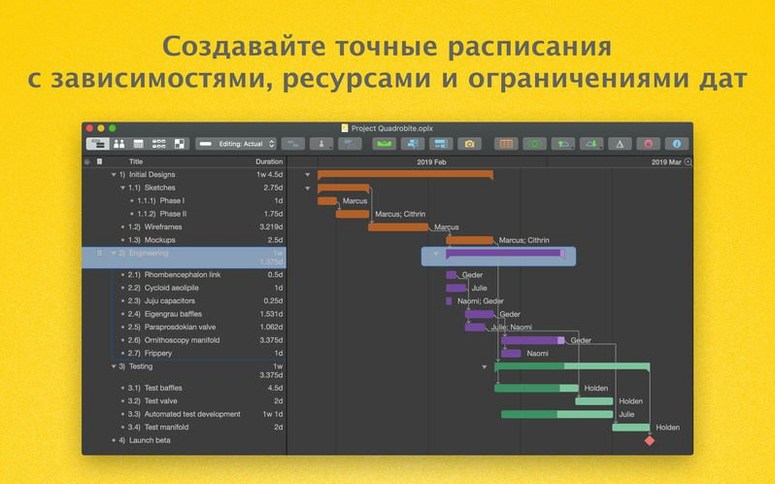
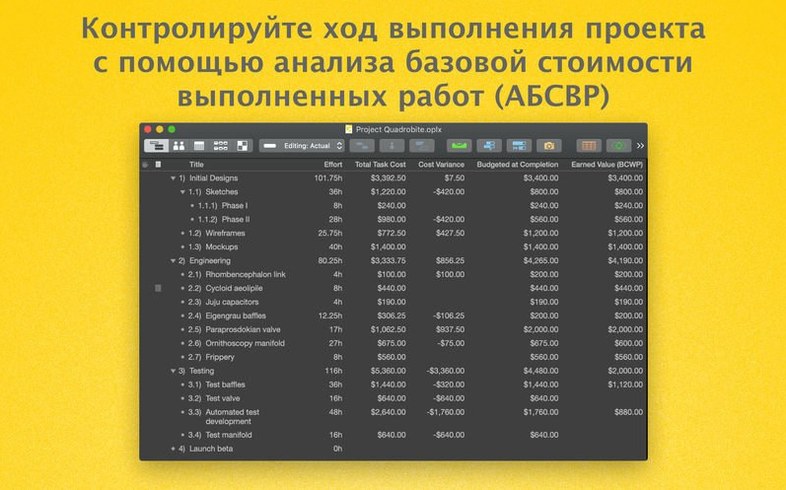
You’ve got a project with deadlines, resources, and a budget that needs to stay on track. OmniPlan Pro on Mac handles the planning, visualisation, and progress tracking — from milestones to cost control. Version 4.11 keeps the core workflow intact while polishing the parts that matter.
What’s the main difference between OmniPlan and OmniPlan Pro?
OmniPlan Pro adds automatic effort estimation, HTML reporting, and AppleScript support. If you need to generate reports or automate parts of your workflow, the Pro tier is the way to go.
Does OmniPlan Pro work with other Omni apps?
Yes. You can export data to OmniOutliner and OmniGraffle, which is handy if you use those for outlining or diagramming. The app also supports importing and exporting to exchange project data.
macOS compatibility and task editing fix
This release improves compatibility with newer macOS versions and fixes a performance slowdown when editing tasks that have many resources assigned. No big interface overhaul — just the kind of updates that keep it reliable day to day.
Calendar settings for non-working days
Once OmniPlan Pro is installed and running, a few adjustments save time later. Head to the calendar settings and add your team's non-working days — holidays, personal days, anything that blocks out time. The app lets you record days of absence, so scheduling doesn't accidentally assign work when someone is off.
Another early stop is the resource view. Set up each person's availability and hourly rate. That way, when you assign tasks, the cost calculations and workload balancing are accurate from the start. The Pro version's automatic effort estimation works better when it knows who's doing what and how many hours they can give.
If you collaborate with others, turn on change tracking early. It records every adjustment and lets you accept or reject edits individually — or all at once when a batch review makes sense. It's much easier to keep track of revisions from the beginning than to enable it halfway through a project.
Multi-project dashboard for portfolio overview
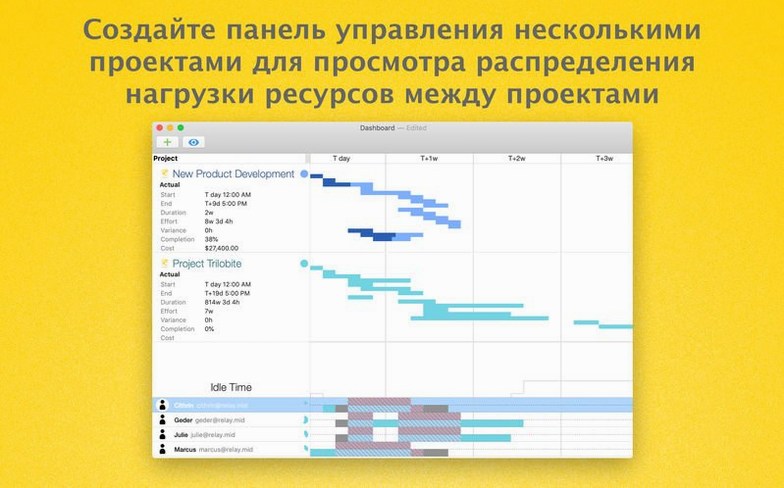
Project managers running multiple overlapping projects benefit most from the multi-project dashboard in the Pro tier. It gives a top-down view of timelines, budgets, and progress across the whole portfolio without flipping between separate files.
Team leads who need to forecast risks will find the Monte Carlo simulation useful. It runs through thousands of possible outcomes based on your task estimates and resource assignments, so you can see where delays are likely to hit before they happen. The earned value analysis does something similar for budget performance — it compares planned costs against actual spend to flag overruns early.
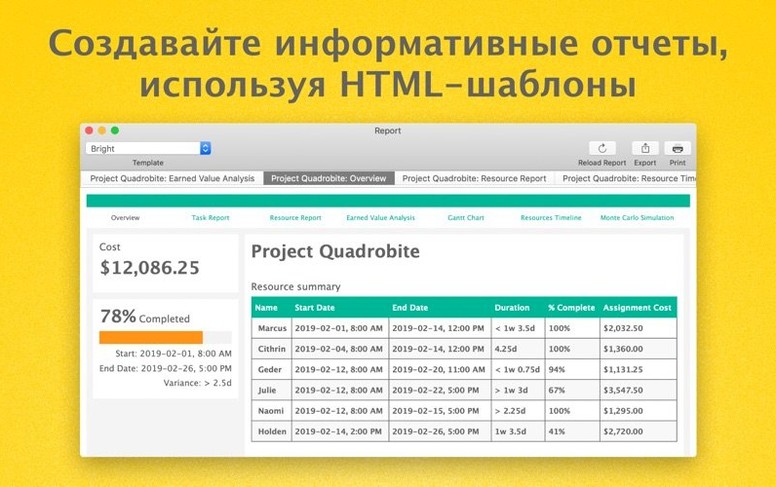
Anyone who handles Microsoft Project files regularly will appreciate the import and export support. It keeps the workflow compatible with clients or contractors who haven't switched to OmniPlan yet. And if you report to stakeholders who don't use project management software, the HTML reports and PDF exports give you something to send that's readable without extra tools.
Smoother edits with many resources
The latest update focuses on two practical areas. First, compatibility with newer macOS versions means you're less likely to hit odd behaviour after a system update. Second, editing a task with a large number of assigned resources is noticeably more responsive — that slowdown when you added the fifteenth person to a single task is gone. No new buttons or panels, just smoother operation where it counts.
For anyone managing a team with shared calendars or publishing project data through Omni Sync Server or WebDAV, those workflows remain unchanged.
- Improved compatibility with newer versions of macOS.
- Improved performance when editing a task with many assigned resources.
- macOS 12 or later
- Intel or Apple Silicon
Kit check at a glance
| System | macOS 11 or later |
| Chip | Apple Silicon, Intel 64-bit |
| Download | 100 MB |
| Older pressings | 2 in the crate |






Chat from the booth
Sign in or grab a free account to leave a comment.
Nobody has said a word in the booth yet. If you played a set with this build, tell the next person how it went.