

- Build in the crate
- 1.10.8
- Made by the team at
- Mimestream
- Menu languages offered
- Russian, English, German, Spanish, Italian, Chinese (Simplified), Dutch, French, Czech, Japanese
- How you pay for it
- Included
- macOS it plays on
- macOS 12 or later
- CPU it runs on
- Apple Silicon, Intel 64-bit
Screenshots
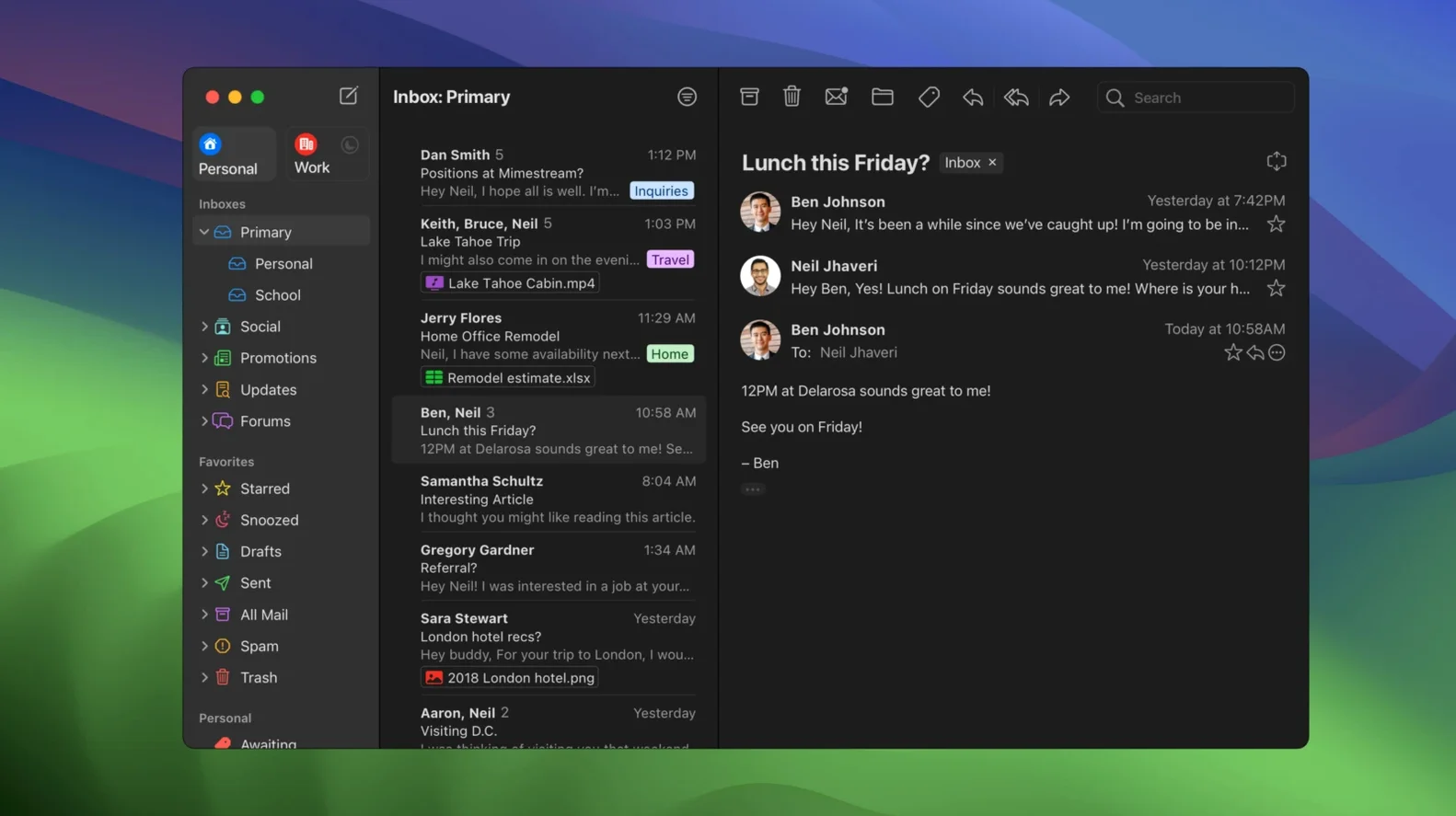
Most email clients treat Gmail like any other IMAP account. Mimestream doesn't. It's built around the Gmail API, so labels, filters, and categories behave the way they do in the browser. For an experienced user, that alone is worth the switch. But the deeper tools are what keep you there.
Keyboard shortcuts are a big one. You can pick between the Gmail set or the Apple Mail set, so muscle memory from either world carries over. Search works even when you're offline, which means you can dig through old threads on a flight without a connection. Full offline access is there too, not just a cached inbox.
Mimestream is written in Swift and runs natively on both Apple Silicon and Intel Macs. It caches only recent messages, so disk usage stays minimal. Future versions will require macOS 14 or newer, but the current release still supports macOS 12 Monterey and up.
Sign in with your Google account
When you first launch Mimestream, sign in with your Google account. That's it — no SMTP or IMAP settings to fill in. The app pulls everything from the API: your labels, your filters, your signatures, your aliases. They appear exactly as they do in the browser, without any manual syncing.
Spend a few minutes going through the preferences. Choose your shortcut set early — Gmail or Apple Mail — so the keys match what your fingers expect. If you use swipe gestures on the trackpad, try them out on a few messages. Archive, trash, and mark as read are all a swipe away, and you can adjust which direction does what.
Turn on notifications for new messages if you want them. Mimestream sends macOS system notifications, so they look and behave like any other native alert. The app blocks tracking pixels from over fifty tracking services, which means open-rate trackers in marketing emails won't fire. That happens quietly in the background.
Try searching for something specific — a label, a sender, a phrase from a thread. The search uses Gmail query syntax, so you can type from:alice has:attachment and get the right results. Then disconnect from the network and search again. Offline search works on the cached messages, so you can still find what you need.
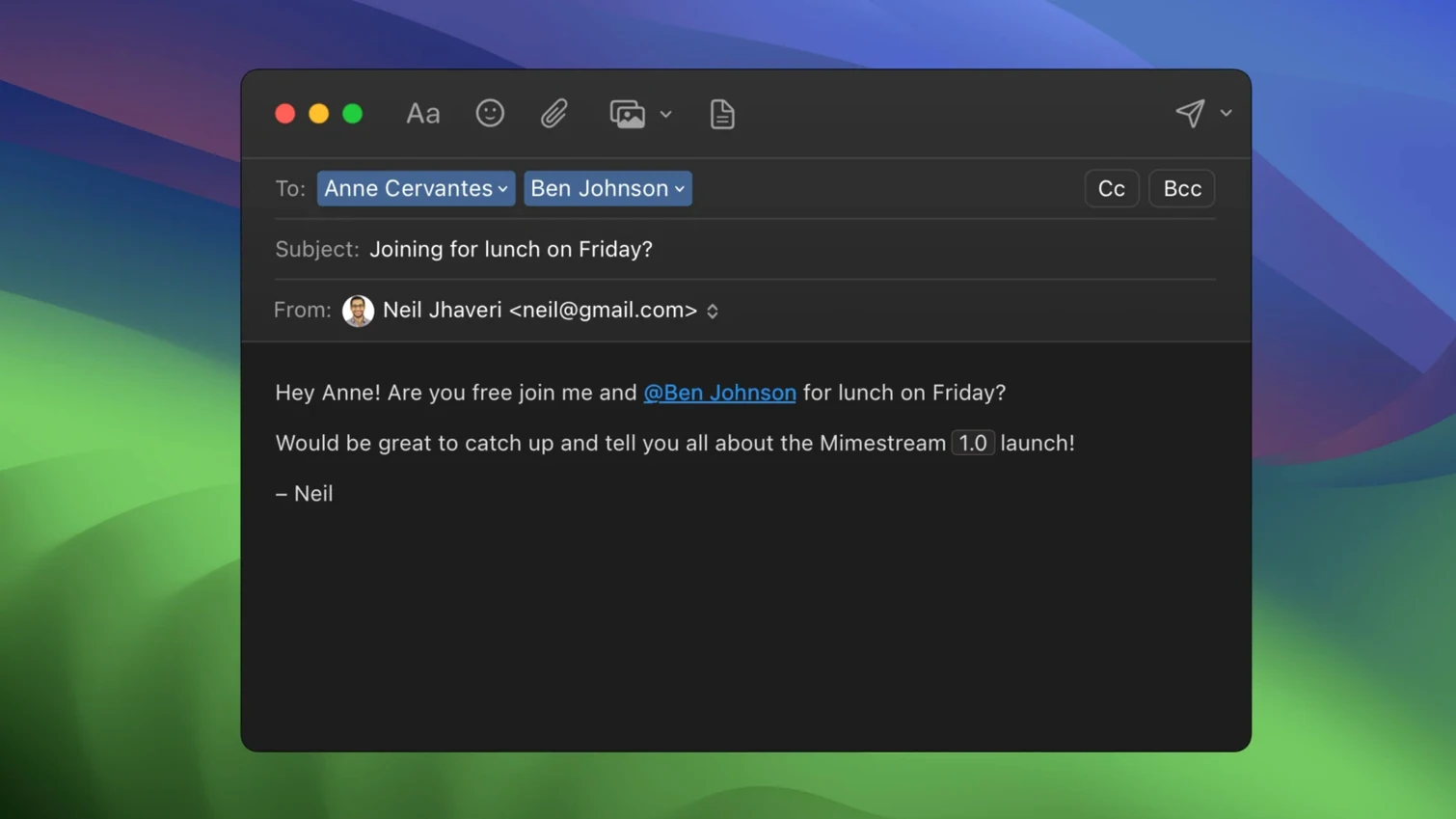
Check that your aliases and signatures came through. They sync automatically, no extra setup. If you send from multiple addresses in Gmail, they are all available in the compose window from the start.
Built only for Gmail
Does it only work with Gmail? Yes. Mimestream is built specifically for Google accounts. It does not support other providers, and it never will. If you manage a mix of personal and work email from different services, this app is for your Gmail accounts only. Some users keep Mimestream for Gmail and another client for everything else.
Does it need an internet connection? It needs one to fetch new mail, but offline access is fully supported. The app caches recent messages locally, and you can read, search, and compose without a connection. Messages you write while offline are queued and sent when you reconnect.
How is it different from using Gmail in a browser? It feels like a macOS app. Notifications are system-native, drag-and-drop attachments work the same as in any other Mac app, and you can use system-level shortcuts for things like spotlight search. The Gmail API also means labels, categories, and filters behave consistently — no IMAP workarounds that break folder structure.
Will it slow down my Mac? It uses minimal disk space because it only caches recent messages. The app is written in Swift and runs natively on both Apple Silicon and Intel, so it stays light on resources.
Is it in English only? No. The interface supports Russian, English, German, Spanish, Italian, Chinese (Simplified), Dutch, French, Czech, and Japanese. You can set your preferred language in the app's preferences.
Inbox loads in seconds
Wednesday morning. I open Mimestream from Launchpad — it loads my inbox in seconds. Three new messages: one from a client about a project update, a newsletter I skim, and a notification from a forum thread I follow.
I swipe left on the newsletter to archive it. The forum notification gets a right-swipe to trash. The client email I open and reply to directly from the compose window. My signature is already there, pulled from Gmail. I type / to jump to search and find an old thread with the same client from two months ago. The search returns the exact message even though I am offline at this point.
A label appears on a new message — "Project X" — applied automatically by a filter I set up in Gmail years ago. Mimestream shows it as a tag, same as the web interface. I drag the email into a different label and it syncs back to Gmail.
I need to send from a different alias. I click the From field in the compose window and pick the alias. It was already there, no setup needed. The email goes out, and a copy lands in my Sent folder.
Before closing, I check notifications. One unread message from a colleague — it shows up in Notification Center like any other macOS alert. I click it, and Mimestream opens to the message. That is the whole session: fast, native, and built around how Gmail actually works.
If you live in Gmail but want a desktop app that feels like it belongs on macOS, this is the one.
- Private Push notifications are now on by default on macOS 26 and later.
- Version 1.10 adds Private Push, an optional All profile, addresses for unknown senders, and configurable notification actions.
- 1.10.8 is the latest stable release.
- macOS 12 Monterey or later
- Apple Silicon or Intel Mac
- Google account required
Kit check at a glance
| System | macOS 12 or later |
| Chip | Apple Silicon, Intel 64-bit |
| Download | 12 MB |
| Older pressings | 4 in the crate |







Chat from the booth
Sign in or grab a free account to leave a comment.
Nobody has said a word in the booth yet. If you played a set with this build, tell the next person how it went.