

- Build in the crate
- 3.0
- Made by the team at
- Briksoftware.com
- Menu languages offered
- English
- How you pay for it
- K'ed by TNT team
- macOS it plays on
- macOS 26 or later
- CPU it runs on
- Intel 64-bit
Screenshots
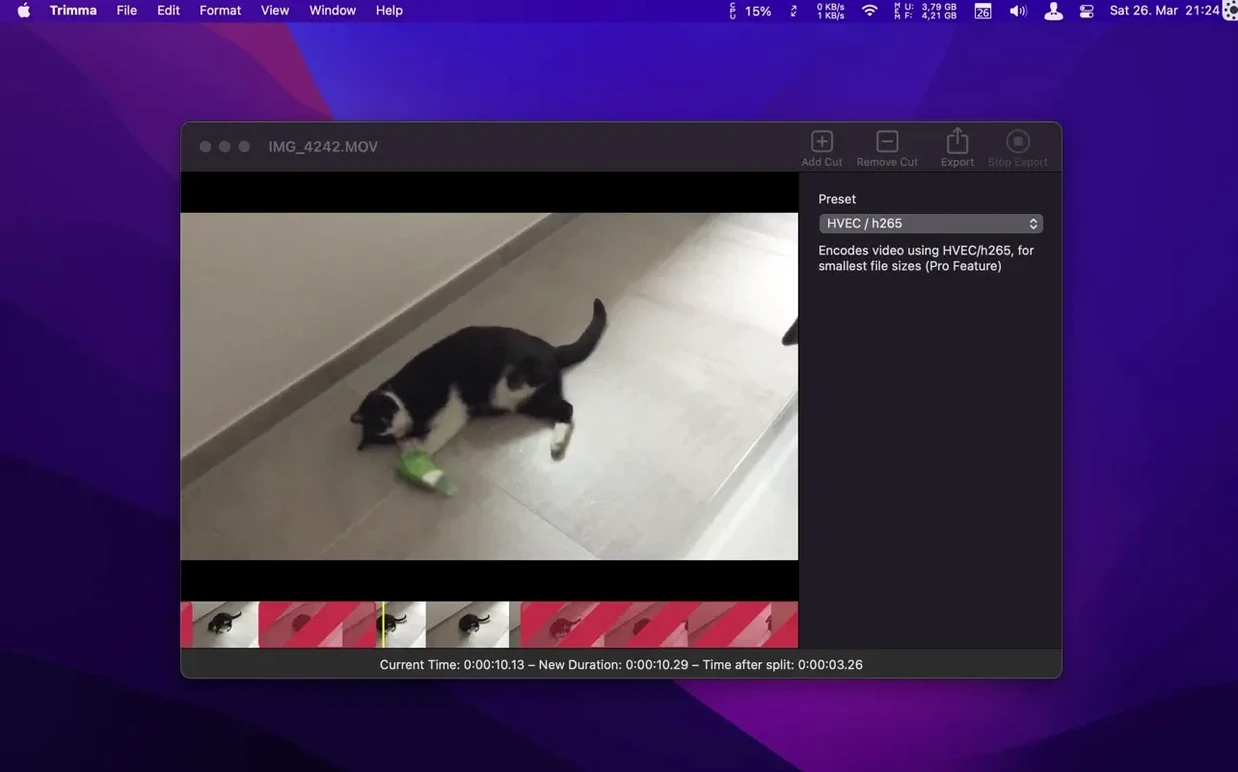
The current version of Trimma, 2.2.2064, focuses on polish: a frame counter now shows in the details panel while you scrub or edit, and exported MP4 files play properly in QuickTime Player again. The core workflow hasn't changed, and that's fine.
Trimma is a macOS app for quickly cutting videos. You open a file, insert cuts, and export the result — no project files, no timeline juggling like in iMovie.
Cutting — add or remove cuts with the toolbar buttons, or with the A and S keys. Precise stepping with the cursor keys helps you land each cut exactly where you want.
Export — passthrough keeps the original encoding for lossless, fast output. HEVC export uses H.265, AVC uses H.264, and thumbnail export makes a small low-quality preview.
The whole thing runs in English on macOS 10.14.6 or later, Intel Macs included. If you edit video and don't need a heavyweight editor, Trimma's direct approach gets you from file to trimmed file fast.
Workflow: trim a long interview down to clips
Say you have a 40-minute interview and want three short segments. Open Trimma and drag the file in. Use the cursor keys to step through the video, then press A to set a cut start and S to set a cut end. Repeat for each segment you want to keep. Trimma holds all cuts as a list, so you can remove any with the toolbar button if you misjudged a section. When you're satisfied, choose passthrough export — the output keeps the original encoding, so each clip is ready to drop into a timeline elsewhere without re-encoding.
For quick review clips, thumbnail export is useful: it produces a small, low-quality version you can share with a client or editor before the final export runs.
How Trimma compares with similar Mac apps
iMovie is the obvious alternative, but it forces you into a project workflow — import media, create a project, arrange clips on a timeline, then export. For a single file that needs a few cuts removed, that's a lot of overhead. Trimma skips all of that.
QuickTime Player 7 (the old Pro version) offered a trim feature, but it only let you keep one continuous segment. Trimma supports multiple cuts in one session, so you can remove several sections from a single file without re-exporting between each.
LosslessCut, another lightweight trimmer, shares Trimma's philosophy of no re-encoding, but its interface is more utilitarian. Trimma's toolbar buttons and keyboard shortcuts (A and S for cuts) feel more natural if you're used to Mac conventions.
Frame counter appears in details panel
Version 2.2.2064 adds a frame counter in the details panel. Before this, you had to judge your cut points by the video preview alone. Now you can see the exact frame number while scrubbing or editing, which makes matching cuts to specific moments much easier.
The other fix — exported MP4 files now play correctly in QuickTime Player — addresses a real annoyance. Earlier versions could produce MP4s that stuttered or refused to open in QuickTime, so you'd have to re-export or convert. That's no longer necessary.
Trimma 3.0 has landed. No detailed patch notes this time around, but it's a fresh build for current hardware and macOS 26.
- macOS 26 or later
- Intel 64-bit
Kit check at a glance
| System | macOS 26 or later |
| Chip | Intel 64-bit |
| Download | 5 MB |
| Older pressings | 2 in the crate |








Chat from the booth
Sign in or grab a free account to leave a comment.
Nobody has said a word in the booth yet. If you played a set with this build, tell the next person how it went.