
- Build in the crate
- 8.3.1 [MAS]
- Made by the team at
- Photo And Video Labs OOO
- Menu languages offered
- Russian, English, German, Arabic, Spanish, Italian, Chinese (Traditional), Chinese (Simplified), Korean, Portuguese, French, Japanese
- How you pay for it
- K'ed by TNT team
- macOS it plays on
- OS X 10.11 or later
- CPU it runs on
- Intel 64-bit
Screenshots

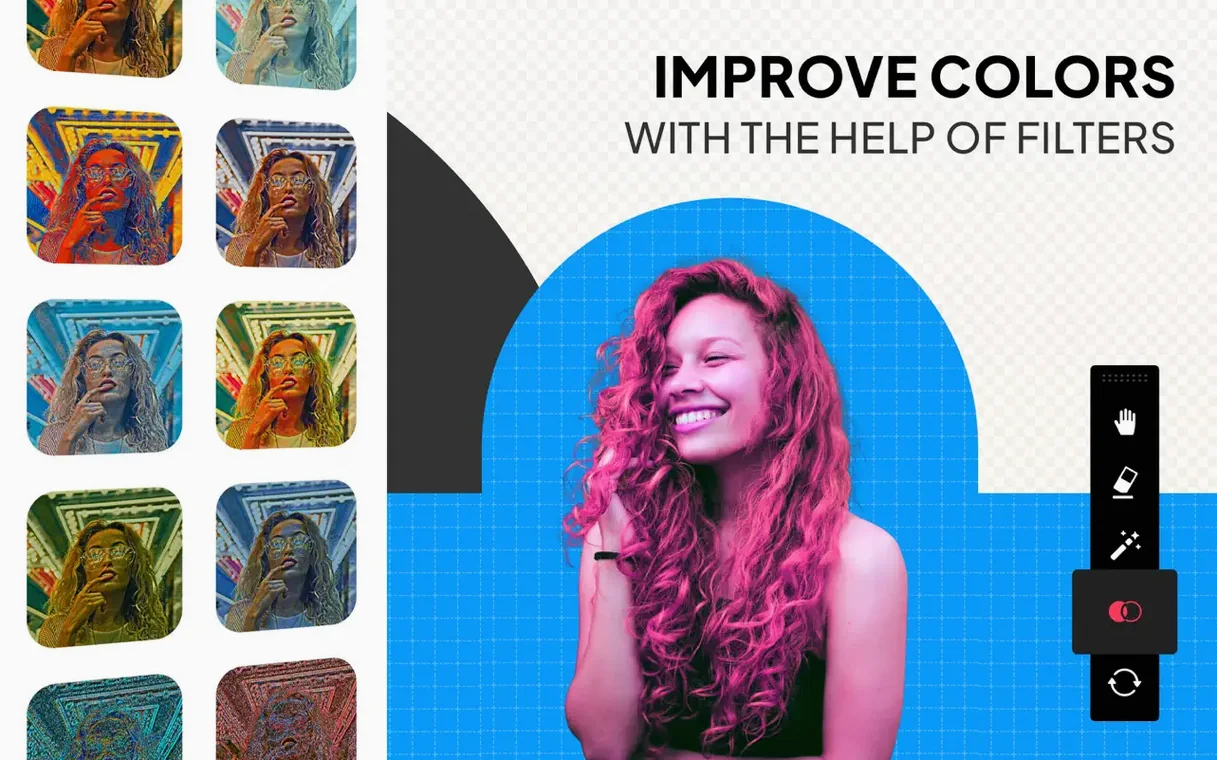

You snap a photo of a friend at a busy market, but the background is too cluttered to use. Cut Out Shapes for macOS lets you remove or replace that background in a few clicks. It is a simple tool, effective and fast, designed for OS X 10.11 and later (Intel only, not compatible with macOS Monterey and later). Here are the first things a newcomer should try.
Brush size slider — the first slider selects the brush size. Start small for fine edges, then widen for larger areas.
Open Gatekeeper friendly — mount the disk image and launch this option. Then press Enter in Terminal to bypass Gatekeeper.
Drag to Applications — after bypassing Gatekeeper, drag the app to your Applications folder and launch it.
Background removal — use the brush to paint over the background you want to remove. The app processes it quickly.
Language options — the interface supports English, Spanish, French, German, Japanese, Arabic and several other languages.
Unresponsive brush? Check your brush size
A few things trip people up at first. If the brush feels unresponsive or the removal looks incomplete, check your brush size. A brush that is too small makes the process tedious, and one that is too wide can bleed into the subject. The first slider is your friend here — dial it down for hair and edges, then increase it for open areas.
Another frequent snag: the background removal looks patchy or leaves ghost edges. That is where the second slider comes in. It controls transparency, letting you dial in partial removal instead of a hard cut. Slide it back and forth a couple of times to see what works for the photo.
If you paint over something you want to keep, do not start over. Use the eraser tool with the clock icon — it restores removed background areas. Brush over the mistake and the original pixels come back.
The app uses a folder icon to load a photo, and a diskette icon to save the result. That is all you need to move between images. No menus to hunt through.
OS X 10.11 or later required (no Monterey)
Cut Out Shapes 8.3.1 runs on OS X 10.11 or later, with Intel 64-bit architecture. It will not work on macOS Monterey and beyond, so if you are on an older system, this is a solid option. The app supports a dozen interface languages, including English, Russian, German, Arabic, Spanish, Italian, Chinese (traditional and simplified), Korean, Portuguese, French and Japanese. Switch language at any point if the default does not suit you.
Install is straightforward: mount the disk image, run Open Gatekeeper friendly, press Enter in the Terminal that appears, then drag the app to your Applications folder. That is it.
For quick edits — a portrait that needs a clean backdrop, a product shot that should look isolated — this gets the job done without a steep learning curve. Cut out shapes mac torrent searches often land on older versions, so make sure you grab the 8.3.1 MAS release for the latest fixes.
- macOS OS X 10.11 or later
- Intel processor
- 64-bit
Kit check at a glance
| System | OS X 10.11 or later |
| Chip | Intel 64-bit |
| Download | 34 MB |







Chat from the booth
Sign in or grab a free account to leave a comment.
Nobody has said a word in the booth yet. If you played a set with this build, tell the next person how it went.