

- Build in the crate
- 8.5.5 CRACKFIX
- Made by the team at
- Firecore LLC
- Menu languages offered
- Russian, English, German, Arabic, Basque, Burmese, Bulgarian, Hungarian, Vietnamese, Greek, Gujarati, Danish, Hebrew, Spanish, Italian, Catalan, Chinese (Traditional), Chinese (Simplified), Korean, Latvian, Dutch, Norwegian, Polish, Portuguese, Romanian, Slovak, Turkish, Ukrainian, Finnish, French, Croatian, Czech, Swedish, Estonian, Japanese
- How you pay for it
- Included
- macOS it plays on
- macOS 12 or later
- CPU it runs on
- Apple Silicon, Intel 64-bit
Screenshots
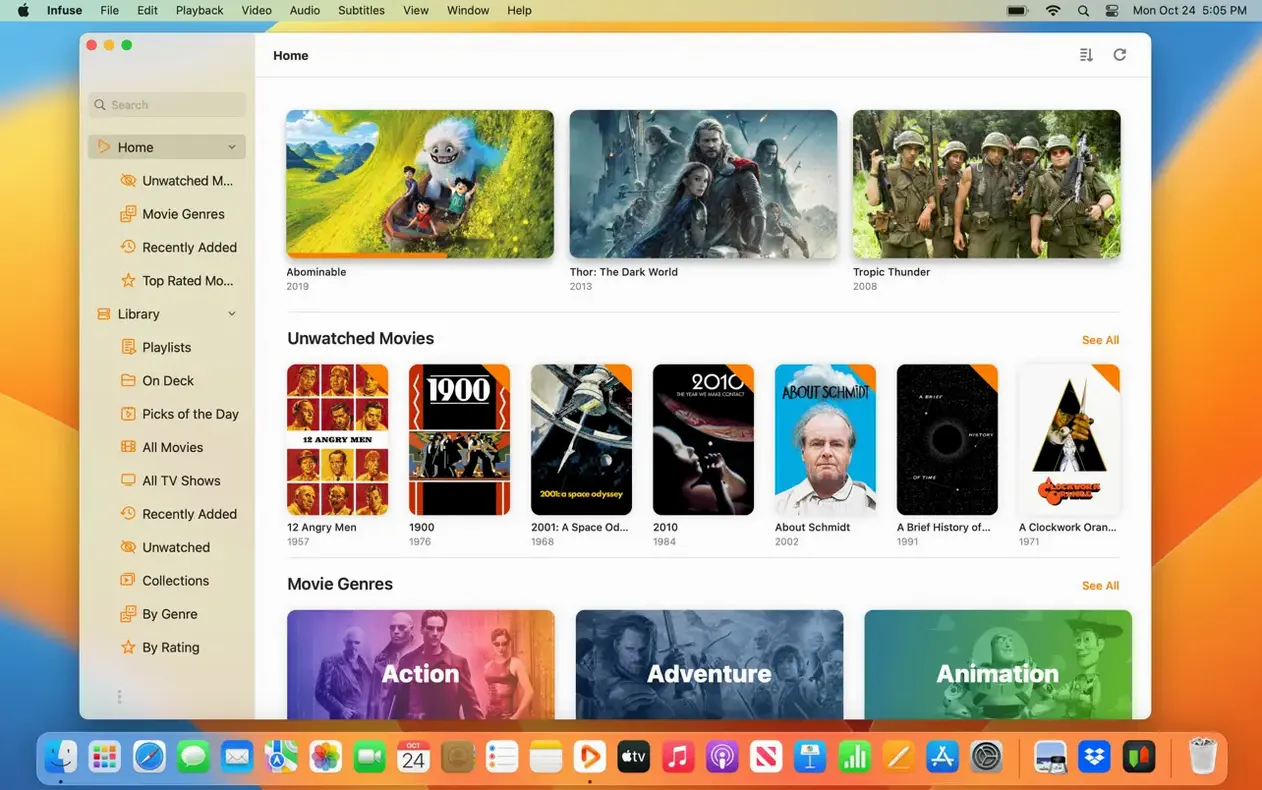
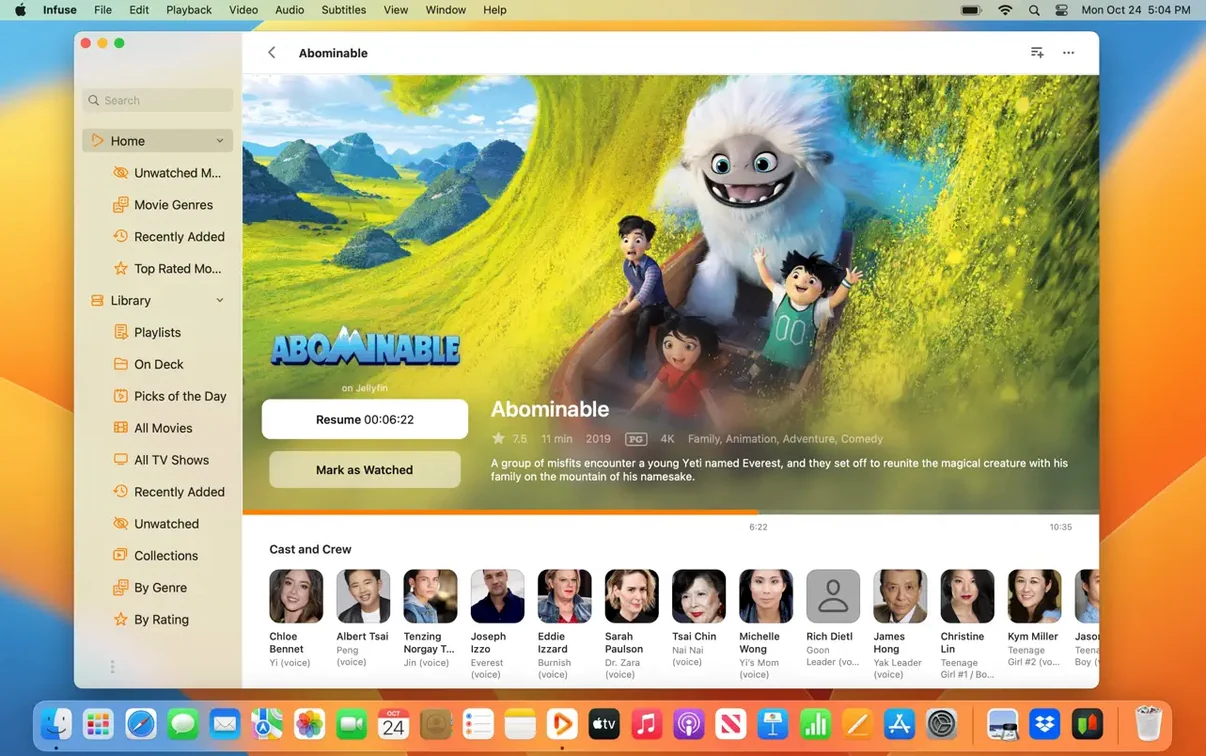
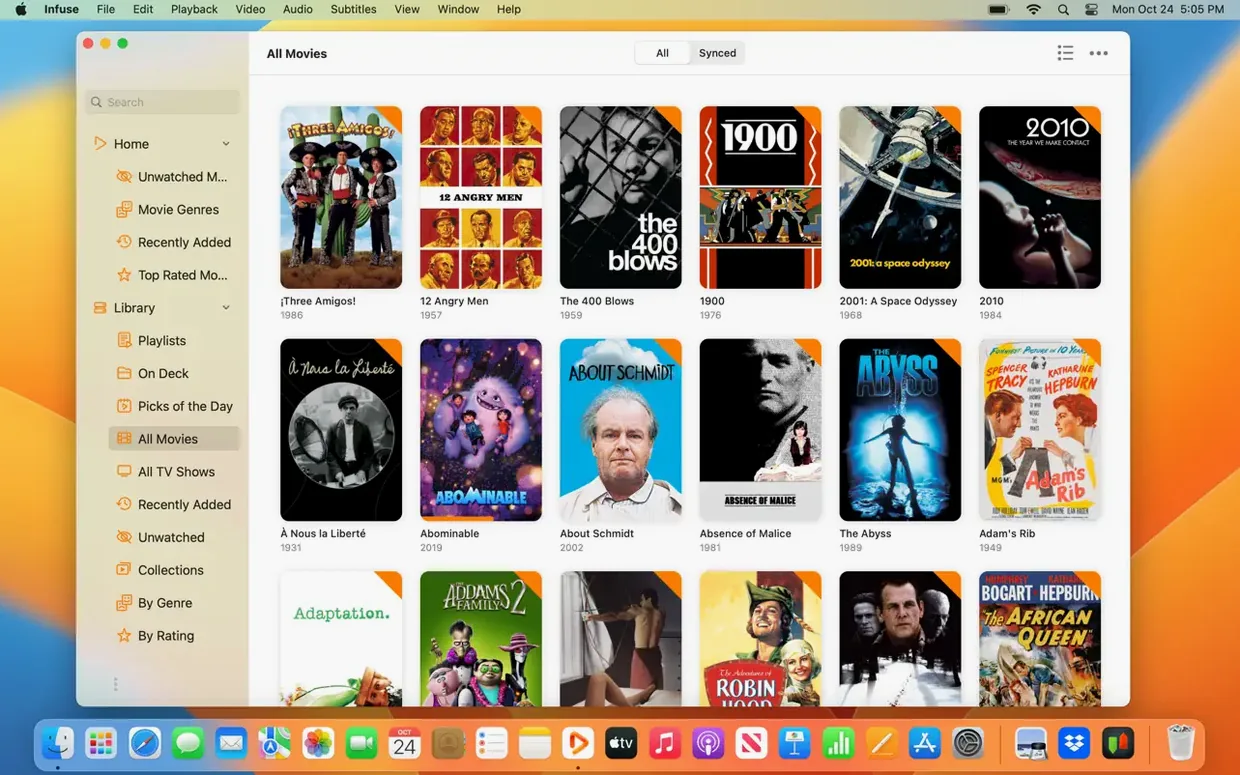
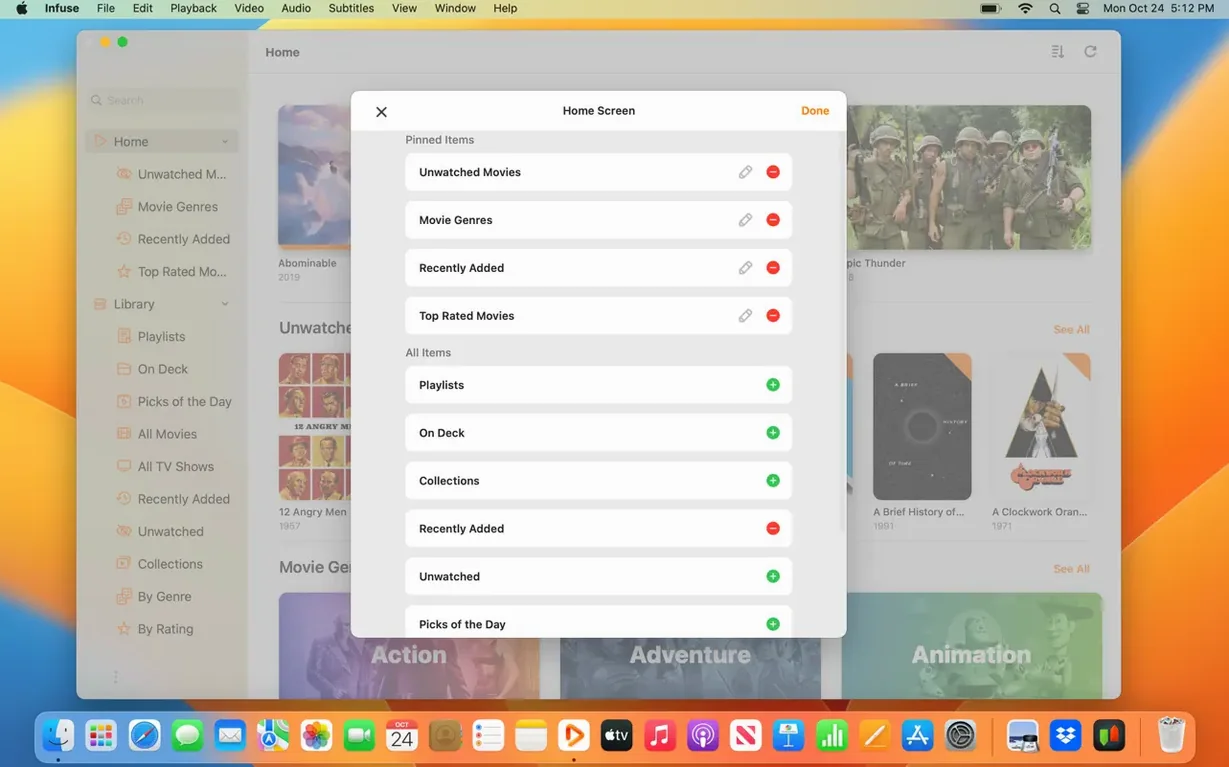
You keep a film library on a NAS, and your Mac is just one of the screens you watch it on. Infuse is the player that makes that setup feel natural.
Streams from Mac, PC, or NAS via SMB, NFS, FTP, WebDAV
- Streaming from Mac, PC, or NAS over SMB, NFS, FTP, and WebDAV
- Playing MKV, AVI, ISO, WMV, and other formats that QuickTime won't touch
- Watching with DTS, DTS-HD, or Dolby Digital Plus audio
- Adding subtitles on the fly or pulling them from OpenSubtitles
- Keeping your library, watched status, and in-progress queue in sync across iPhone, iPad, Apple TV, Mac, and Vision
Runs on Apple Silicon and Intel Macs with macOS 12+
- Runs on both Apple Silicon and Intel Macs, with macOS 12 or later
- Interface in 37 languages, so it fits whatever your household speaks
If you already juggle a few Mac apps for files, metadata, and playback, Infuse slots in as the playback piece you point at the same folders.
Version 8.5.5 small fixes from September 2026
Version 8.5.5 came out on 16 September 2026. For a player you use every day, the changes are small but noticeable. The release notes list Infuse 8.5.5 for iOS and iPadOS, which usually means the same fixes carry over to the Mac version. In practice, updates like this one tend to polish how the app handles network streams and subtitle timing. If you had a file that stuttered on the previous build, 8.5.5 is worth trying. The version history also shows that Firecore keeps the codebase unified across Apple devices, so improvements on one platform generally land on the others soon after.
First launch scans folders and builds thumbnail cache
When you first launch Infuse, it scans your media folders. Give it time to index a large library — it builds a thumbnail cache and fetches artwork from the files. The app connects to your Mac, PC, or NAS over SMB, NFS, FTP, or WebDAV, so add those shares from the Sources screen. If you use Plex, Emby, or Jellyfin, point Infuse at the server address and let it pull the library structure from there.
Cloud storage users can link Dropbox, Google Drive, OneDrive, Box, pCloud, Yandex.Disk, or Mega.nz accounts. That step takes a minute but saves you from downloading files to the Mac first. For Trakt sync, log in with your Trakt credentials to keep watched history and ratings in line with other apps. Infuse Pro also enables native iCloud syncing for the library, watched status, and the in-progress queue — turn that on early so your Apple TV and iPad pick up where the Mac left off.
Set the subtitle language in Preferences before you start watching. Infuse loads subtitles from OpenSubtitles automatically, and you can also drag a subtitle file onto the video window. If the audio track needs switching, use the audio menu inside the player — DTS, DTS-HD, and Dolby Digital Plus are all handled without extra codecs.
Universal binary for M-series efficiency without Rosetta
Infuse needs macOS 12 or newer, and it operates on Apple Silicon as well as 64-bit Intel Macs. The app is a universal binary, so it takes advantage of the M-series efficiency cores without a Rosetta translation layer. The app interface is available in 37 languages, so you can switch it to whatever your household uses.
The download comes as a disk image. After opening it, move the application to the Applications folder icon, then start it from Launchpad once the duplication completes. No additional codecs or system tweaks are needed — Infuse handles everything from MP4 and MKV to ISO and WTV out of the box.
Common questions before installing
Does Infuse work with my existing media server?
Yes, if your server runs Plex, Emby, or Jellyfin. Infuse connects to them as a client and reads the library structure directly. It also works with plain network shares over SMB, NFS, FTP, and WebDAV, so you do not need a media server at all — just a folder on a Mac, PC, or NAS.
Can I use Infuse without an internet connection?
For local files on the Mac or on a local network share, no internet is needed. Cloud storage sources like Dropbox or Google Drive require a connection, but local playback works fully offline.
Will Infuse play my Blu-ray rips and ISO files?
Yes, it plays ISO files and folder structures from disc rips. It reads the video and audio tracks directly, including DTS and Dolby Digital Plus. Menu navigation is not supported, but the main feature plays fine.
How do I sync my library between my Mac and Apple TV?
Infuse Pro syncs the library, watched status, and in-progress queue over iCloud. Log into the same iCloud account on both devices and enable iCloud sync in the Infuse settings. Your progress carries over without manual export or import.
If you are curious about the full list of formats or want to see the interface in another language, the app covers 37 languages and a dozen container formats. It is a straightforward player that connects to the storage you already have.
- Version 8.5.5 released on September 16, 2026.
- Release notes cover Infuse 8.5.5 for iOS and iPadOS.
- macOS 12 or later
- Apple Silicon or Intel
Kit check at a glance
| System | macOS 12 or later |
| Chip | Apple Silicon, Intel 64-bit |
| Download | 90 MB |
| Older pressings | 5 in the crate |







Chat from the booth
Sign in or grab a free account to leave a comment.
Nobody has said a word in the booth yet. If you played a set with this build, tell the next person how it went.