
- Build in the crate
- 1.3.139
- Made by the team at
- Bogren Digital
- Menu languages offered
- English
- How you pay for it
- K'ed by MORiA
- macOS it plays on
- macOS 10.13 or later
- CPU it runs on
- Apple Silicon, Intel 64-bit
Screenshots
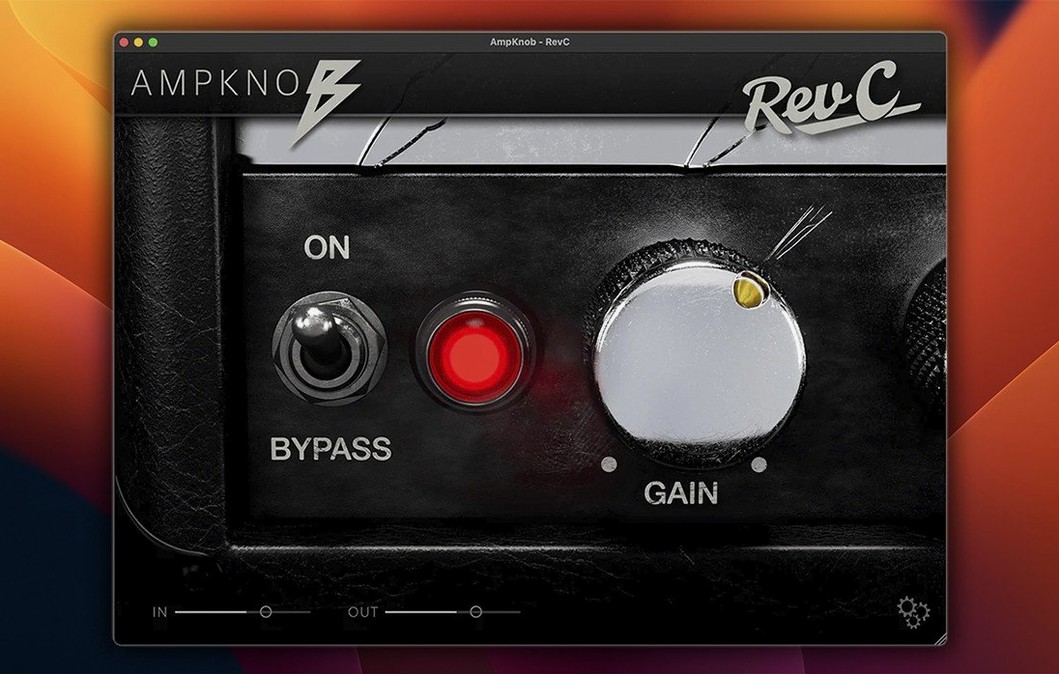
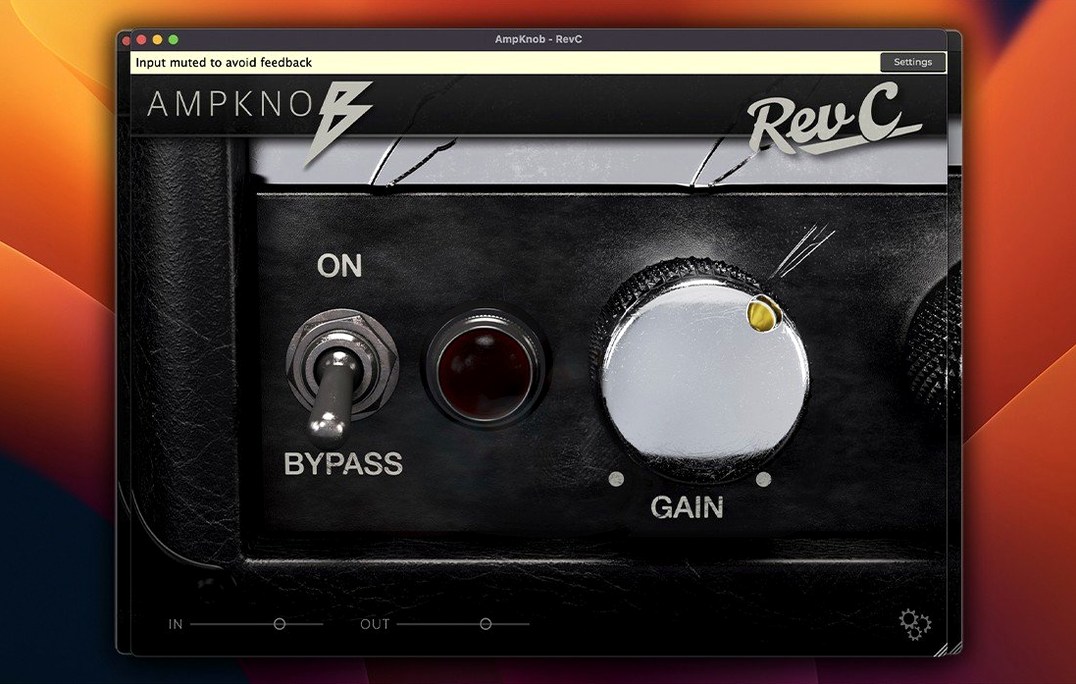
AmpKnob RevC is a guitar amp simulation plugin and standalone app built around a single-knob concept.
It's the first in a series of one-knob amps, and the idea is straightforward: you get the sound without menu-diving. The interface is reduced to essential functions, so it sits nicely next to the other tools in your Mac rig — plug it in, dial the one knob, and get back to playing.
Quick tracking with a solid amp tone
- Quick tracking sessions where you want a solid amp tone without tweaking for hours
- Loading your own impulse responses to shape the cab sound
- Using the internal boost for extra input gain and a tighter low end
- Practice or writing with the standalone's metronome, which handles tempo and meter changes
English-only interface on macOS 10.13+
- The interface is English only
- It runs on macOS 10.13 and later, on both Intel and Apple Silicon
- It's a one-knob amp by design, so don't expect deep tone-stack controls
Cranking the one knob makes tone mushy
When you first open AmpKnob RevC, it's easy to think the one knob does everything. The most common mistake is cranking it all the way up and wondering why the tone feels mushy. That knob controls the gain structure, and like any amp, the sweet spot is usually somewhere in the middle. Start at noon, play a few riffs, then move in small steps.
Another one: forgetting the internal boost is there. Beginners sometimes load their own impulse responses and leave the cab sim on by accident, or turn it off and get a brittle direct sound. The cab section is designed to be disabled when you want to use your own IR loader, but if you switch it off without loading anything, you get an unprocessed signal that sounds thin. Keep an eye on that toggle.
Some users also ignore the riff recorder in the standalone version. It's not just a gimmick — it captures ideas fast, and you can export them later. If you only use the plugin inside a DAW, you miss that workflow entirely. For sketching riffs away from a full session, the standalone is the better choice.
Loads as AU, VST or AAX in Logic or Ableton
Does it work as a plugin inside Logic or Ableton? Yes. It loads as AU, VST or AAX depending on your DAW. The standard installation procedure places the plugin files where your host expects them, so it should appear in your plugin list after a rescan.
Can I use it without a DAW? That's what the standalone app is for. It includes the tuner, metronome and riff recorder, so you can practice or write without opening any other software. It's a complete little practice rig.
What about my own cabinet sounds? You can load custom impulse responses, and you can also disable the built-in cab sim entirely. That gives you the amp tone only, which you can then process with your own IR loader or third-party cab plugins. This is useful if you already have a favourite set of IRs and want consistency across different amp sims.
Is it only for metal? No. The RevC voice works for rock, blues and even cleaner tones if you back off the gain and use the boost sparingly. The one-knob design doesn't lock you into one genre — it locks you into one control, but the amp itself has range.
Sits alongside amp sims and effects in your DAW
In a DAW workflow, AmpKnob RevC sits alongside your existing amp sims and effects. You can run it on a guitar track, add a compressor before it and reverb after it, and treat it like any other plugin. Because the interface is small, it doesn't clutter your screen when you have multiple tracks open.
On macOS, the standalone app works with Audio Units hosting if you route it through something like MainStage or a patch manager. You can also use it with system audio routing tools to play along with YouTube or Spotify — just set your browser's output to the same aggregate device. The metronome handles tempo changes, which makes it practical for practicing songs with sections at different speeds.
For those who use Logic's built-in amp sims or other third-party plugins like Neural DSP or Amplitube, RevC fills a different role. It's not a replacement for a multi-effects rig. It's a quick amp sound you can reach for when you don't want to browse presets. Load it, set the knob, record. That simplicity is what makes it sit well next to more complex tools in your Mac setup.
AmpKnob RevC Mac full version delivers the single-knob tube amp tone that launched the series. It works on Intel and Apple Silicon, so it fits both older and newer Macs without extra configuration.
- macOS 10.13 or later
- Intel or Apple Silicon
- Interface language: English
Kit check at a glance
| System | macOS 10.13 or later |
| Chip | Apple Silicon, Intel 64-bit |
| Download | 281 MB |








Chat from the booth
Sign in or grab a free account to leave a comment.
Nobody has said a word in the booth yet. If you played a set with this build, tell the next person how it went.