

- Build in the crate
- 2.2.6
- Made by the team at
- Global Delight
- Menu languages offered
- Russian, English, German, Spanish, Italian, Chinese (Traditional), Chinese (Simplified), Korean, Dutch, Portuguese, French, Japanese
- How you pay for it
- K'ed by Antibiotics
- macOS it plays on
- macOS 10.14 or later
- CPU it runs on
- Apple Silicon, Intel 64-bit
Screenshots
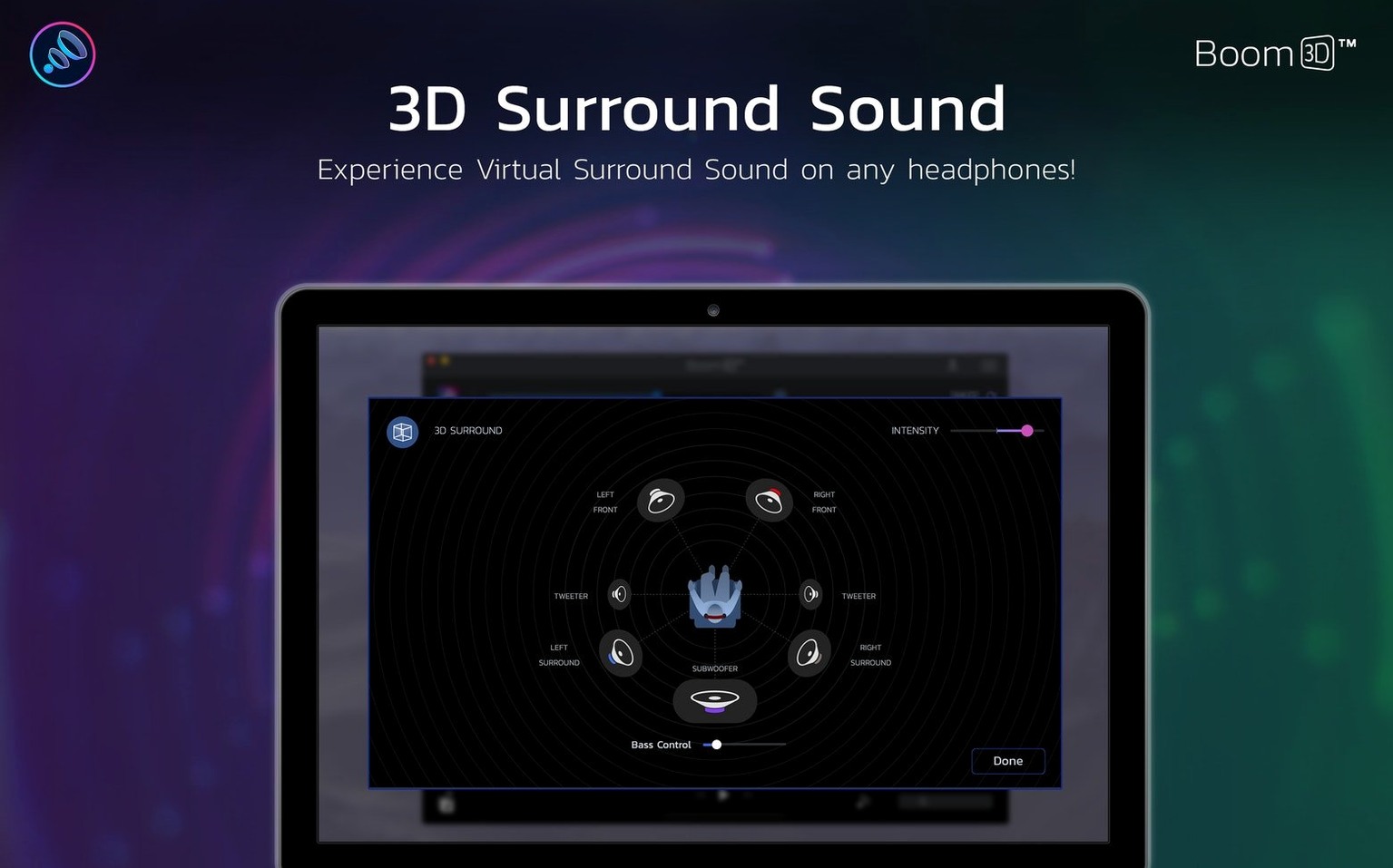

Some tracks just aren’t loud enough, and some Macs sound a little flat. Boom 3D fixes both. It’s a system-wide volume booster that pushes audio past the usual limit, so quiet movies and low-mixed songs get the presence they need.
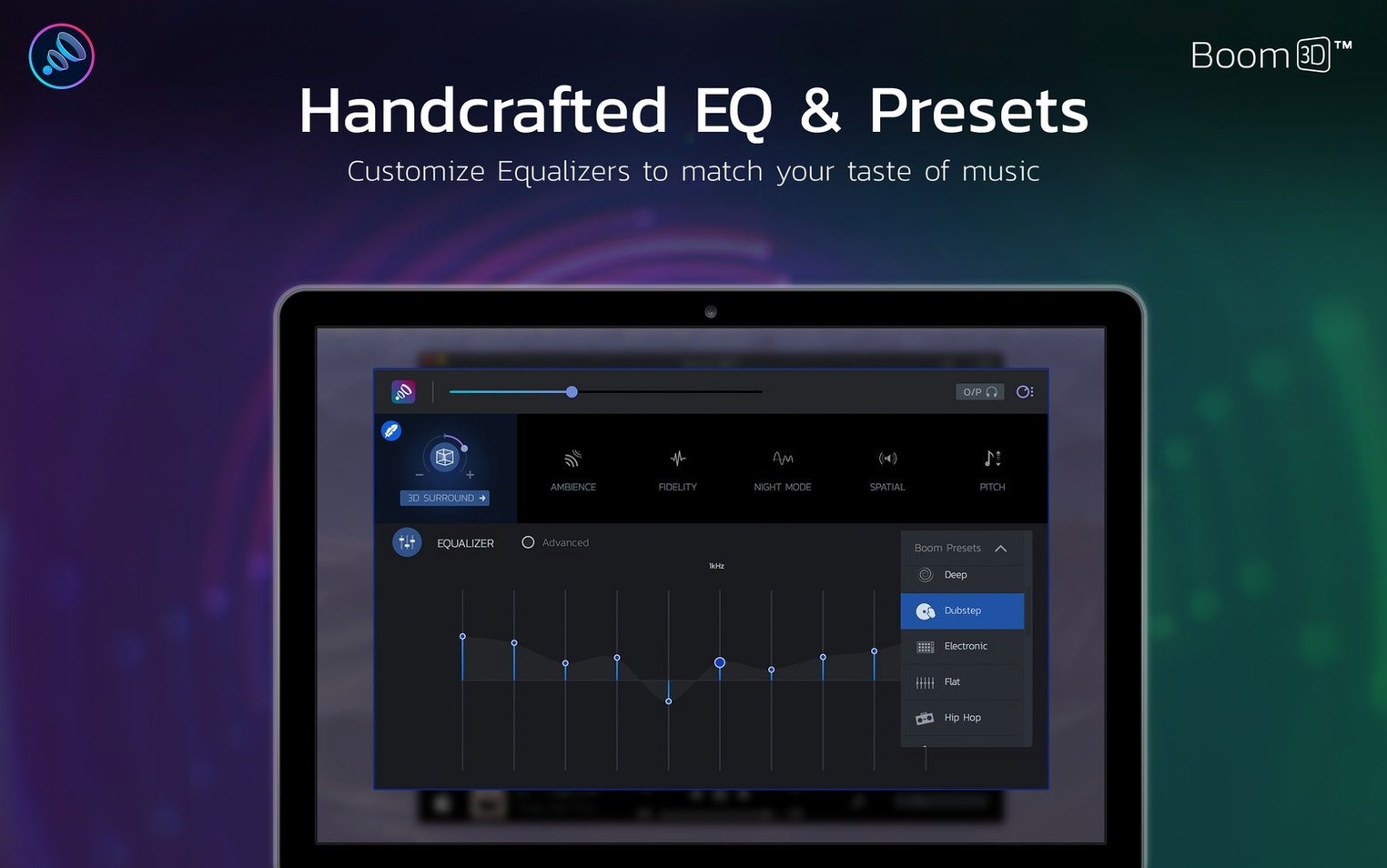
Version 2.2.6 keeps the core that made the app popular: a precision equalizer for fine-tuning, surround sound to widen the stage, and per-app volume control. Set Spotify louder than system alerts, or balance a chat app against a game. Everything happens in one place, no per-app fiddling with macOS sound settings.
The interface comes in 12 languages, including English, Spanish, German, and Russian, so it’s easy to navigate no matter your setup. It runs on macOS 10.14 and later, on both Intel and Apple Silicon.
Works with headphones and external speakers
One of the first things people wonder is whether Boom 3D works with external speakers or only headphones. The answer is both. The 3D surround effect is designed for headphones, but the volume boost and equalizer apply to any output — built-in speakers, Bluetooth speakers, USB headsets, whatever macOS sees as an audio device.
Another common question: does it interfere with other audio software? Boom 3D sits at the system level, so it affects everything. If you run a DAW like Logic Pro or Ableton, the app will process that audio too. Some users prefer to turn Boom 3D off when working on critical mixes, but for casual listening or watching videos, it works fine alongside other apps.
People also ask if it works on older Macs. Version 2.2.6 requires macOS 10.14 or later, which covers Mojave through to the current releases. It runs on both Intel and Apple Silicon, so no worries if you have an M-series Mac. If you're on an older system like macOS 10.13 or earlier, there's an older download available on the developer's site.
Lastly, many want to know the difference between Boom 3D and Boom 2. Boom 3D is a separate product, not an update. It adds the 3D surround processing and a redesigned interface. Boom 2 still exists, but the newer app is what Global Delight currently focuses on.
Adds volume boost eqMac lacks
Boom 3D vs eqMac. eqMac is a free system-wide equalizer with a simple interface. It offers basic EQ presets and a 10-band equalizer, but it doesn't have a volume booster that goes beyond the system limit. Boom 3D gives you that extra headroom and adds the 3D surround feature. If you only need EQ, eqMac is lighter. If you want volume boost and spatial audio, Boom 3D does more.
Boom 3D vs Audio Hijack. Audio Hijack is a powerful routing and recording tool. It can do system-wide EQ and volume control, but it's much more complex. You need to set up "sessions" and route audio through blocks. Boom 3D is simpler: install it, turn it on, adjust. Audio Hijack is for people who also want to record, route to different outputs, or apply advanced effects. Boom 3D is for people who just want better sound without the learning curve.
Boom 3D vs SoundSource. SoundSource offers per-app volume control, EQ, and audio effects, similar to Boom 3D. It's polished and integrates deeply with macOS. The difference is the 3D surround — SoundSource doesn't have that. Boom 3D's spatial processing gives headphones a wider soundstage, which makes movies and games feel more immersive. SoundSource has more audio effects like crossfade and upmix, but Boom 3D keeps things focused on boost, EQ, and surround.
Mute a single app without affecting others
The per-app volume sliders are handy for more than just balancing apps. You can mute a single app without affecting others. If a website starts playing an autoplay video, you can drop its volume to zero in Boom 3D instead of hunting for the tab.
The app remembers your settings per output device. If you plug in headphones, the 3D surround and EQ profile you set for them comes back automatically. Switch to the Mac's speakers, and it uses a different profile. No manual switching.
The equalizer has presets for different genres, but you can also save your own. If you dial in a boost for a specific pair of headphones, save it, and it stays there even after updates.
Boom 3D sits in the menu bar, so you can adjust volume or toggle the boost without opening the full window. That's a small thing, but it saves time when you just need to nudge the volume up quickly.
Fixing quiet dialogue in movies
Say you're watching a film on your Mac with headphones, and the dialogue is quiet while the action scenes are too loud. Here's how to fix it with Boom 3D.
First, open Boom 3D and turn on the volume booster. Push it a few notches above the default level. This raises the quiet parts so you can hear dialogue clearly.
Next, switch on the 3D surround effect. Set it to a moderate level — too high and it sounds unnatural, but a small amount widens the soundstage and makes the film feel bigger.
Now open the equalizer. Find a preset called "Movie" or "Dialogue" if available. If not, boost the mid frequencies a little — around 1kHz to 4kHz — where human speech sits. Cut the low frequencies slightly if the explosions are rattling your ears. Adjust until the dialogue is clear and the action is comfortable.
Use the per-app volume control to check that your media player is at a good level. If it's too low, raise it there instead of pushing the system volume further. This keeps other sounds like notification clicks at a normal level.
Save the EQ profile if you plan to watch more films. Next time, just select it and you're done.
Boom 3D is part of Global Delight’s Boom audio line, and it’s still the same straightforward tool it’s always been: boost, equalize, and enjoy.
- macOS 10.14 or later
- Intel or Apple Silicon
Kit check at a glance
| System | macOS 10.14 or later |
| Chip | Apple Silicon, Intel 64-bit |
| Older pressings | 5 in the crate |








Chat from the booth
Sign in or grab a free account to leave a comment.
Nobody has said a word in the booth yet. If you played a set with this build, tell the next person how it went.