

- Build in the crate
- 4.0.1
- Made by the team at
- Ample Sound
- Menu languages offered
- English
- How you pay for it
- Included
- macOS it plays on
- macOS 10.15 or later
- CPU it runs on
- Apple Silicon, Intel 64-bit
Screenshots
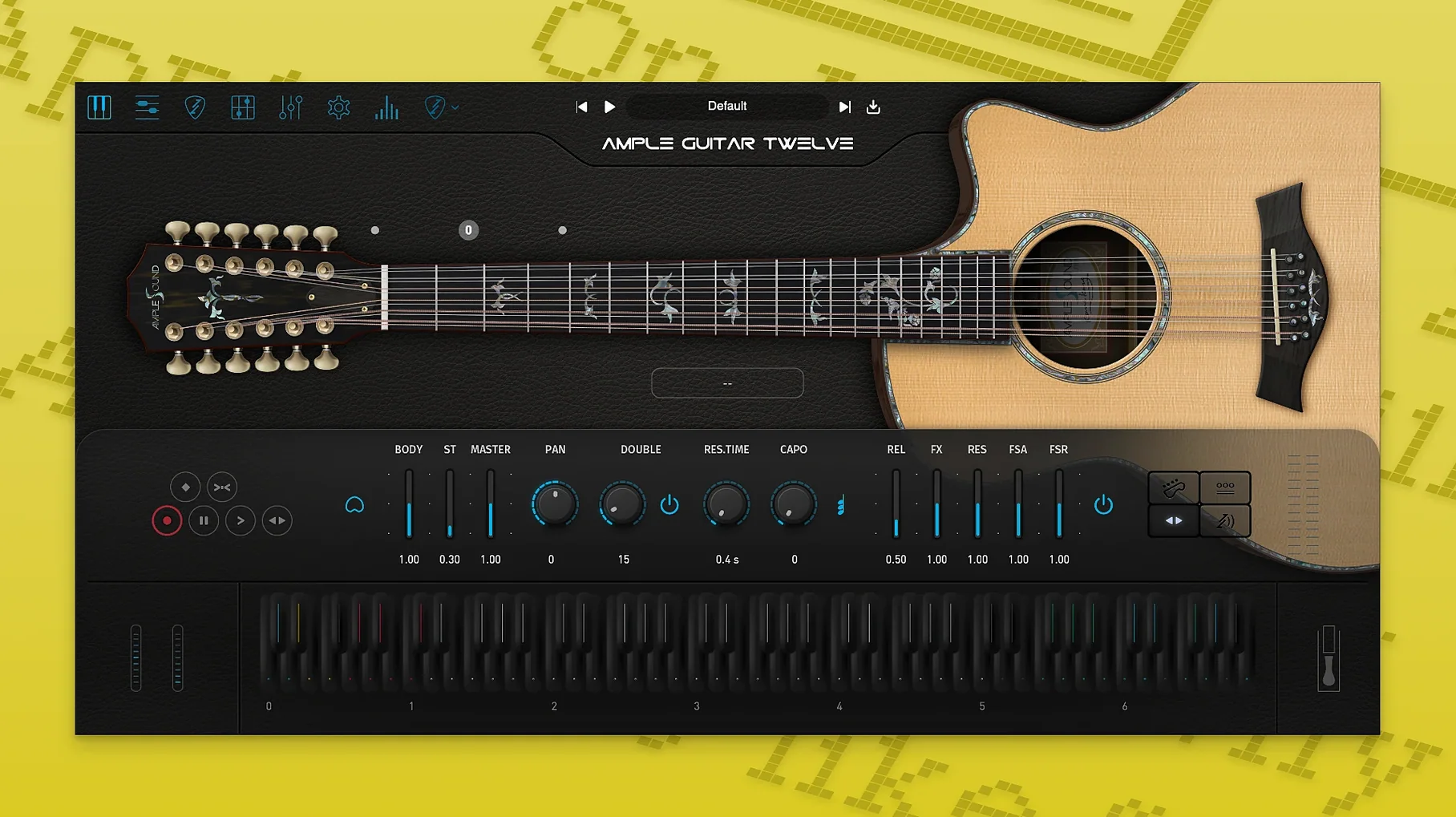
When a standard six-string acoustic isn't enough body, you reach for a 12-string. Ample Sound Ample Guitar Twelve gives you that jangle and chorus-like thickness without hiring a second player.
Lives on a MIDI track in your DAW
Track insert — The plugin lives on a MIDI track in your DAW. Play it from a keyboard or draw notes in the piano roll.
Bus or aux — Send it to a reverb or delay bus to place it in the mix. The paired strings already fill space, so go easy on stereo wideners.
Typical job — Use it for strummed rhythm parts that need that 12-string shimmer. The built-in Riffer 4 editor handles plucked-string patterns, so you can build a part without a guitar in your hands.
Host support — VST2, VST3, AU, AAX and standalone mode cover Logic, Ableton, Pro Tools, and others.
Standard Audio Unit instrument for Logic and GarageBand
Ample Guitar Twelve works as a standard Audio Unit instrument in Logic Pro and GarageBand, so you can load it straight into a software instrument track without a wrapper. The AU format also means it shows up in MainStage for live work — useful if you use the standalone mode for quick practice and then switch to a full session later.
The VST3 version plays well with Ableton Live and Cubase on Mac. If you run both AU and VST3 in the same session (say, Logic for recording and Ableton for arrangement), the plugin’s preset files are shared across formats, so you don’t duplicate patches.
Standalone mode is handy when you just want to play the guitar sound without opening a DAW. Route it through macOS’s built-in audio or an external interface — good for sketching chord ideas or practising Riffer patterns before committing to a track.
Riffer 4 pattern builder for plucked strings
Riffer 4 as a pattern builder — The MIDI editor is built for plucked strings, not general piano. You can drag in a strumming pattern and edit individual string notes. It treats chord sub-notes from a single strum note, which keeps editing tidy on the piano roll.
Thumb-pick samples — The library includes thumb-pick articulations alongside fingerstyle and strumming. That extra set gives you a rounder attack on bass strings without layering another track.
No separate installers per format — The package includes VST2, VST3, AU, AAX and standalone all in one go. Installation and activation instructions are inside the package, so you don’t hunt online for a readme.
One language — The interface is in native English. No menu switching, no localised labels to learn.
Requires macOS 10.15 or later and 10 GB free
The plugin runs on macOS 10.15 or later. It works on both Intel and Apple Silicon Macs — M1, M2, M3 and later are listed as supported. You need over 10 GB of free disk space for the sample library, so check your drive before installing.
The 12-string samples are the bulk of that space. Once loaded, the plugin itself is lightweight in the DAW. If you have an older Intel Mac, it runs fine; on Apple Silicon it runs natively without Rosetta.
Host formats cover all major DAWs on Mac: Audio Units for Logic and GarageBand, VST2 and VST3 for Ableton, Cubase, and others, and AAX for Pro Tools. Standalone mode uses Core Audio, so any macOS-compatible interface works.
Ample Guitar Twelve is a focused tool — it does one thing (12-string acoustic) and does it without extra bloat. If you need that bright, airy paired-string sound in a track, it fits straight into your existing Mac setup.
- macOS 10.15 or later
- Intel or Apple Silicon (M1 or later)
- Over 10 GB free disk space
- VST2, VST3, AU, AAX, or standalone host
Kit check at a glance
| System | macOS 10.15 or later |
| Chip | Apple Silicon, Intel 64-bit |
| Download | 6.7 GB |


Chat from the booth
Sign in or grab a free account to leave a comment.
Nobody has said a word in the booth yet. If you played a set with this build, tell the next person how it went.