
- Build in the crate
- 2025.31550
- Made by the team at
- Derivative
- Menu languages offered
- English
- How you pay for it
- K'ed by TNT team
- macOS it plays on
- macOS 10.14 or later
- CPU it runs on
- Intel 64-bit
Screenshots
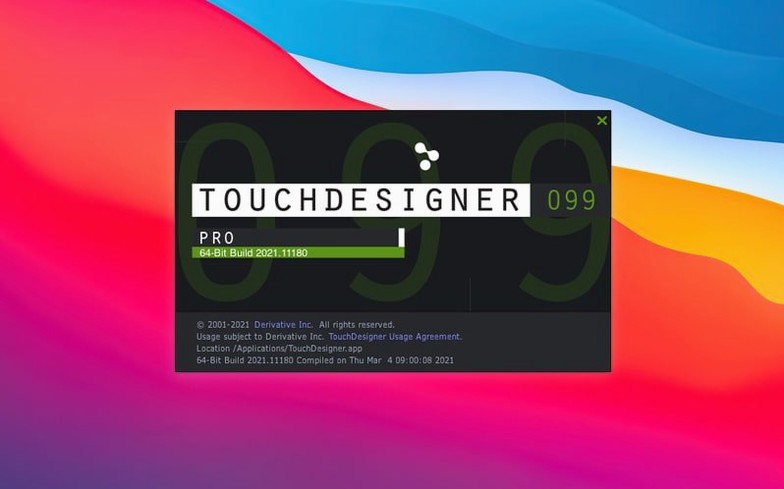
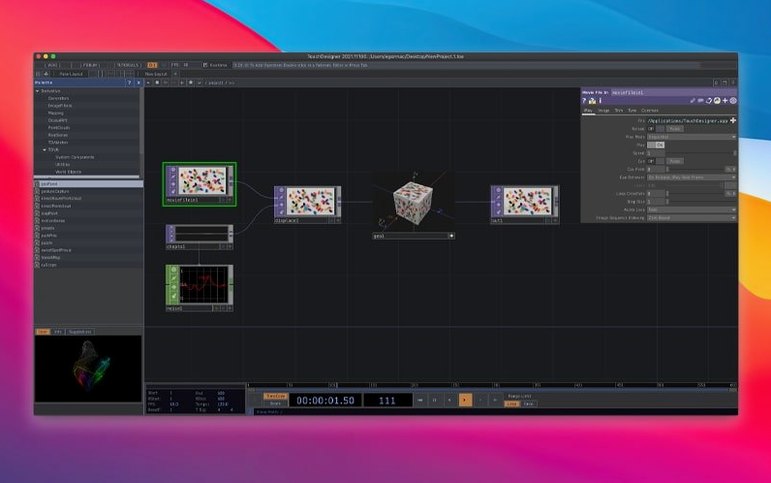
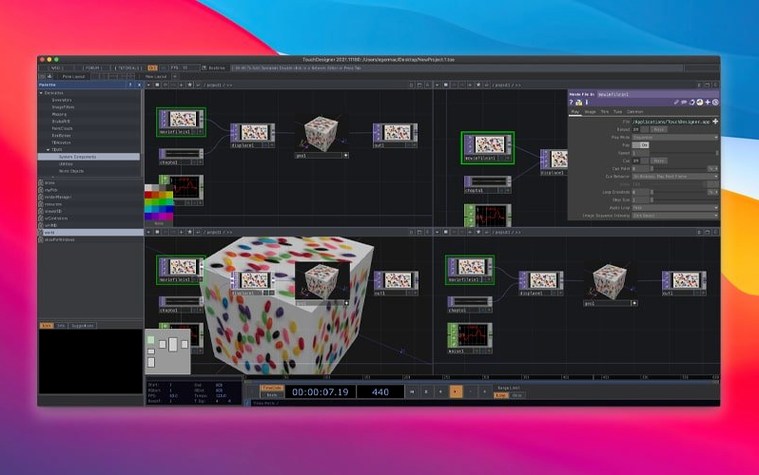
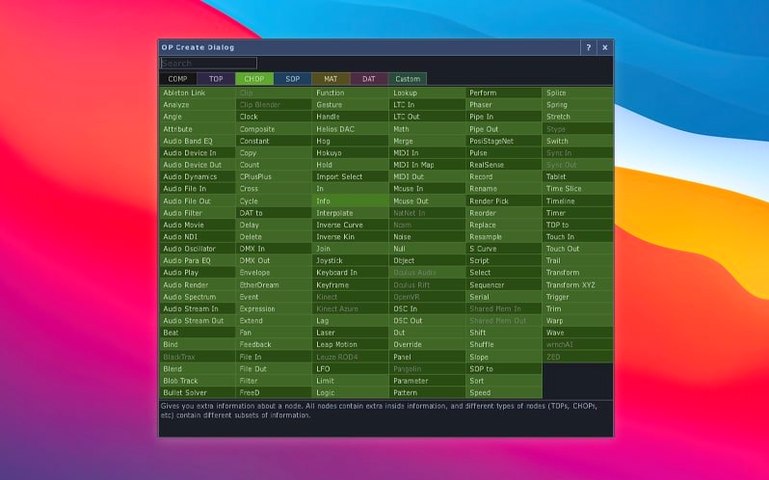
Artists, VJs, and interactive designers use TouchDesigner to build real-time media installations, projection mapping shows, and immersive VR experiences. It is a separate visual development platform, not a standard macOS app — you wire together nodes to create both application logic and your own user interface.
Real-time 3D, compositing, and projection mapping
- Real-time 3D graphics, compositing, and video playback
- Projection mapping and large-scale live visuals
- Building interactive installations that respond to sensors, lighting, audio, or show-control systems
- VR and AR projects with built-in VR tools
- Integrating with hardware, software, protocols, and the internet
No native Apple Silicon build yet
- TouchDesigner 2025 runs on Intel Macs with macOS 10.14 or later; no native Apple Silicon build yet
- It is a node-based environment — expect a learning curve if you are new to visual programming
- The interface is in English only
- Official builds are production-ready and stable
Nodes disappearing or not responding
TouchDesigner’s visual programming approach can throw up a few recurring headaches, especially when you are new to node-based tools. Here are the ones people bump into most often, and what to do about them.
Nodes disappearing or not responding. This usually happens when you disconnect a node from its data stream or leave an input unconnected. Check that every input you expect to feed data actually has a wire attached. If a node turns grey, it is probably not receiving the right type of data — hover over the input socket to see what format it expects.
Projection mapping misalignment. If your mapped output looks stretched or off, the most likely cause is a mismatch between the project’s resolution and your output device’s native resolution. Set the project dimensions to match your projector or screen before you start mapping. Also, double-check that all surface coordinates are within the canvas boundaries.
Real-time performance stutters. This is often down to a single heavy node processing too much data per frame. Use the built-in performance monitor (it shows per-node load) to spot the culprit. Consider moving large 3D operations to the GPU using the new Point Operators — POPs run on the GPU and can offload significant work from the CPU.
External hardware not detected. TouchDesigner talks to many devices — sensors, lighting desks, audio interfaces. If a device isn’t showing up, verify its driver is installed and the correct protocol (OSC, MIDI, DMX, Art-Net) is selected in the node’s settings. For Orbbec depth cameras, the 2025 version upgrades the SDK to 1.10.16, which now supports Intel Macs properly. If you are using a Kinect Azure, the wrapper was upgraded to 1.10.3 — update your project’s Kinect nodes to match.
Running M1 and M2 Macs under Rosetta 2
There is no Apple Silicon build in the 2025 release, so if you have an M1 or M2 Mac, you will need to run it under Rosetta 2. That works for many projects, but heavy 3D work might feel less responsive than on an Intel machine.
Do I need to know programming? Not really. TouchDesigner is a visual programming environment — you connect nodes with wires, much like patching cables in a modular synth. That said, understanding basic logic (true/false, numbers, text) helps when you start building more complex interactions. Many artists come from a visual art background and pick it up in a few days.
Can I control the interface from another app? Yes. TouchDesigner supports OSC, MIDI, DMX, Art-Net, and HTTP. You can send commands from a tablet, a lighting console, or another piece of software on the same network. Many people use it as the hub for live shows.
Is it stable for live performance? Official builds are described as production-ready and tested. The team at Derivative puts out stable releases, so you can rely on it for a show once you have tested your setup. As with any real-time tool, always run through the full show before the crowd arrives.
Overcomplicating the first project
Overcomplicating the first project. A common trap is trying to build a full show in one session. Start with a single node that outputs a shape or a colour. Add one more node to control it. Build from there. The node-based workflow rewards iteration, not grand plans.
Forgetting to save often. TouchDesigner crashes can happen when you push a node beyond its limits. Save frequently and use version numbers — it saves time when you experiment with a new node chain and want to roll back.
Ignoring the data types. Every node input expects a specific type: number, text, colour, 3D vector, or something else. Beginners often connect a text node to a number input and wonder why nothing happens. The input socket colour usually hints at the type — learn to read those colours early.
Not using the built-in UI tools. TouchDesigner lets you build your own user interface directly in the project. Beginners often try to control everything from the node layout, which gets messy fast. Instead, create a clean control panel with sliders and buttons for the parameters you need to adjust during a show.
Point Operators (POPs) for GPU-based 3D data
The headline addition is the Point Operators (POPs) family. These are GPU-based nodes that create or modify 3D data without going back to the CPU. In practice, this means you can push larger point clouds, particle systems, or mesh deformations than before. For VJs and installation artists, POPs unlock denser scenes without the usual frame-rate hit.
Alongside POPs, most TOPs now natively support 3D textures and 2D arrays. This makes texture-based effects — like mapping video onto a 3D surface — much more direct. Where you previously needed extra nodes to convert data types, you can now plug a texture directly into a TOP and see results immediately.
For anyone using depth cameras, both the Orbbec SDK (now 1.10.16) and the Kinect Azure wrapper (now 1.10.3) have been updated. The Orbbec update is especially useful for Mac users because it adds Intel Mac support. If you were running an older SDK version, your projects should work with these newer libraries, but it is worth testing your touchdesigner download mac setup again to confirm.
Overall, the 2025 release makes TouchDesigner more forgiving for heavy 3D work and more straightforward for texture-based visuals. If you have been working with older builds, the upgrade is worth the time for the GPU operators alone.
- Point Operators (POPs) — GPU-based nodes for creating and modifying 3D point data
- Most TOPs now support 3D textures and 2D arrays natively
- Orbbec SDK updated to 1.10.16, now supports Intel-based Macs
- macOS 10.14 or later
- Intel-based Mac
- Interface language: English
Kit check at a glance
| System | macOS 10.14 or later |
| Chip | Intel 64-bit |
| Download | 615 MB |
| Older pressings | 5 in the crate |


Chat from the booth
Sign in or grab a free account to leave a comment.
Nobody has said a word in the booth yet. If you played a set with this build, tell the next person how it went.