

- Build in the crate
- 15.0
- Made by the team at
- Wolfram
- Menu languages offered
- Russian, English, German, Vietnamese, Greek, Spanish, Italian, Chinese (Traditional), Chinese (Simplified), Korean, Lithuanian, Polish, Portuguese, Ukrainian, French, Japanese
- How you pay for it
- Included
- macOS it plays on
- macOS 12 or later
- CPU it runs on
- Apple Silicon, Intel 64-bit
Screenshots
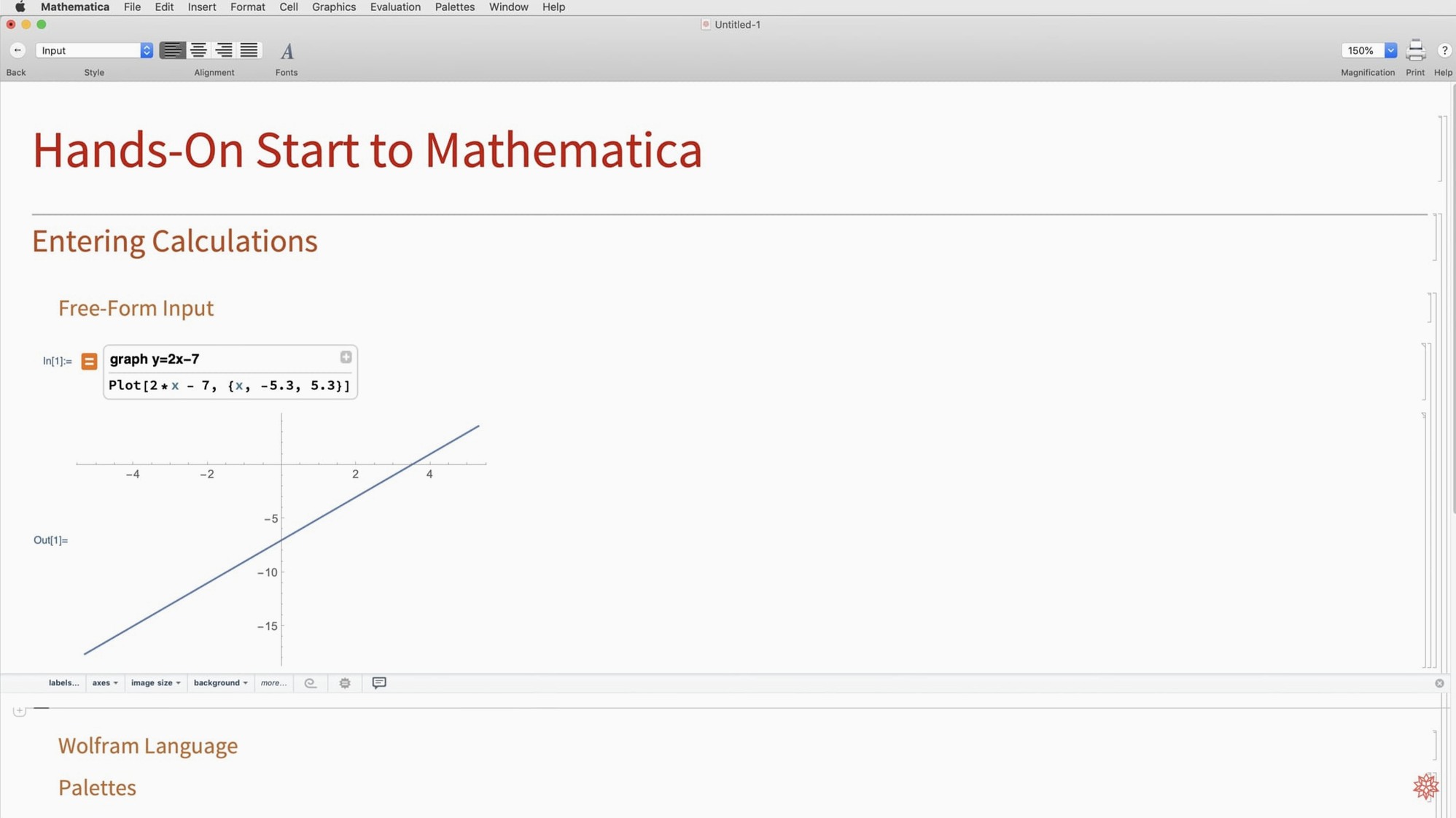
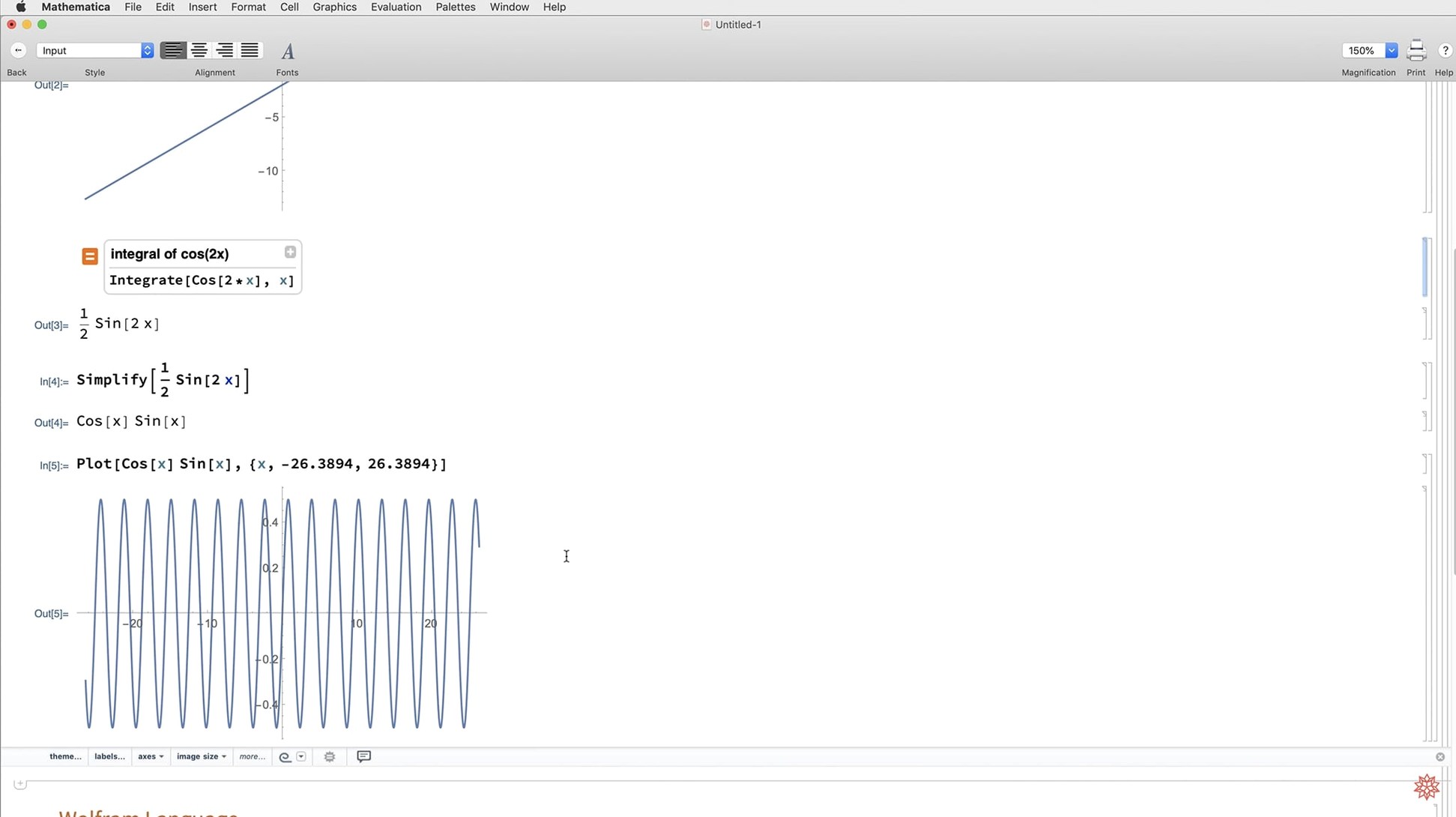
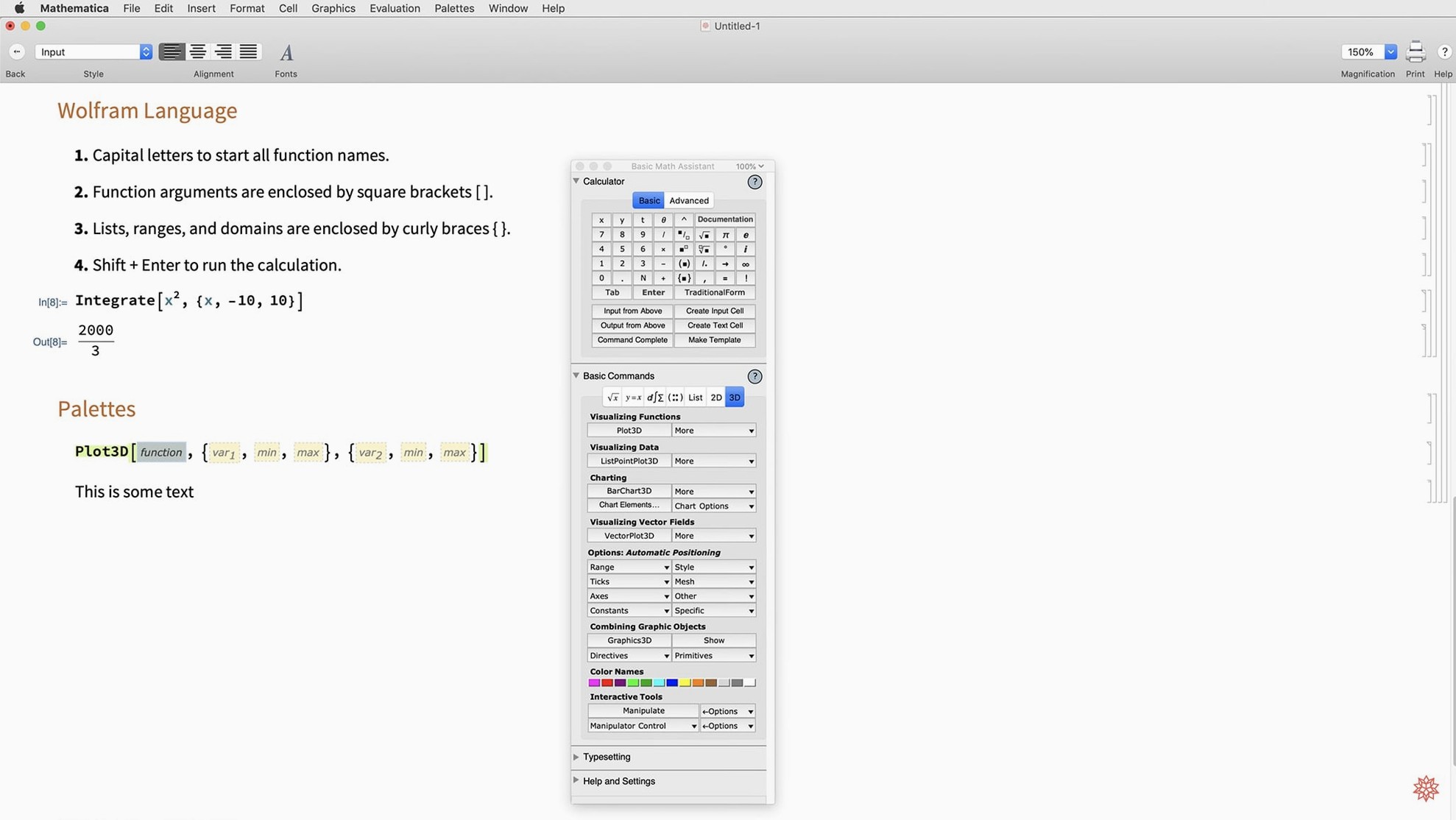
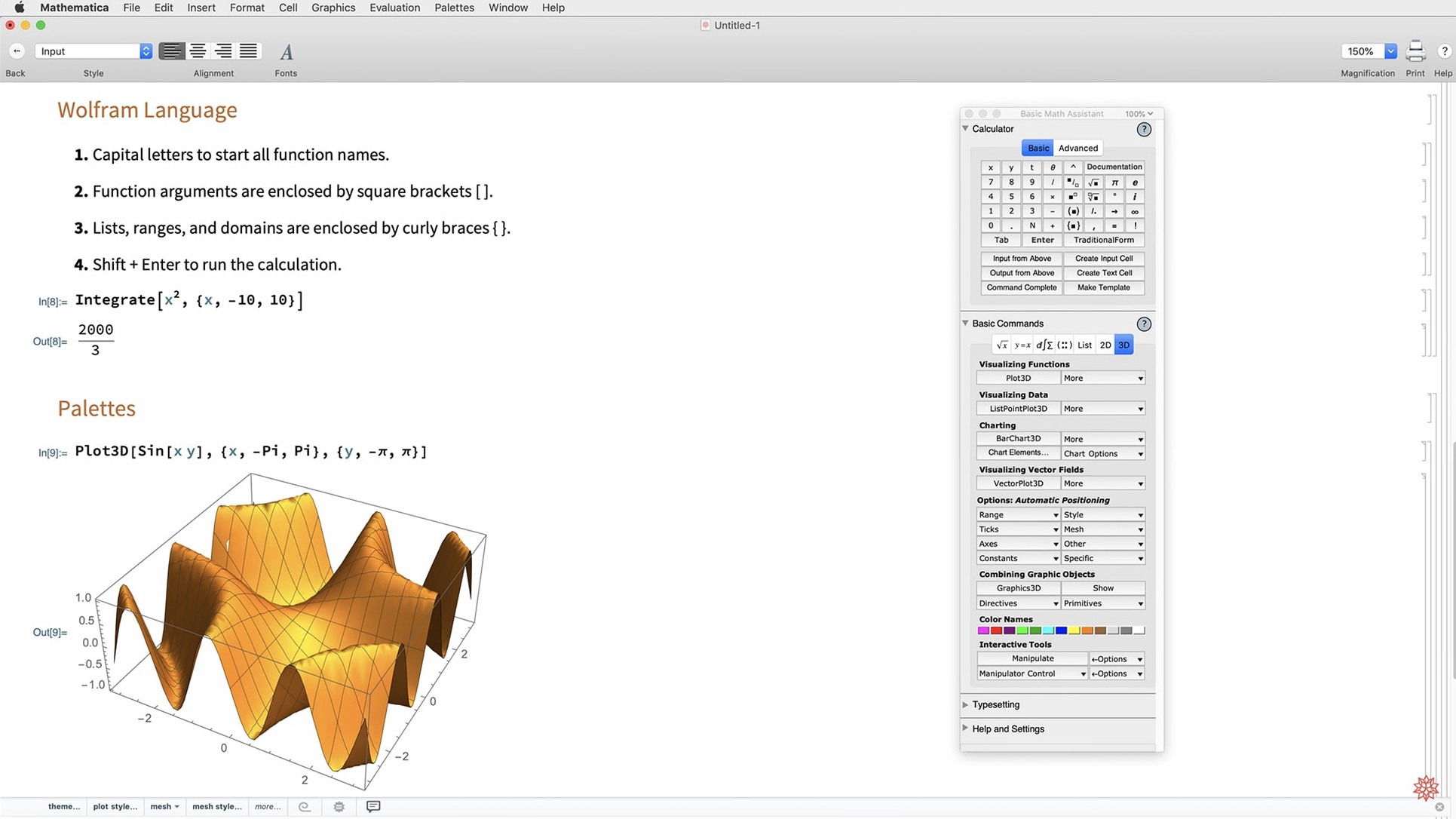
Wolfram Mathematica 14.3 runs on Intel 64-bit and Apple Silicon Macs, with macOS 12 or later. It works fine on the latest MacBooks and can also be used through a web browser or on mobile devices. The app is built around the Wolfram Language, giving you thousands of functions for symbolic math, numerics, data analysis, and visualisation.
- Symbolic and numeric computation – solve equations, integrate, differentiate, and handle matrix decompositions with the new Hilbert transforms and Lommel functions.
- Data tools – import, clean, analyse, and visualise data from external sources, then export results as Markdown or other formats.
- Visualisation and plotting – new
ListFitPlot, surface plots, vector-based maps, and mesh processing tools make it easier to produce publication-ready graphics. - Dark mode support – version 14.3 adds full dark mode with new standard colours that switch automatically between light and dark environments.
- Integration with other tools – faster Python and R integration, plus
LLMGraphand geodesic computation for more advanced workflows. - System modelling – model validation tools and
ColumnwiseCombinehelp with engineering and simulation tasks.
If you work in research, engineering, or data science, Mathematica covers the ground from quick calculations to full-scale projects. The cloud access means you can run notebooks from any browser when you’re away from your Mac.
Dark mode now follows Mac system settings
Version 14.3.0 brings several changes that affect how you interact with Mathematica day to day. The most visible one is full dark mode support. If you keep your Mac in dark mode, Mathematica now follows suit without extra tweaking. The new standard colours for light and dark environments mean notebooks look consistent whether you’re working late at night or on a sunny afternoon.
The new ListFitPlot function saves time when you’re exploring data. Instead of fitting a curve in one step and plotting it in another, you get both in a single command. The surface plotting functions and vector-based maps also reduce the back-and-forth between computation and visualisation.
For anyone who works with signal processing or control systems, the Hilbert transforms and Lommel functions are a practical addition. You no longer need to implement these yourself or pull in external libraries. The new matrix decompositions similarly expand what’s available without leaving the notebook.
Python and R integration got faster in this release. If you switch between Mathematica and those languages regularly, the improved speed matters when you’re iterating on data cleaning or statistical models. The Markdown export support is another small but welcome change — you can now share results directly in a format that works with most documentation tools and version control systems.
From CSV sensor readings to a polished report
Here’s one way to use the new tools in a realistic session. Say you have a CSV file with sensor readings and you want to produce a clean report.
- Import the data – use
Import["file.csv"]to pull the table into a list of rows. Mathematica handles common formats without extra parsing. - Clean and combine columns – use
ColumnwiseCombineto merge, transform, or normalise specific columns. This is new in 14.3 and makes column-level operations more direct than manual mapping. - Fit a curve to one column – call
ListFitPloton the cleaned data. The function fits a model and plots the result in one go, so you see the trend immediately. - Add a surface plot – if your data has two independent variables, use the new surface plotting functions to show the response surface. Rotate it interactively to check for outliers.
- Compute derived values – apply the Hilbert transform if your sensor data is periodic and you need the analytic signal. The new built-in function does it in one line.
- Export as Markdown – use
Export["report.md", notebook]to save the whole notebook as Markdown. The plots and equations render cleanly in most markdown viewers and on GitHub.
This workflow uses several of the 14.3 additions without jumping between different tools or scripting languages.
Call Python and R scripts directly inside notebooks
Mathematica works alongside other software in a few practical ways. The faster Python and R integration means you can call Python scripts or R functions from within a notebook and bring the results back as Mathematica expressions. This is useful if your team uses Python for data wrangling or R for statistics — you don’t have to choose one environment.
On macOS, dark mode is now fully respected, so Mathematica matches the system appearance set in System Settings. If you use multiple desktops or Stage Manager, the app behaves like any other native Mac window — you can drag notebooks between spaces, use Quick Look on exported files, and rely on macOS file management for your .nb and .wl files.
The cloud access complements the desktop app. You can start a notebook on your Mac, save it to the Wolfram Cloud, and open it later on an iPad or another computer through a browser. The Markdown export also helps if you need to share results with colleagues who don’t have Mathematica — they can view the report in any Markdown reader or paste it into a wiki.
- Full dark mode support with new standard colours for light and dark environments.
- New mathematical functions – Hilbert transforms, Lommel functions, and matrix decompositions.
- Enhanced visualisation – ListFitPlot, surface plotting, vector-based maps, and mesh processing.
- Faster Python and R integration, plus LLMGraph, geodesic computation, and Markdown export.
- System model validation tools and ColumnwiseCombine.
- macOS 12 or later
- Intel 64-bit or Apple Silicon processor
Kit check at a glance
| System | macOS 12 or later |
| Chip | Apple Silicon, Intel 64-bit |
| Download | 3.3 GB |
| Older pressings | 13 in the crate |




Chat from the booth
Sign in or grab a free account to leave a comment.
Nobody has said a word in the booth yet. If you played a set with this build, tell the next person how it went.