

- Build in the crate
- 21.6.0
- Made by the team at
- Adobe
- Menu languages offered
- Russian, English, German, Arabic, Hungarian, Danish, Hebrew, Spanish, Italian, Chinese (Traditional), Chinese (Simplified), Korean, Dutch, Norwegian, Polish, Portuguese, Turkish, Ukrainian, Finnish, French, Czech, Swedish, Japanese
- How you pay for it
- K'ed by boringman
- macOS it plays on
- macOS 13 or later
- CPU it runs on
- Apple Silicon, Intel 64-bit
Screenshots


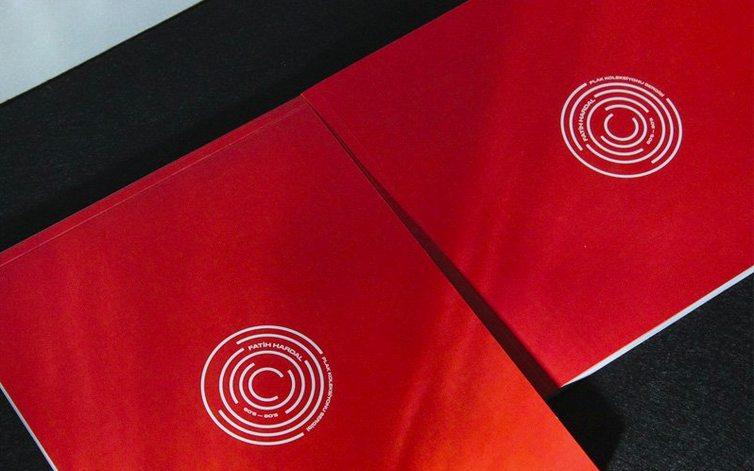
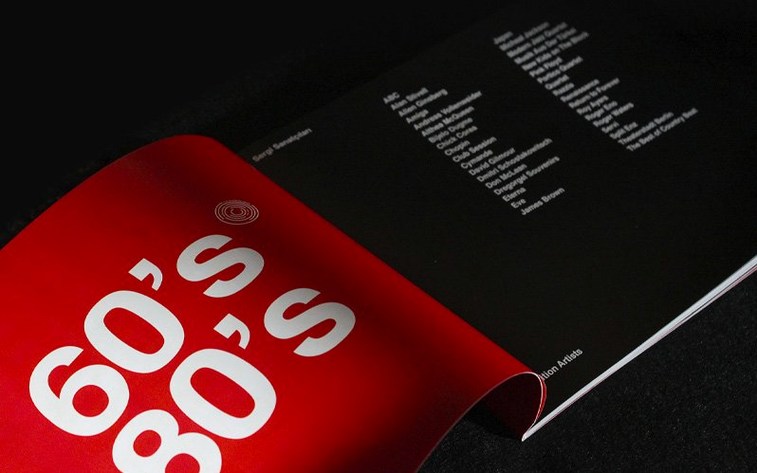
Graphic designers, layout artists, and anyone who puts together magazines, brochures, or digital publications reach for Adobe InDesign. It is the standard tool for page layout and desktop publishing on macOS.
Page layout and desktop publishing app — design and prepare content for print, web, and tablet apps.
Collaboration tools — share documents for review and manage comments from the team.
Apple Silicon and Intel — runs natively on M-series and Intel Macs running macOS 13 Ventura or later.
Keyboard shortcut search — added in 21.5.1, you can now search for shortcuts directly in the Keyboard Shortcuts dialog box.
Table accessibility — PDF and EPUB exports now include better table structures for screen readers.
AI-generated Alt Text — generate or remove alt text in bulk for multiple images.
Data merging has been updated: it now supports multiline records and UTF-8 in data files.
Interface languages — 21 languages including English, German, Spanish, French, Japanese, and Chinese.
For publishers of multi-page documents
If you produce multi-page documents regularly, InDesign is the right tool. Magazine and newspaper publishers work with it daily because it handles long documents with consistent master pages, style sheets, and automatic page numbering. Editorial teams benefit from the review and comment features — sharing a layout for feedback without exporting flattened PDFs keeps the editing loop tight.
Production artists who prepare files for commercial printing rely on InDesign's precise colour management, preflight checks, and support for industry-standard print formats. Book designers use its paragraph and character styles to maintain typographic consistency across hundreds of pages. Packaging designers also use it for dieline layers and structural templates.
On the digital side, anyone publishing interactive PDFs, EPUBs, or HTML-based content will find the export options useful. The new HTML preview feature in 21.5.1 removes the need for an extra plugin, which saves a step when checking how a layout will look in a browser. Teachers and students creating academic posters, newsletters, or portfolios can also pick it up — the learning curve is gentler than many expect.
A workflow: laying out a multi-page brochure
Here is a typical start-to-finish workflow for a printed brochure, using features from InDesign 21.5.1.
- Set up the document — create a new file with facing pages, the correct page size, and bleed margins. Set up column guides on the master page so every page shares the same grid.
- Import and organise content — place text from a word processor and link images from a folder. Use the Links panel to check resolution and format. Data Merge can pull in variable text from a CSV file, and with the new multiline record support you can include addresses or descriptions that span several lines.
- Apply styles — define paragraph and character styles for headings, body text, captions, and pull quotes. This keeps formatting consistent and makes global changes easy later.
- Arrange the layout — place text frames and image frames on each spread. Use the Align and Distribute tools for even spacing.
- Add interactive elements — for a digital version, include hyperlinks and buttons. Export to interactive PDF or EPUB.
- Generate alt text — select multiple images and use the AI-generated Alt Text feature to add descriptions in bulk. This saves time if you have dozens of product shots.
- Preflight and export — run the preflight panel to catch missing fonts or overset text. Export to print-ready PDF with the correct colour profile and compression settings.
Runs on macOS Ventura and later, Apple Silicon or Intel
InDesign 21.5.1 is compatible with macOS 13 Ventura and newer versions. It functions on Apple Silicon and Intel 64-bit Macs, meaning an M2 MacBook Air or an older Intel iMac are both suitable. Adobe suggests having at least 8 GB of memory and 4.5 GB of available storage on your drive to install. The software also requires a GPU that supports Metal for the best performance — most modern Macs meet this, but older models with integrated graphics may not run the GPU-accelerated features at full speed.
The interface is available in 21 languages, including English, German, Spanish, French, Japanese, Russian, Arabic, Hebrew, and Chinese. Activation is included in the package, so you do not need a separate Adobe account or internet connection to get started.
Ignoring styles leads to formatting nightmares
A few common pitfalls slow down new InDesign users. Knowing them early saves frustration.
- Ignoring styles — manually formatting each heading or body paragraph is quick at first, but becomes a nightmare when you need to change the font size across 50 pages. Paragraph and character styles are worth learning from day one.
- Not setting up master pages — adding page numbers, headers, or repeating elements to every page individually is wasteful. A master page applies them automatically to all pages linked to it.
- Forgetting to check links — InDesign does not embed images by default. If you move or delete a linked file, the layout breaks. The Links panel shows missing or modified files — check it before exporting.
- Overlooking text overset — a small red plus sign in a text frame means some text is hidden. Beginners often miss this and export incomplete documents. Use the Preflight panel or the Info bar to spot overset text.
- Using too many fonts — sticking to two or three typefaces keeps documents professional. InDesign makes it easy to swap fonts globally with Find/Replace Font, but starting simple is better.
- Mixing build groups — when installing multiple Adobe apps from different sources, the install instructions warn against mixing releases from different build groups. Following the included instructions for each app avoids compatibility issues.
- Table accessibility improvements for PDF and EPUB exports
- Keyboard shortcut search in the Keyboard Shortcuts dialog box
- Data Merge now supports multiline records and UTF-8 encoded data files
- HTML previews no longer require the HTML Preview plugin
- Local files can be added as cloud documents; cloud documents can be downloaded from the home screen
- Bulk generation or removal of AI-generated Alt Text for multiple images
- macOS 13 Ventura or later
- Apple Silicon or Intel 64-bit processor
- Minimum 8 GB RAM
- 4.5 GB available hard-disk space for installation
- GPU with Metal support for optimum performance
Kit check at a glance
| System | macOS 13 or later |
| Chip | Apple Silicon, Intel 64-bit |
| Download | 1.5 GB |
| Older pressings | 48 in the crate |







Chat from the booth
Sign in or grab a free account to leave a comment.
Nobody has said a word in the booth yet. If you played a set with this build, tell the next person how it went.